
How to keep your real product accurate in an AI video
A convincing product video needs to show the item you actually sell. I start by separating the details that must be exact from the atmosphere we can invent. For labels, moving parts and product demonstrations, I would choose a real photograph, filmed shot or controlled composite whenever a generated take changes the facts.
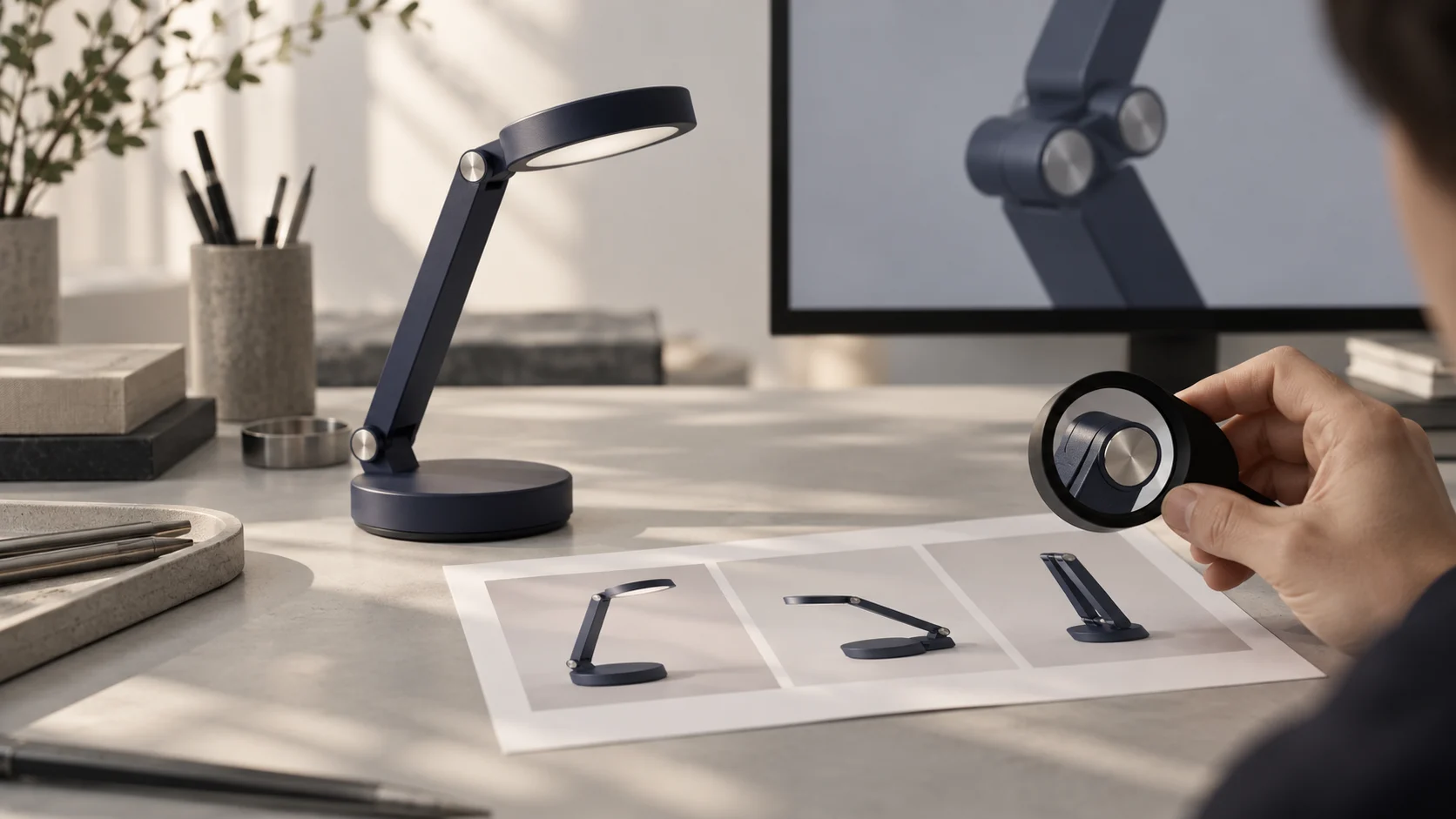
What will a buyer believe after this shot?
A beautiful scene can make a small reading light feel desirable. It can also accidentally promise a different hinge, a larger battery or a button that does not exist. Before deciding how to make the scene, I ask what someone will believe about the product after watching it. That gives the production a useful limit: the feeling can be authored; the visible product facts need evidence.
For this guide, imagine a fictional folding reading light with one hinge, a round base and a printed model name underneath. This is a teaching example, not a client result. The task is to show how it belongs on a quiet evening desk. The advertisement does not need to invent a rotating joint or demonstrate an unverified brightness level.
- Name the exact product version, colour and included accessories.
- Write down the action the viewer should understand.
- Mark any feature that could affect a buying decision.
- Choose who can approve those facts before production starts.
Choose the method around the detail
I would not give every shot the same production method. A wide scene may benefit from a generated setting, while a readable label deserves a controlled source. Compositing means placing a real product asset into another scene and matching perspective, light, shadows and movement. It still needs careful finishing; it is not simply pasting a cut-out over a background.
A real shot is often the clearest way to show a hinge folding or a switch being pressed. A still photograph can work well for a quiet final product view. Full generation is useful when the creative brief allows interpretation, but an appealing output should not become the authority on what the product contains or how it works.
| What the viewer sees | A practical starting route | What still needs checking |
|---|---|---|
| Readable model name or package copy | Approved artwork over a real or controlled product view | Spelling, placement and final export readability |
| A moving mechanism or product use | Film the actual operation | Action, included parts and implied function |
| A product in an imagined location | Real asset composited into the scene | Scale, contact shadows, perspective and edges |
| Atmosphere around an object | Generate a setting or an exploratory shot | Any detail that has become a product claim |
Give the team one approved product reference
A folder of attractive photographs is not enough if it contains different versions of the item. I would label the selected version clearly, keep the original files and record which image proves each detail. A front photograph may prove the silhouette while a separate close-up proves the switch. An unseen back panel remains unknown; it is not permission to invent one.
For the fictional light, the reference note might say: one hinge, circular base, indigo finish, switch on the base, no extra accessories in the box. The person responsible for the product checks that note. Dimensions and performance claims come from approved product information, not from measuring an AI illustration. The generated hero image in this article is only an illustration of the review process.
Keep branding files separate from the scene references. If the exact words matter, supply the approved text or artwork rather than asking someone to reconstruct tiny lettering from a compressed screenshot. Agree whether it must be legible on a phone and how long the viewer should have to read it. Those decisions affect the shot before any generation begins.
Try one difficult moment before making the whole film
The difficult moment for our reading light is the hinge opening. I would test that movement before spending time on the entire sequence. The proof should include the approved reference, the candidate shot and a note about what is being checked. A matching first frame is helpful, but it does not prove that the same geometry survives the motion.
Watch the take at normal speed, then inspect the point where the hand covers the hinge, the reveal after the hand moves and the ending position. Compare the item against the same reference at each point. If the hinge grows another joint, I would change the shot method or reduce the action. I would not approve it because the error lasts only a moment.
Runway’s official Gen-4 guide recommends a clean input image and prompts focused on movement. That is useful model-specific guidance. It does not establish a guarantee of exact product geometry. I treat a reference as an input to the process and an approved product asset as evidence for the review. They have different jobs.
How to review an AI film without losing the idea
Build a product shot approval note
Review your own shot against an approved product source. This worksheet does not analyse a video. Your notes stay in this page.
Resolve before approval
- Shape and proportions — Not checked
- Colour and material — Not checked
- Label and model name — Not checked
- Mechanism and movement — Not checked
- Function and included items — Not checked
- Final crop and readable text — Not checked
Recorded decisions are your review notes, not an accuracy certificate.
Make the approval specific enough to use
The interactive note lets you record the status of six product checks. Unknown and changed details stay visible in the result. Checking a box is your own review decision; the page does not inspect uploaded footage or certify accuracy. Download the note and keep it beside the shot so another person can see what remains unresolved.
“Looks good” is a fragile approval. A useful note names the shot, the product version, the source and the person who checked it. It also separates factual approval from creative preference. Someone can like the lighting while still rejecting an invented accessory. That distinction makes the next production decision much easier.
- Unchanged and supported by the reference: record the evidence.
- Changed: describe the detail and choose a repair or a different method.
- Not checked: keep it open rather than treating silence as approval.
- Not visible: confirm that the feature is genuinely absent from the shot.
Check the version people will actually watch
The editing preview is not the final advertisement. Compression, a vertical crop, captions or a platform overlay can hide a label that was readable in the master. I would inspect the exported file in its intended format, with the actual text and sound. If a narration makes a product claim, its meaning belongs in the same review as the picture.
For a close-up used on a product page, I would prefer a restrained, accurate shot over a spectacular image of a different item. For a brand film, we can still create an imaginative world around a truthful product view. That choice protects the story and the buying decision at the same time.
When discussing a film with SOLONSKY Films, bring the exact product version and one scene you most want to show. I can help shape the production approach around the details that matter. Scope, revisions and delivery formats need to be agreed for the actual task; no tool name alone tells us what the finished film will require.
How image-led video works
Official Runway introduction to image-led video and motion prompts. It explains a generation workflow, not a test of the fictional lamp or a guarantee of product accuracy. The video is in English.
The video provider connects only when you press play. Watch on YouTube.
Questions
Can a reference image guarantee an unchanged product?
No. It guides generation, but the moving result still needs comparison with an approved product source. A correct opening frame does not prove the rest of the shot.
Should I generate the label inside the video?
If the wording must be exact, I would use approved artwork or a real product view and check the final export. A generated label is not a reliable source of product information.
Do I need to film everything?
No. Choose the method shot by shot. Real operation, controlled product views and generated atmosphere can belong in the same film.
Technical sources
- Runway — Gen-4 video prompting guideOfficial guidance on input images and movement prompts; checked 10 October 2026. It does not guarantee exact product fidelity.