Know what deserves attention
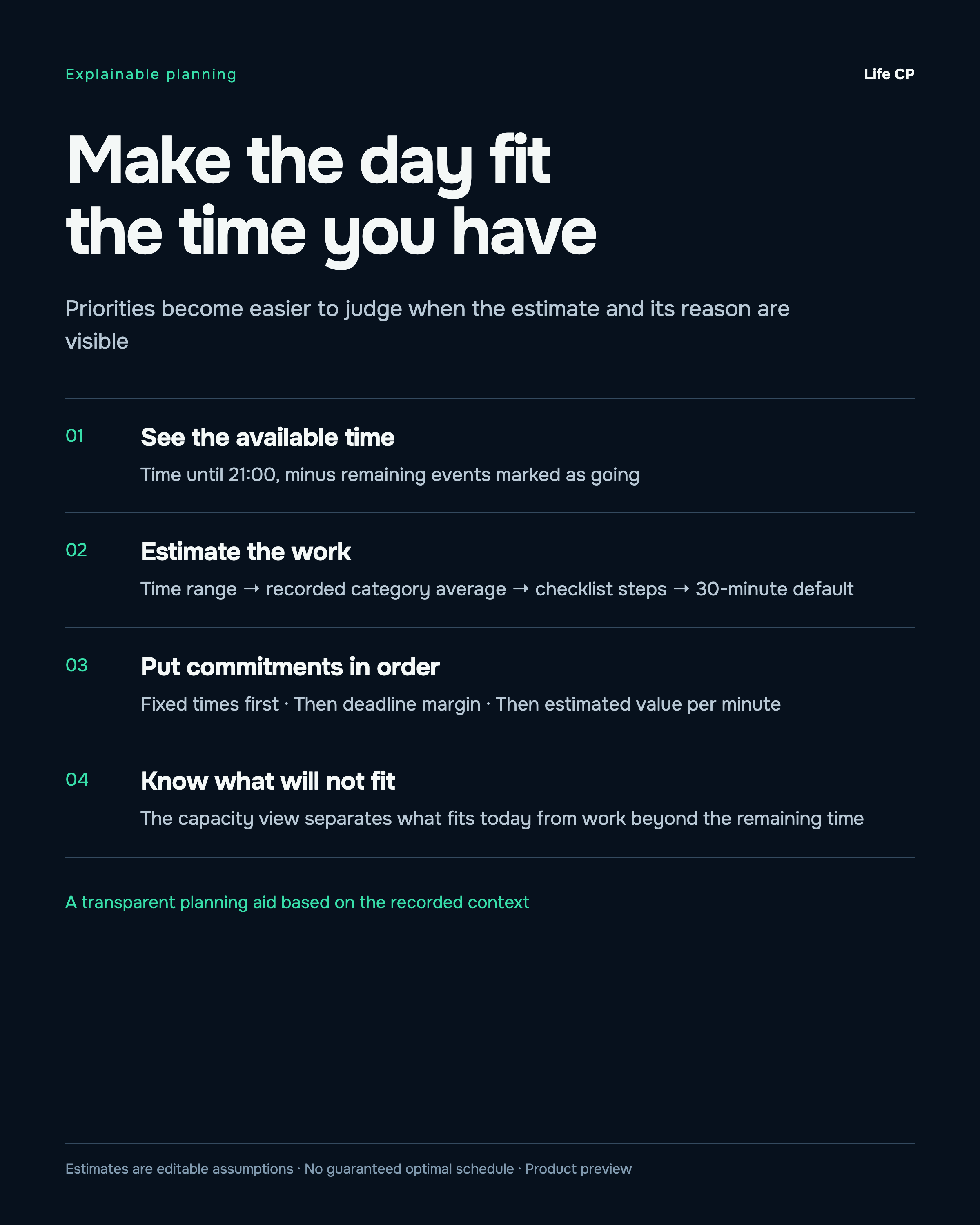
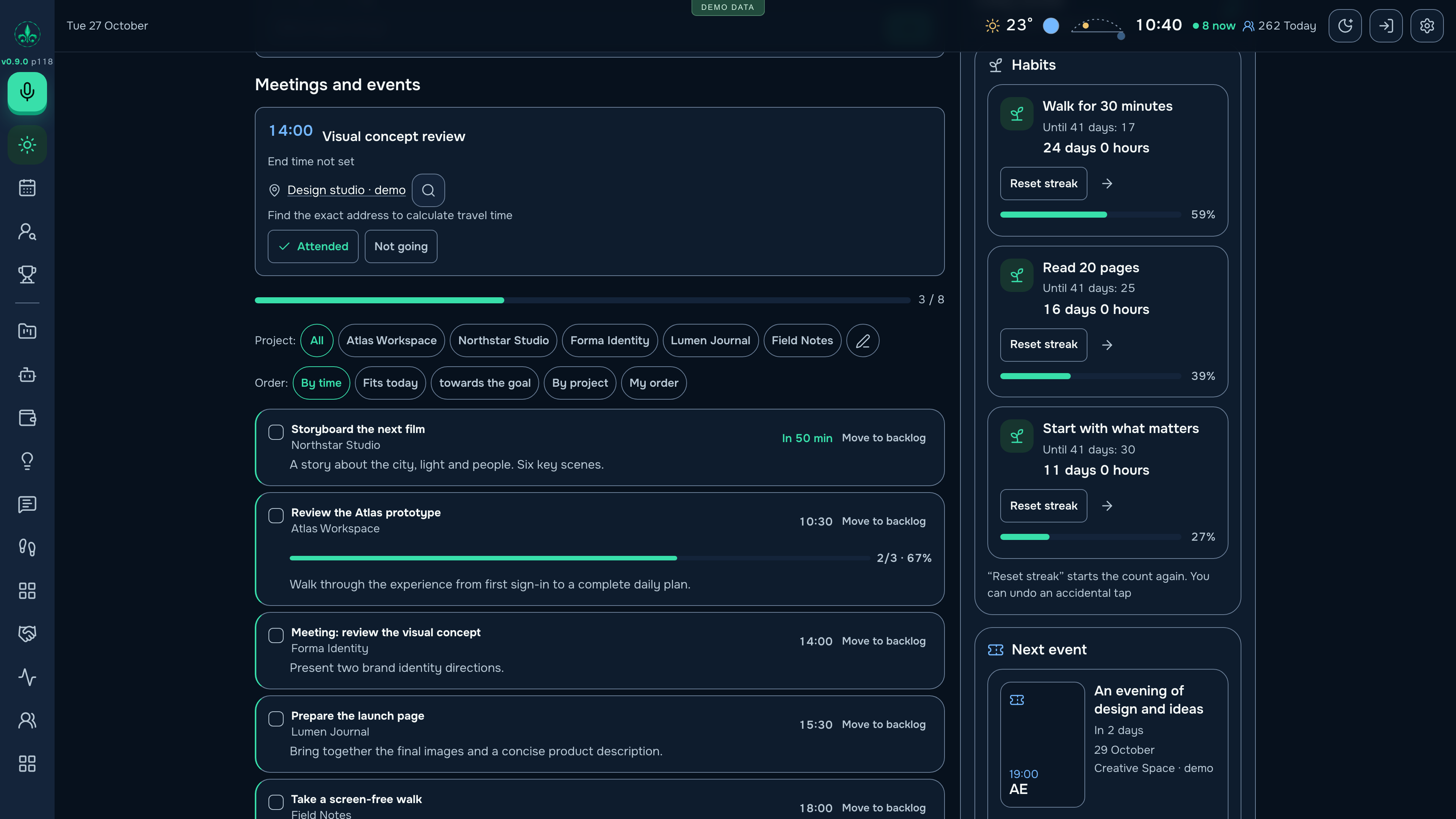
See the day, its fixed commitments and available time together. Task estimates show their basis, and work that does not fit stays visible.
 Alex SOLONSKYProjectsDiscuss acquiring Life CP
Life CP connects my projects, daily tasks, automatically refreshed bank data, personal commitments and AI agents in one working system. I created it to keep the next meaningful step in view — and I already use it in my own life.
Working product · In my personal use
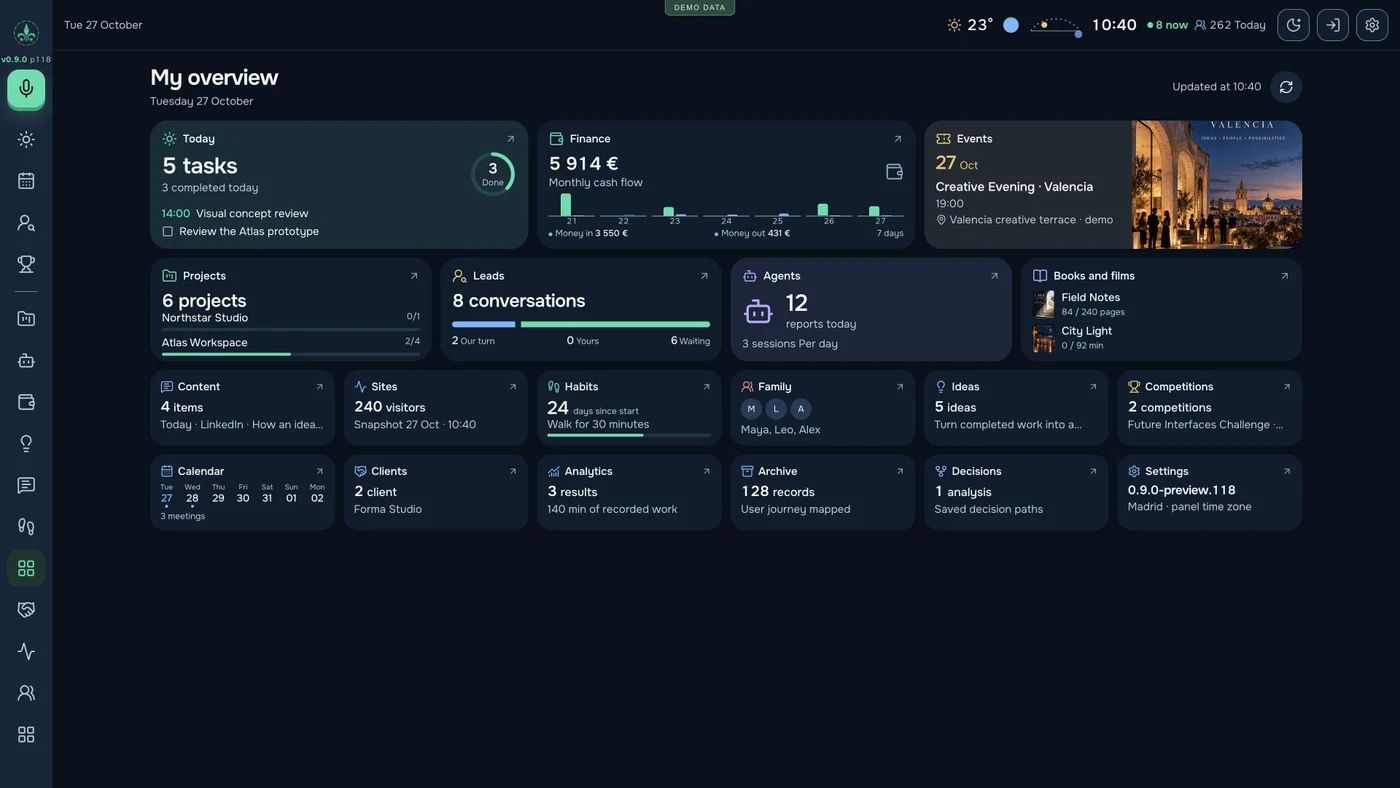
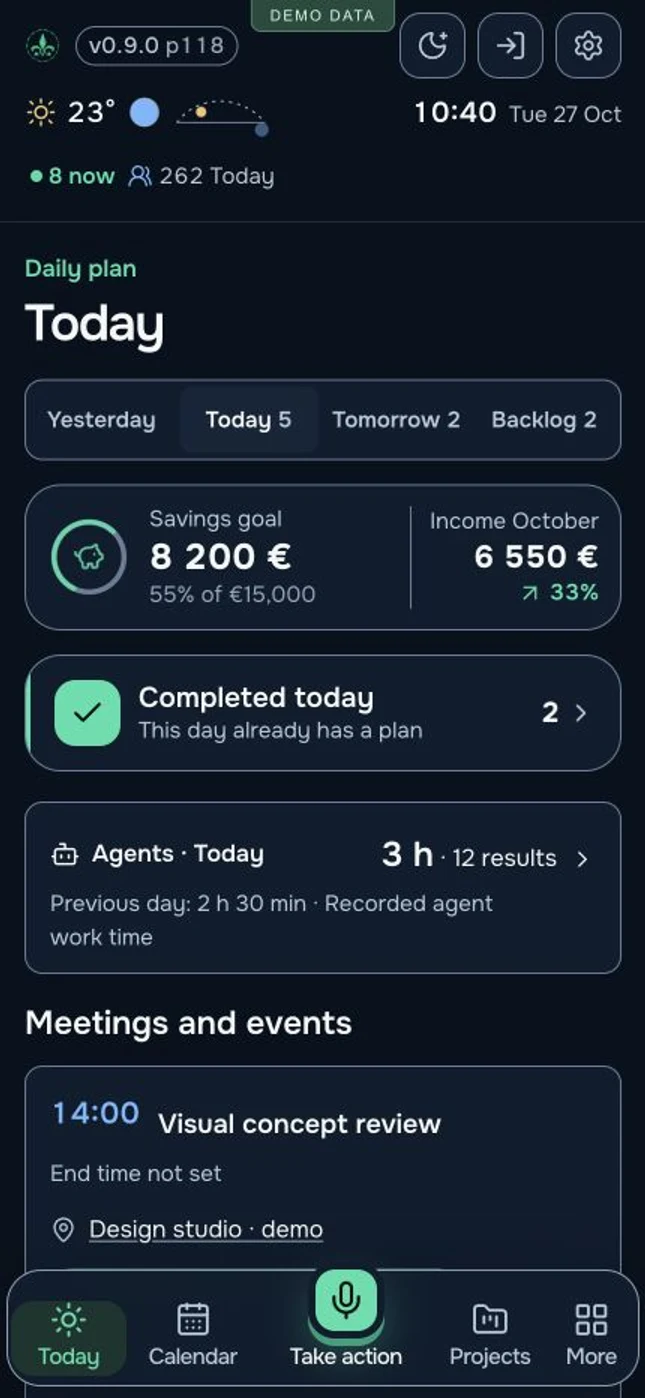 Working interface · Demo data
Concept, product design, engineering and ongoing development — Alex SOLONSKY
The product is real. The presentation uses an English-localized interface with fictional projects, people, amounts and metrics to protect personal information. Telegram conversations are labelled illustrations.
I needed more than a list of things to do. A project has a next step, a client, a deadline and financial context. My day also includes family, meetings, ideas and commitments outside work. Reconnecting all of that across separate tools took attention away from the work itself.
I built Life CP around those connections. A task can hold the project, person, place, documents and recorded effort behind it. A roadmap keeps the story of a project. An AI agent’s report belongs in the same record as the work it describes.
See the day, its fixed commitments and available time together. Task estimates show their basis, and work that does not fit stays visible.
Connect tasks, clients, money, roadmap stages and results. Return to the reason behind a decision without rebuilding the context.
Use assistance for capture, planning, ideas and documents. Connected executors report their progress; important decisions stay with the owner.
Family, habits, events, books and films share the same overall view. Personal commitments remain part of planning.
Finance without constant manual entry
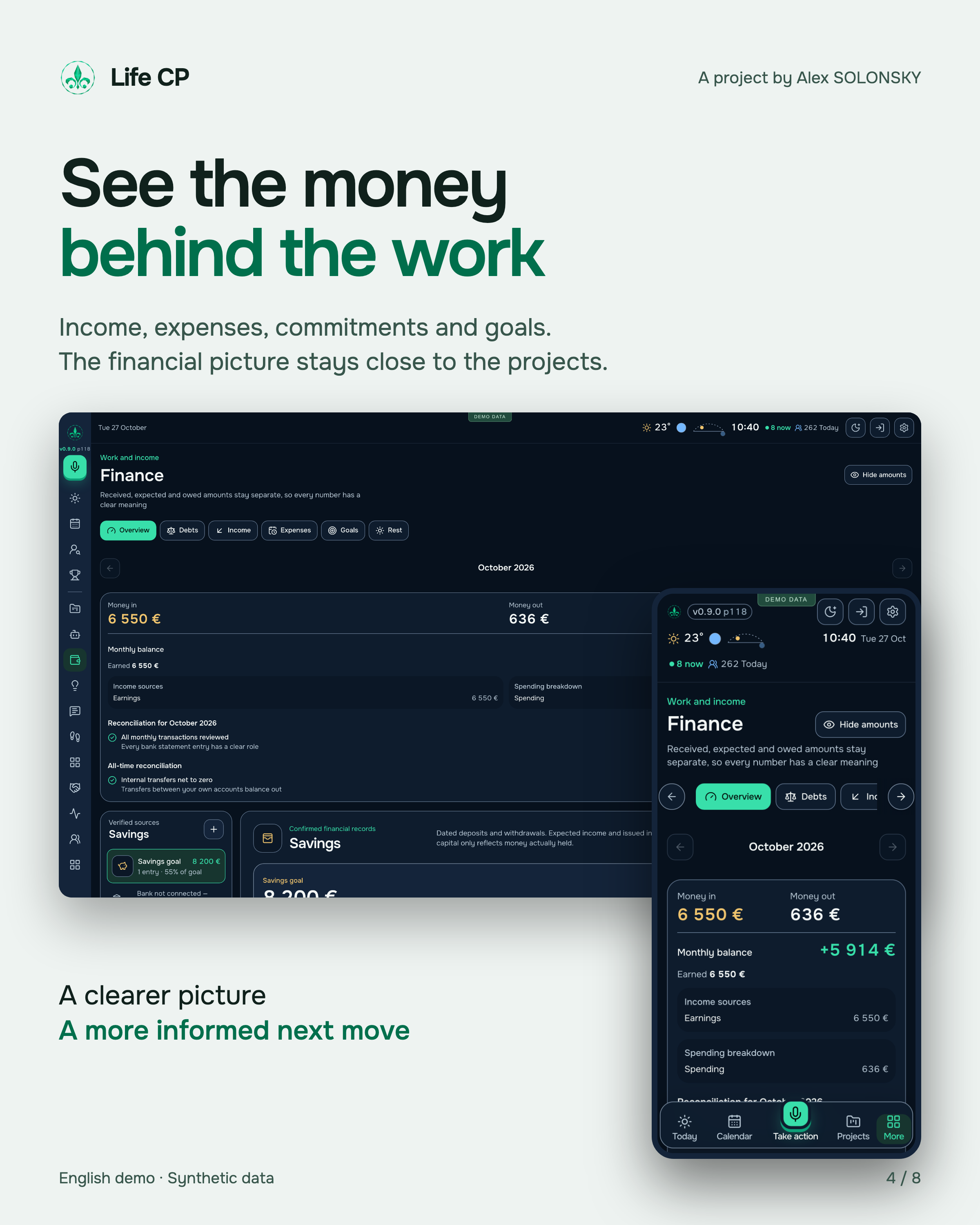
I connected bank data to Life CP so that money lives in the same system as my projects and daily plan. Transactions from configured bank sources refresh automatically, alongside commitments, debts and financial goals.
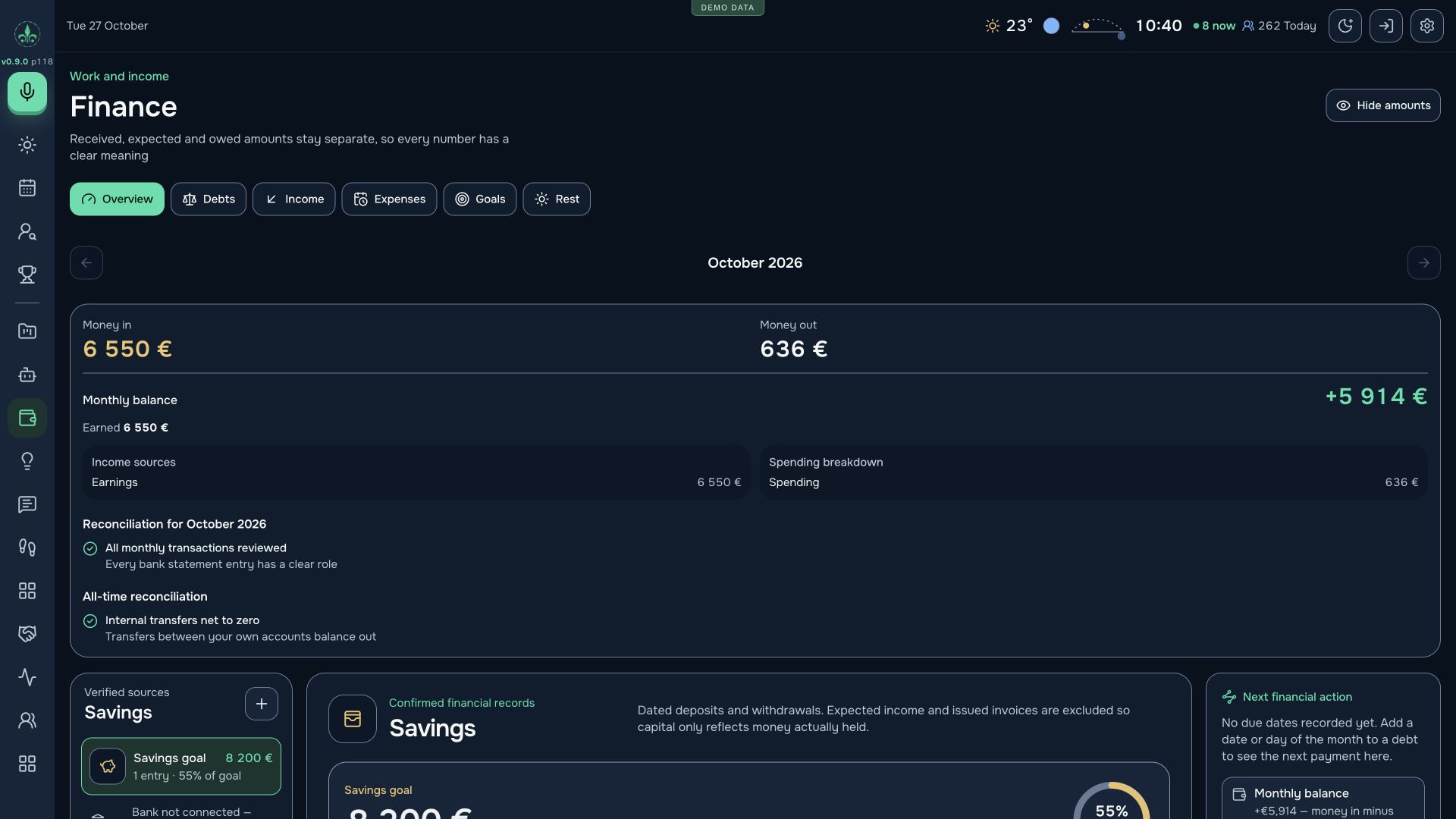
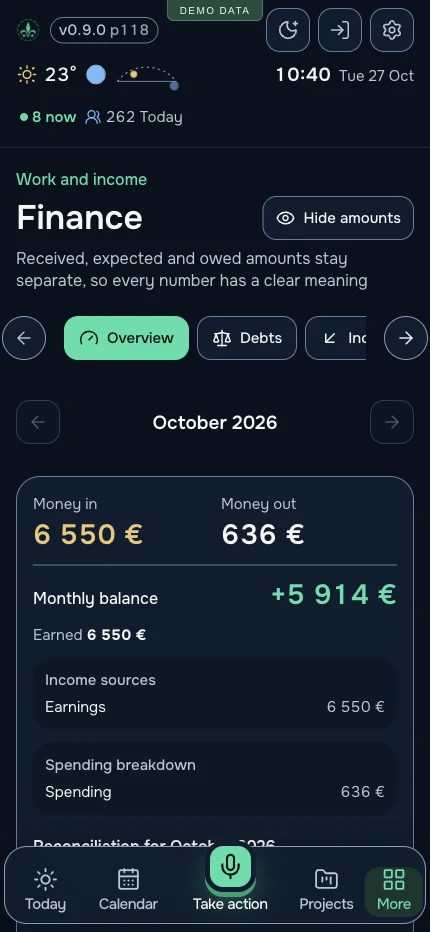
Automatic refresh applies to configured bank connections. The amounts shown are fictional demonstration data.
Income, spending, cash flow, capital, debts and receivables belong in one view. Transactions can retain their project or client context.
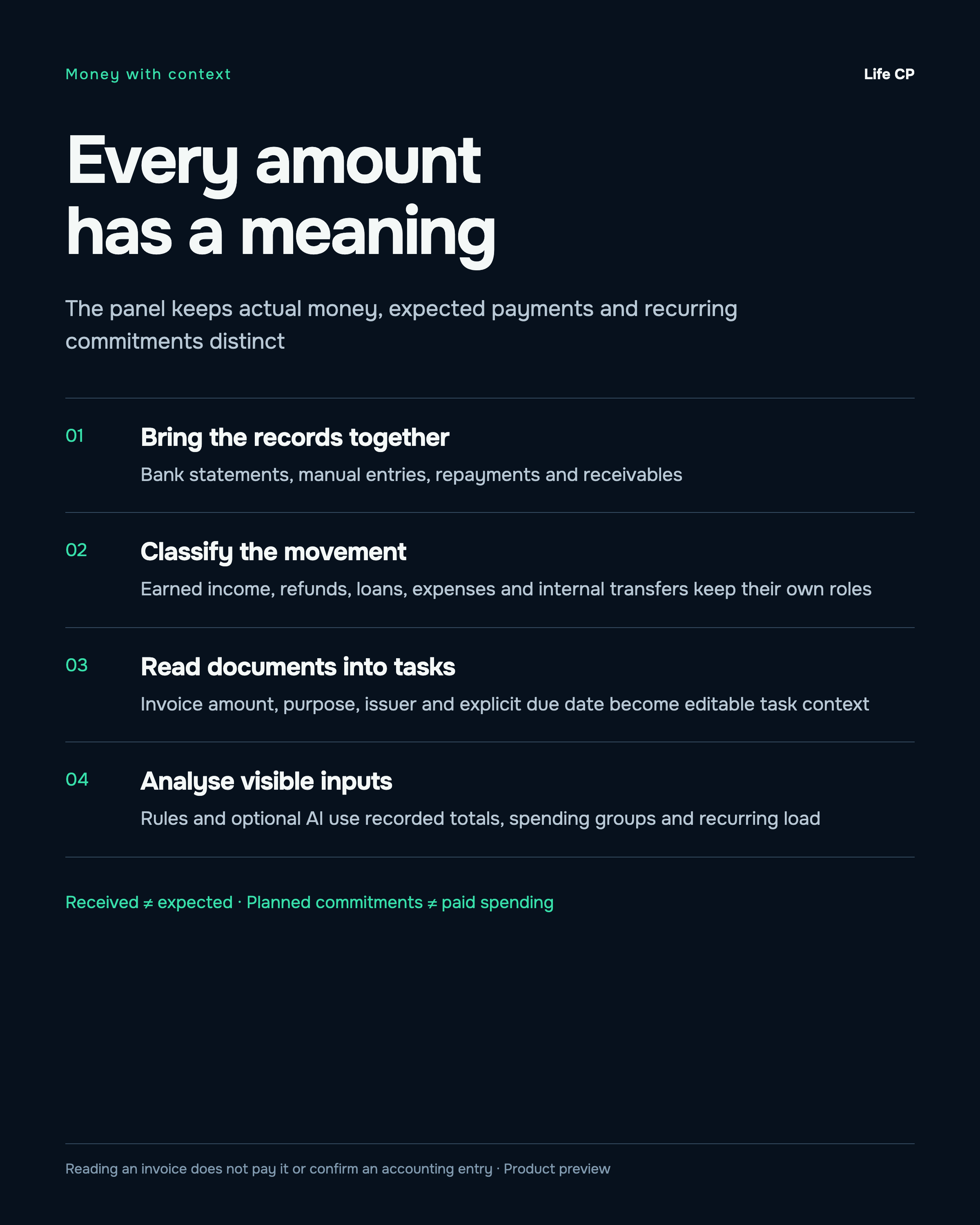
The system can remember a chosen role by counterparty and direction. Earnings, new borrowing, refunds and returned debts keep their different meanings.
Checks surface duplicates, unmatched transfers and unclassified entries. Ambiguous records remain available for a personal decision.
Recurring payments, credit cards, repayments and financial goals give the next month context. Paid spending and planned obligations stay separate.
Review and import CSV, TSV, text and supported Excel statements with duplicate checks. Export records or hide amounts with privacy mode.
Less repeated entry. A clearer view of money received, money spent and commitments ahead.
A complete tour of the 20 workspaces, followed by short product films and interface walkthroughs. The videos are silent; their on-screen captions and adjacent explanations describe the workflow.
Money gives the work a direction
A financial goal becomes part of everyday decisions. I can see my current capital, the distance to my chosen target and this month’s income. Tasks, ideas and projects carry a clear direction: towards the goal, neutral or away from it.
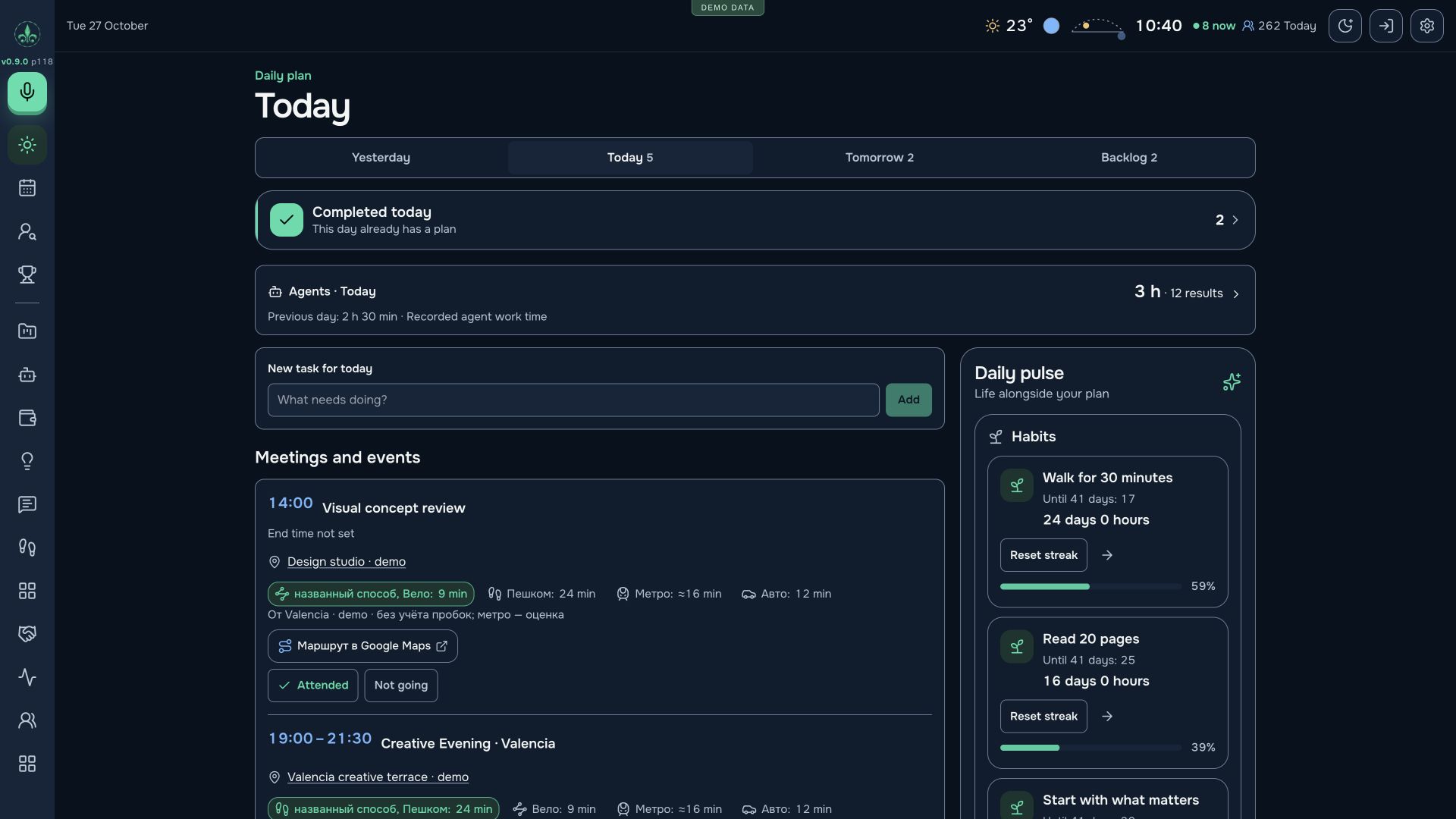
It continues beyond the finance screen into the daily plan, where I choose what deserves my attention next.
Urgent work and work that advances a goal may be different things. Direction labels help me notice that before a whole day goes into secondary work.
A product, client engagement, experiment or new idea can be considered in context. I can deliberately invest in a longer-term direction or address a nearer income need first.
Duration estimates, fixed appointments, urgency and goal direction inform the order. A large task can become smaller steps or move to another day without losing its context.
Completed work enters the history; actual receipts enter finance. I can see the steps taken alongside the real change in my financial position.
I start the day knowing why I am doing the selected work and where it belongs in my larger goal.
From a thought to finished work
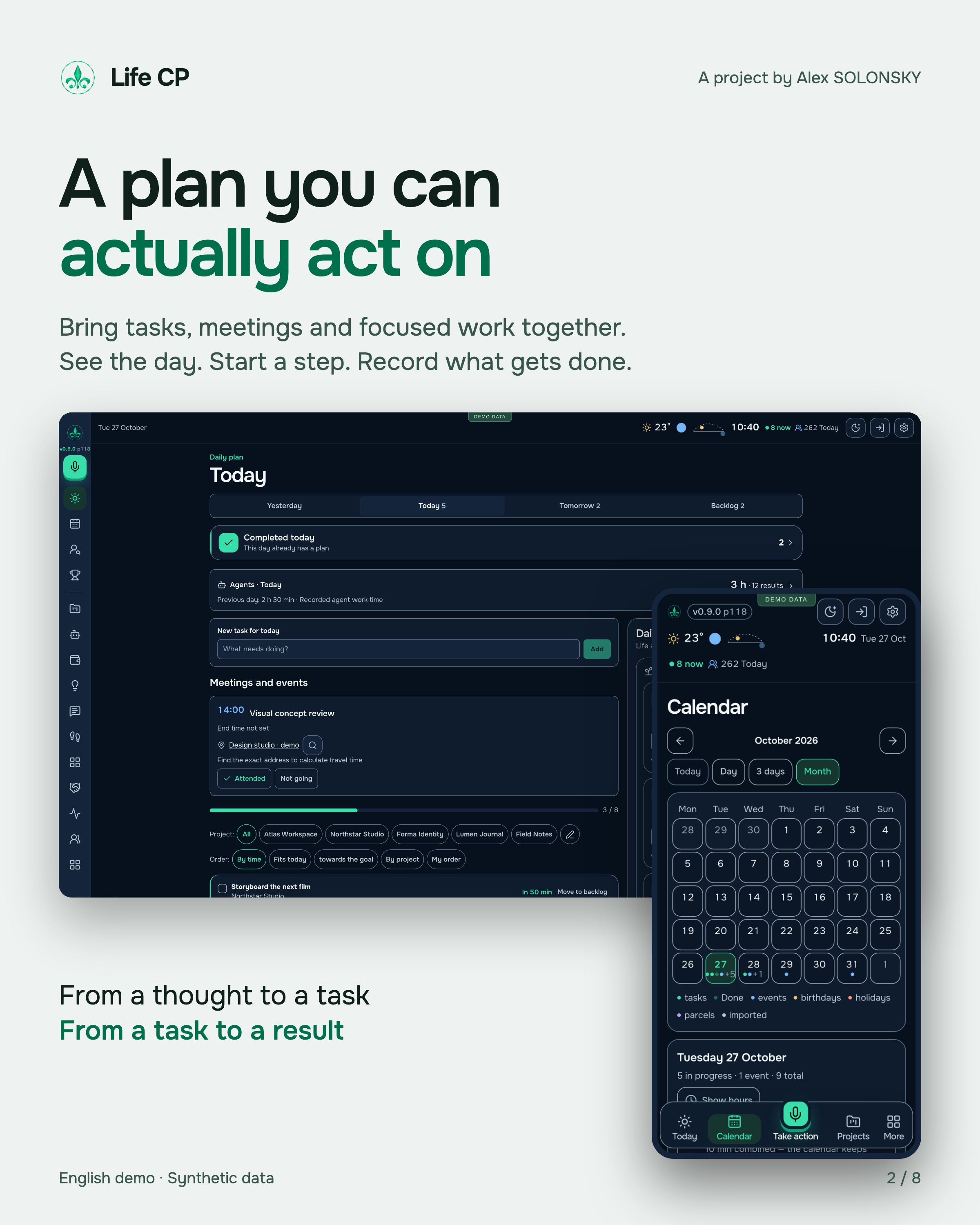
Tasks, meetings and personal commitments share one plan. I can capture a thought, refine it with AI and turn it into a useful sequence of actions.
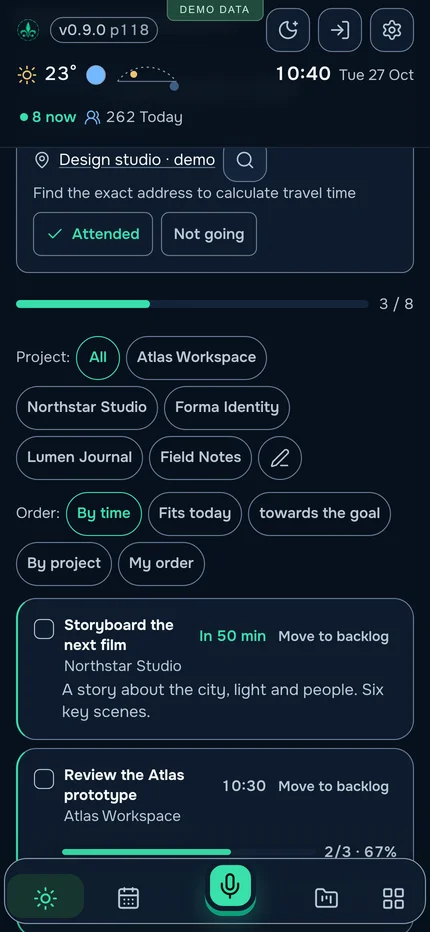
Text or dictation in a supported browser; a short title, detail, category, time, location, links and steps.
Fixed appointments come first. Duration estimates, urgency and the remaining capacity of the day help with the next choice.
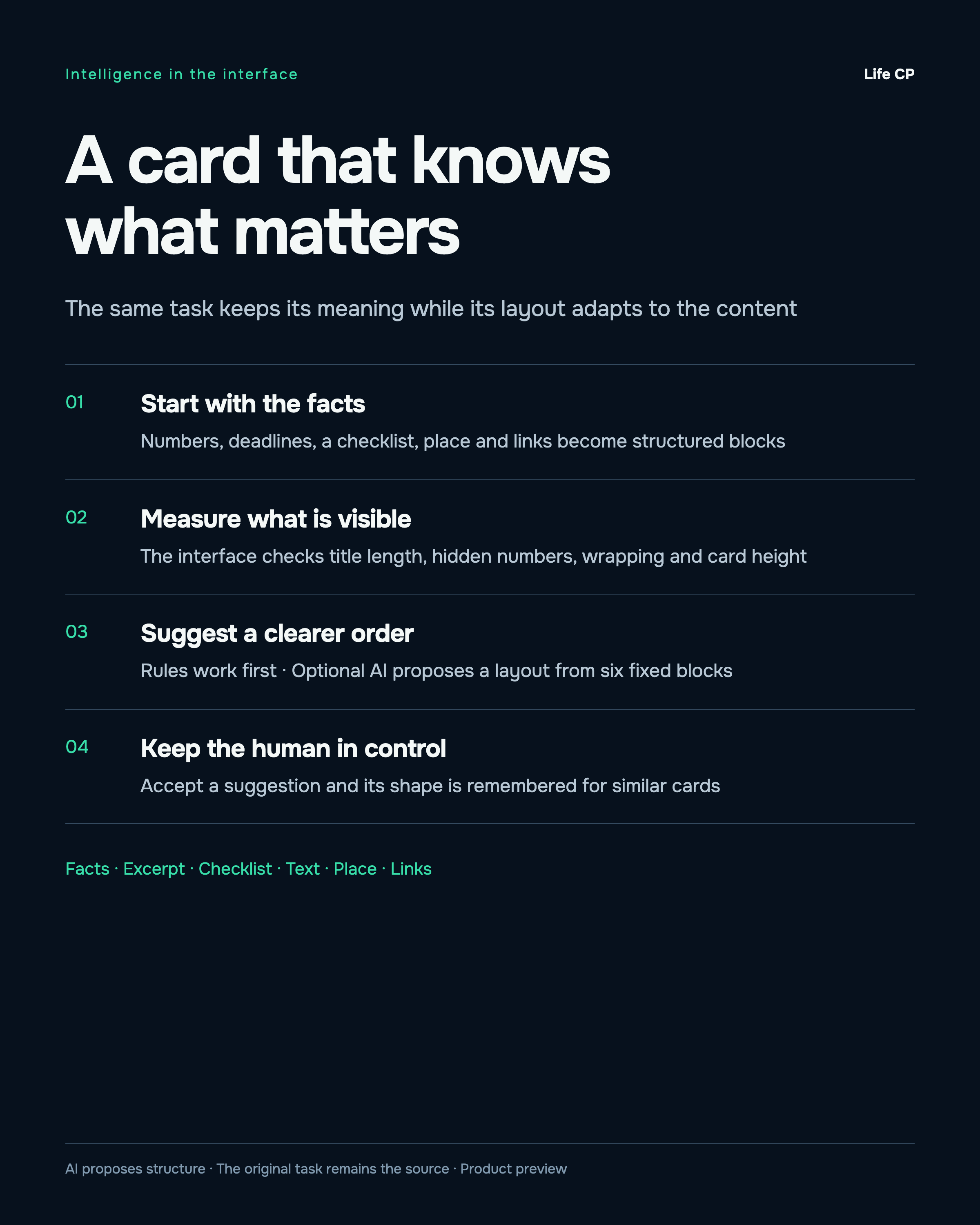
Facts, excerpts, checklists, text, locations and links form six types of blocks. AI layout suggestions can be accepted or declined.
Task and subtask timers, recorded effort and a daily review connect the plan to what happened. Forgotten sessions pause automatically.
The next step keeps its context, from the first note to the work history.
Personal analytics that leads to action
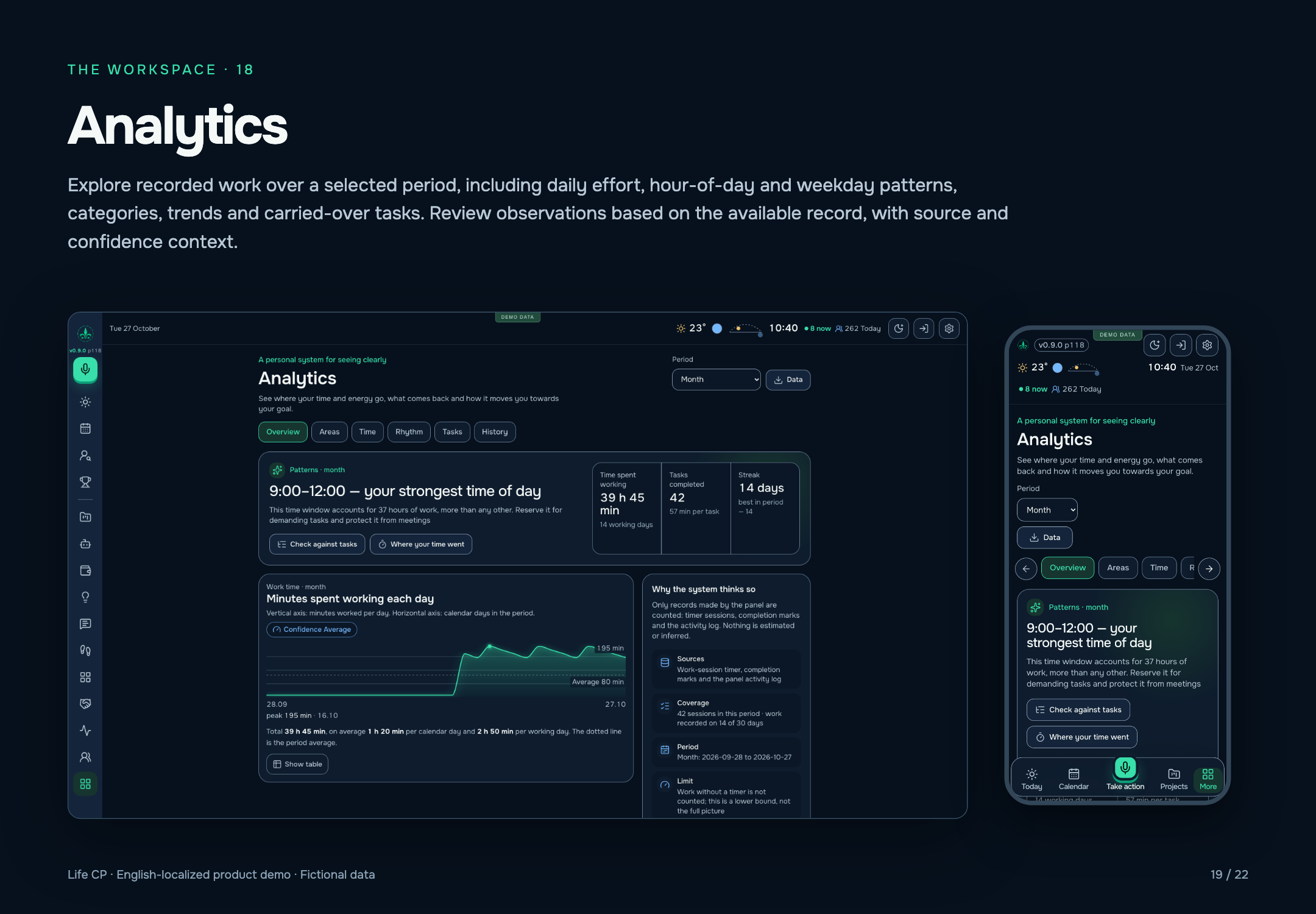
Life CP builds feedback from the work itself: timer sessions, completed tasks, carry-overs and history. I can explore where my time went, what I finished, which areas consumed resources and how my working rhythm changes.
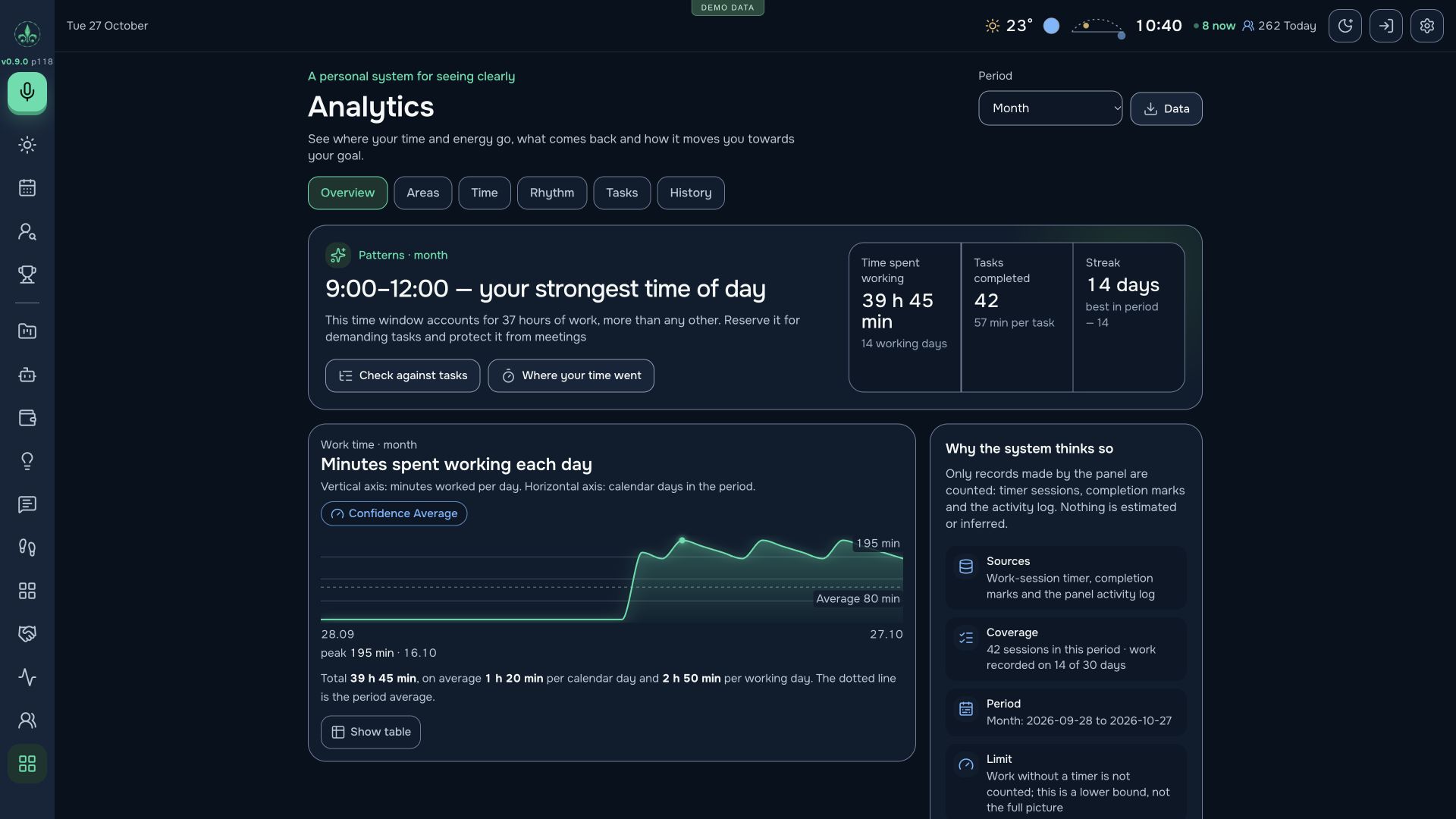
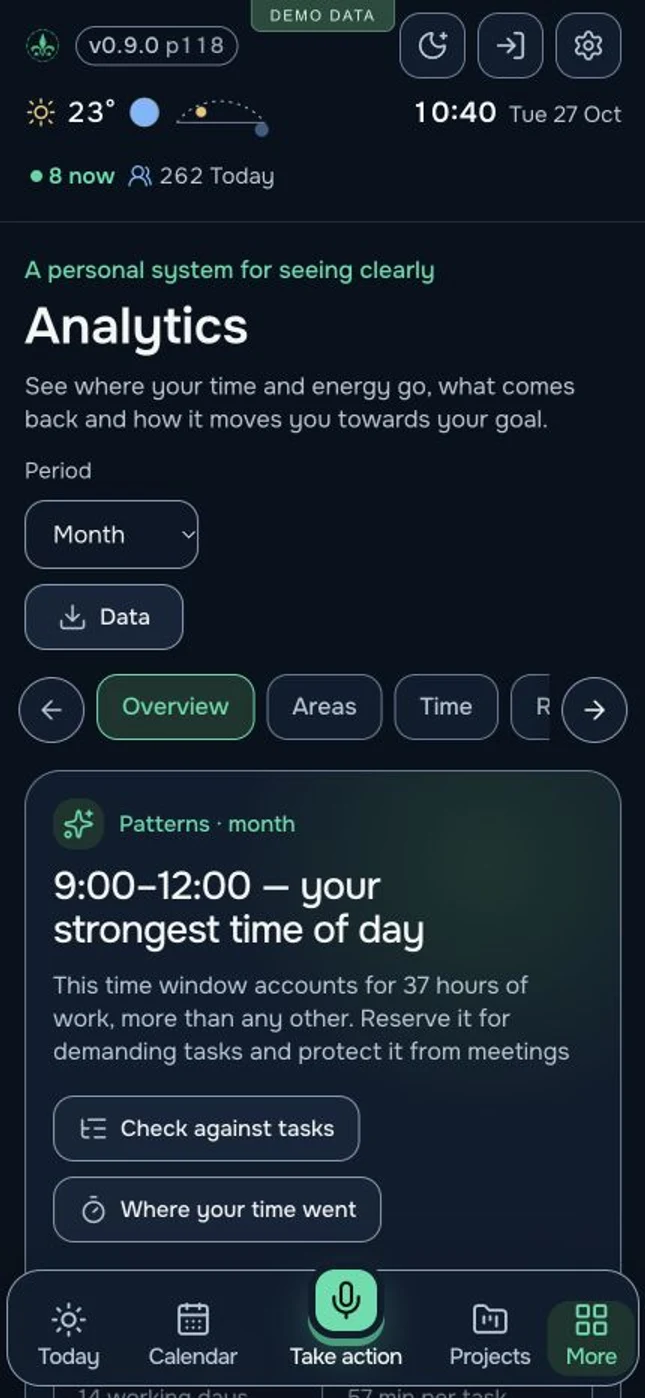
Overview, areas, time, rhythm, tasks and history answer different questions. Choose a week, month, three months or a year where historical records are available.
Hourly patterns and weekday comparisons show when work has previously concentrated. The system suggests protecting a strong time window from meetings and using it for tasks that need attention.
Average time per completed task helps compare a list with available hours. Working days, activity streaks, daily effort and changes from the previous period make capacity easier to judge.
Carry-over analysis shows accumulated delays and the oldest unfinished items. For a repeatedly postponed large task, the system suggests smaller steps or a deliberate decision to remove it from the current plan.
A direction consuming a large share of time invites a review of its return. Rising effort prompts a check against rest; days without entries invite a check on recording coverage. These rules remain useful when a language model is unavailable.
Charts come with an explanation, a value table, sources, coverage and confidence. Timers measure recorded work; previous patterns inform a plan without promising the same result every day.
A review ends with decisions: what to protect in the morning, reduce, split into steps or move so the important work fits.
A continuous project history
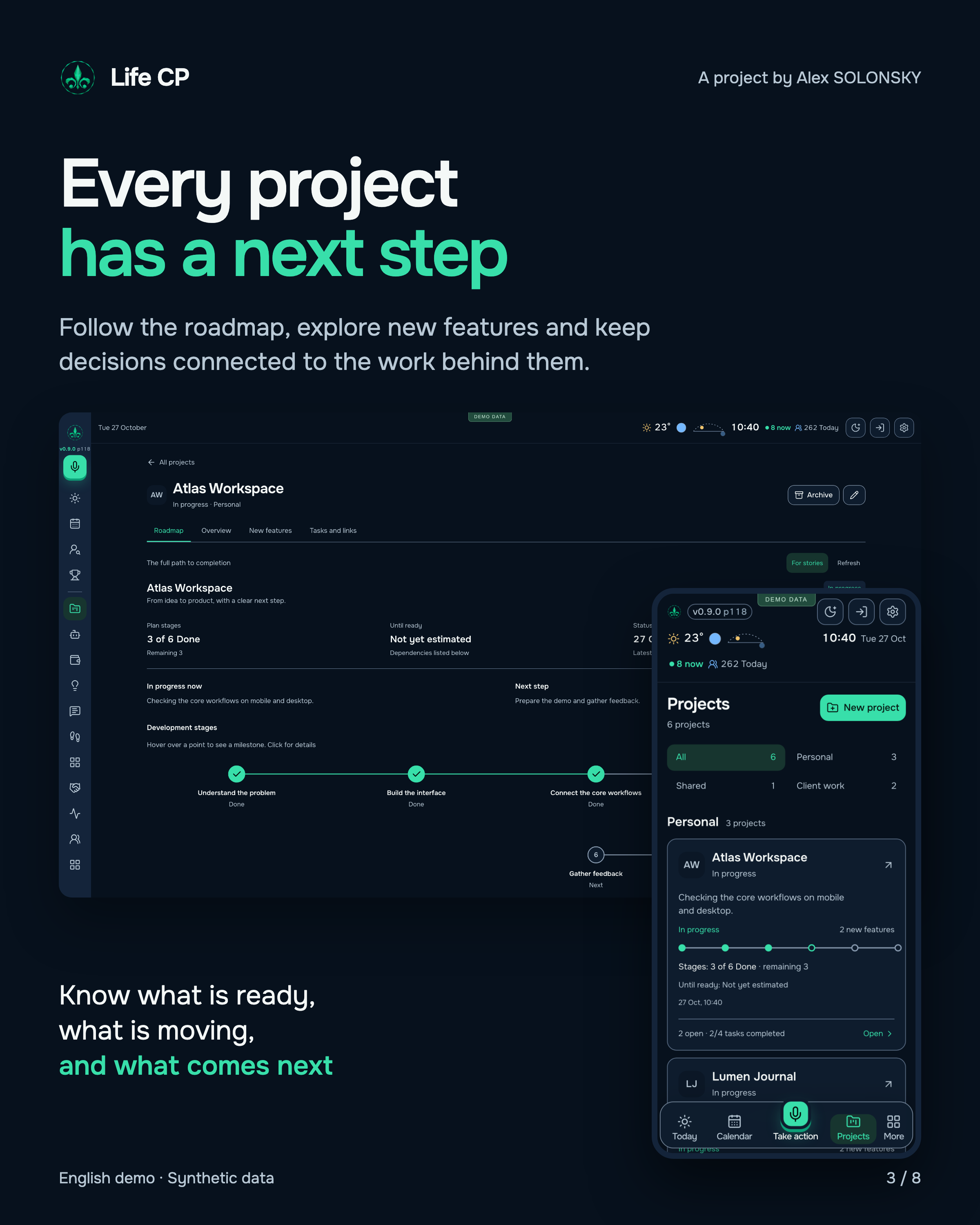
I run several directions in Life CP. Each project has its current stage, next actions, separate new features and evidence of completed work.
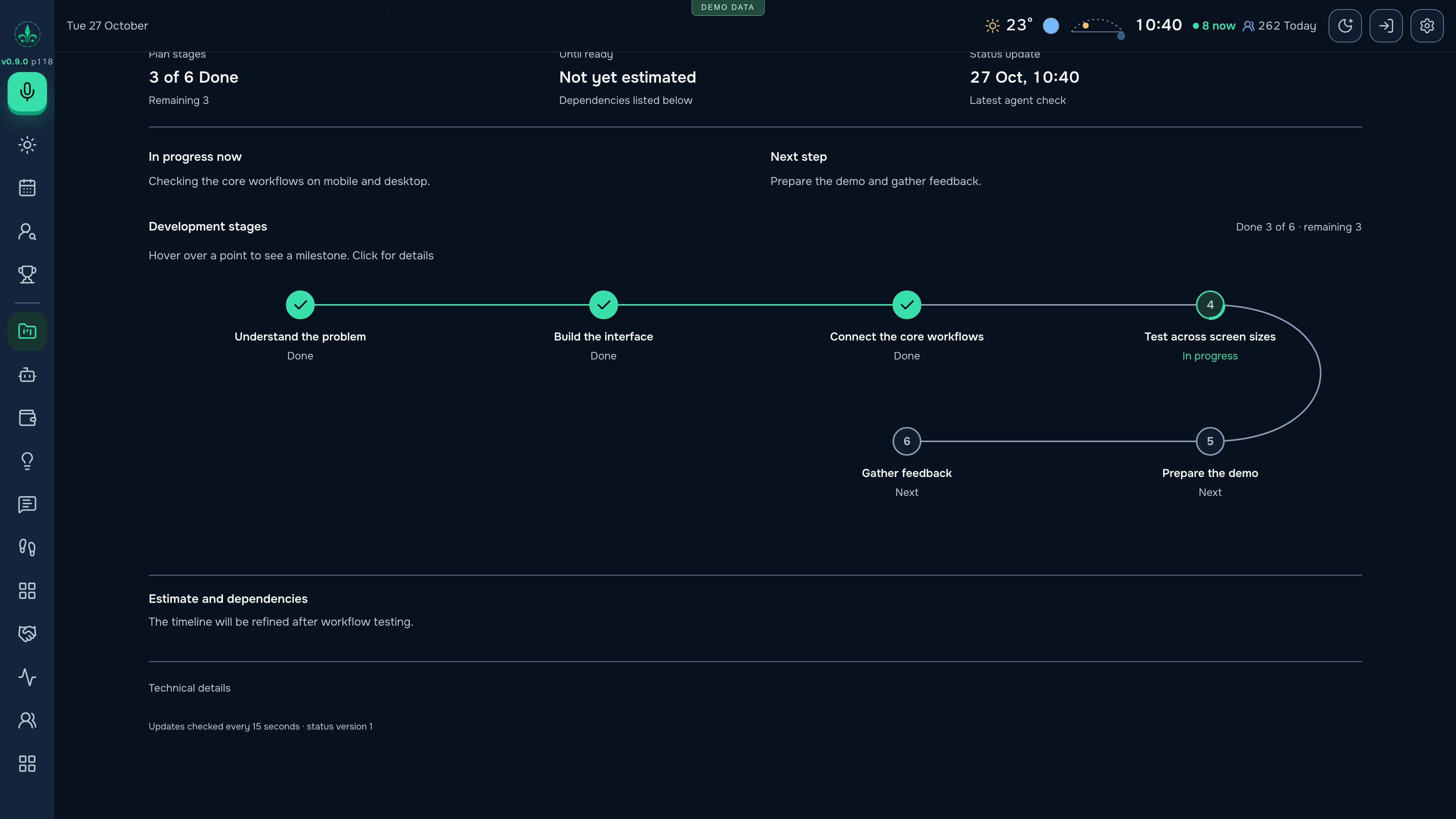
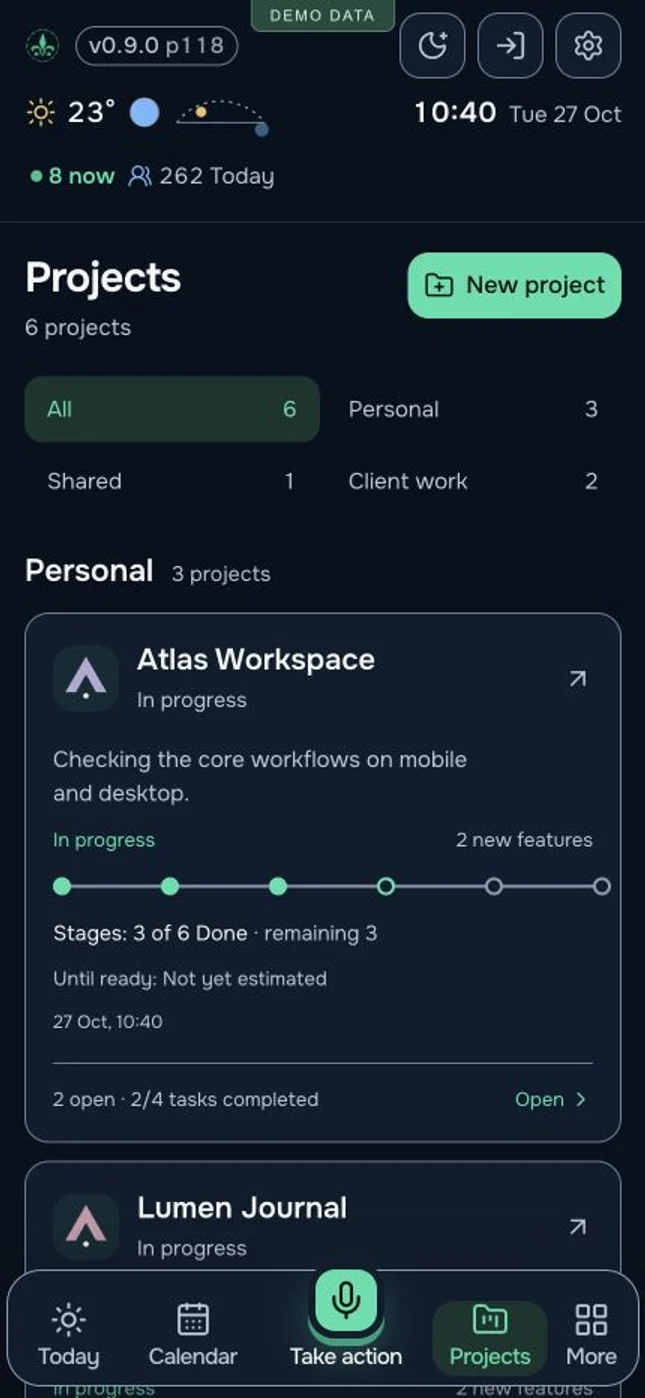
The overall plan and individual feature development retain their own stages and states.
Tasks, completed work, clients, money, useful links and AI conversations remain connected to the project.
A stage graph and a story snapshot make it easier to discuss what exists and what happens next.
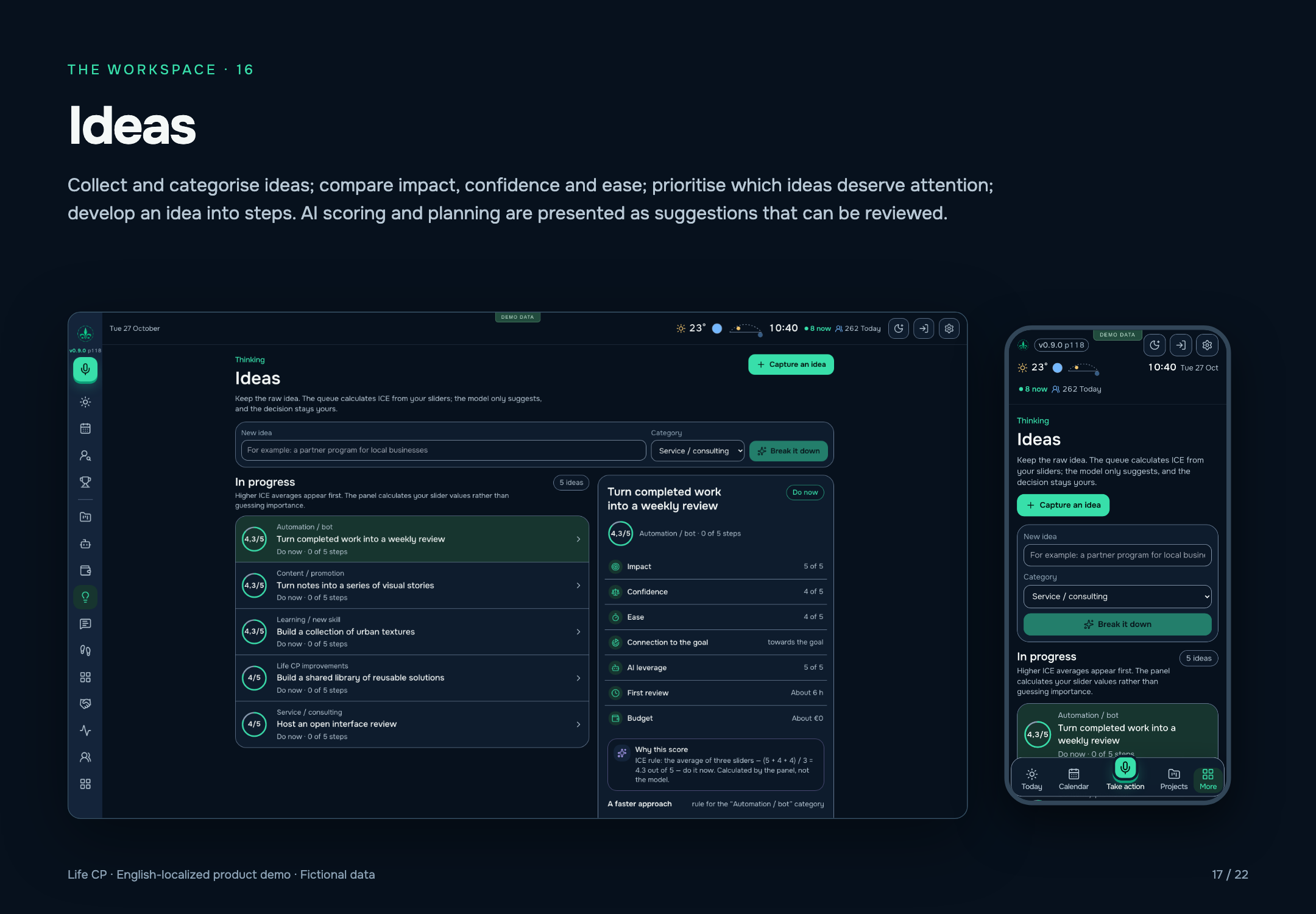
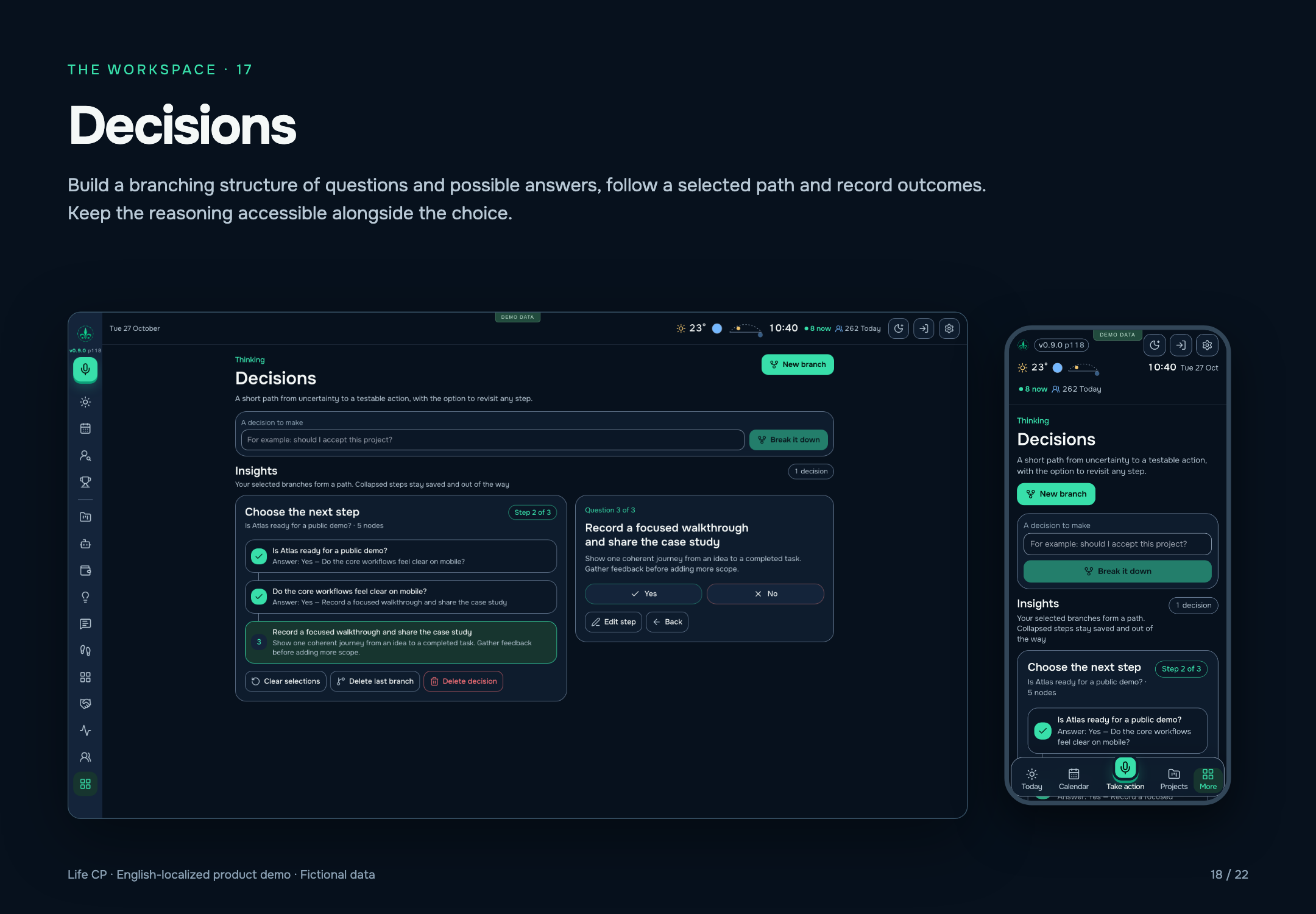
Impact, confidence and ease help prioritise ideas. A branching decision tree preserves questions, alternatives and the selected path.
Return to a project and continue, without reconstructing its history.
Working alongside my agents
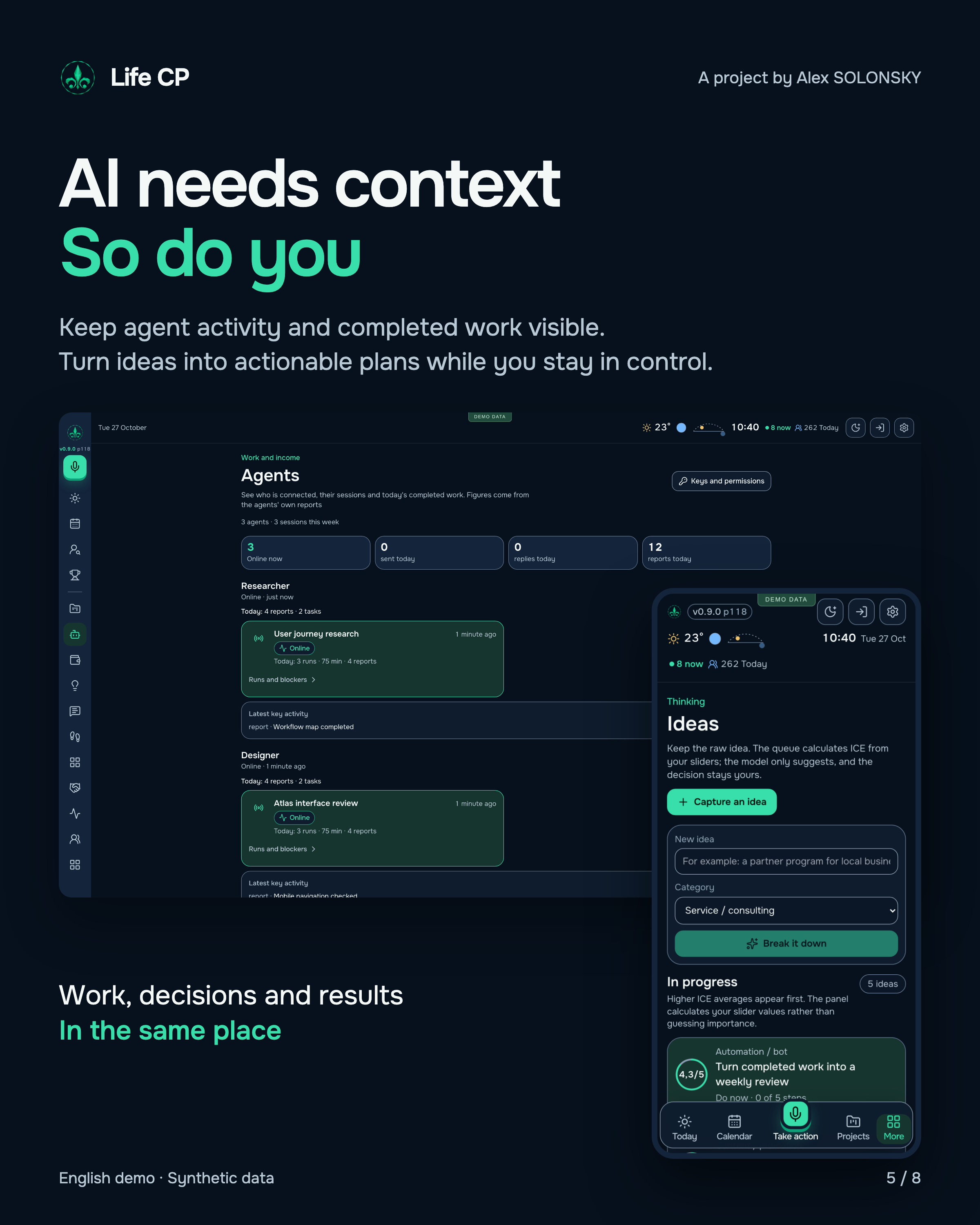
When several executors work across projects, a shared history matters. Life CP brings together my completed work and reports from connected agents, retaining the author, project, time spent and result.
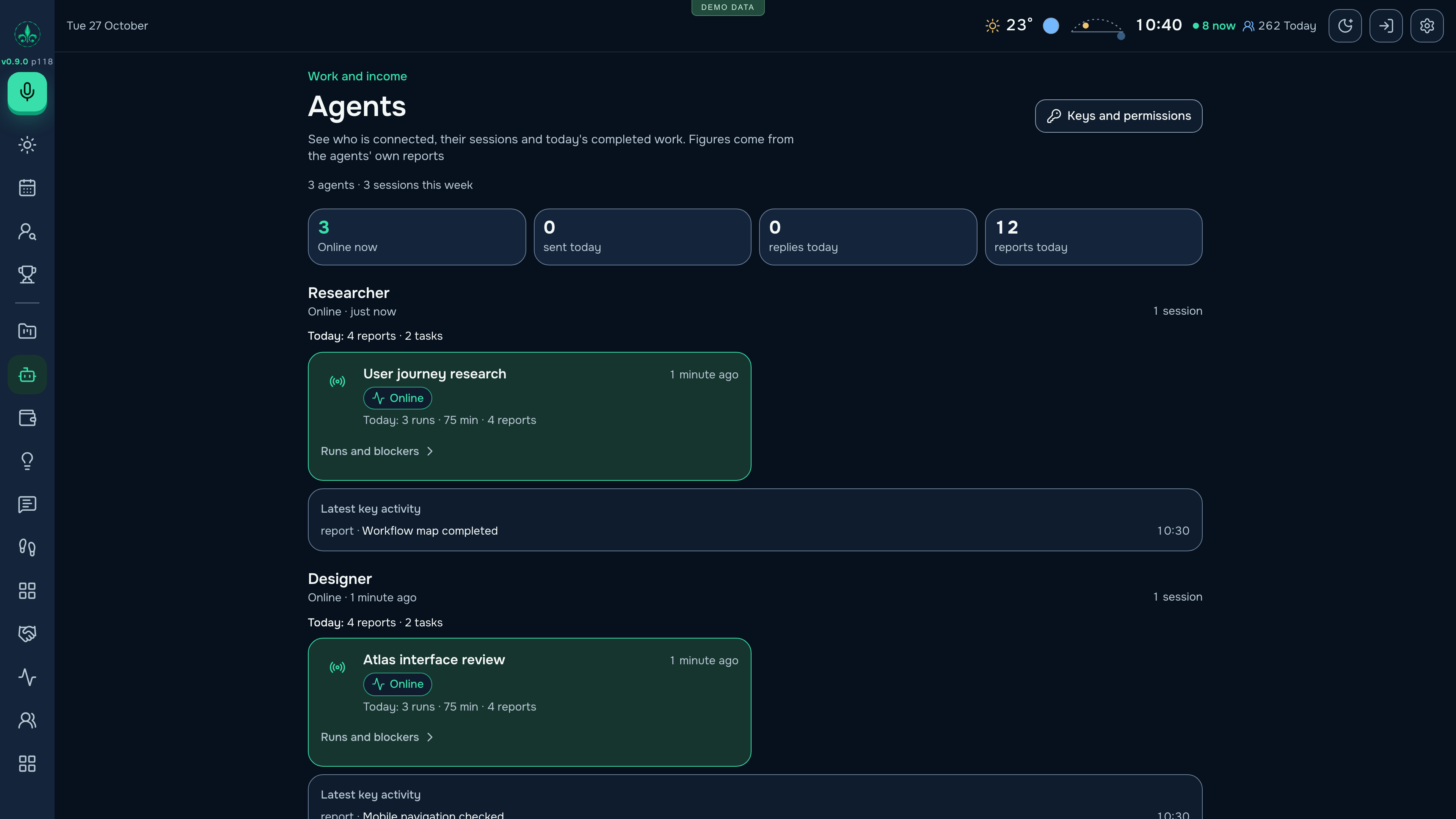
Personal and agent work remain distinguishable. I can see what I completed myself, which results executors returned and what still needs attention.
A report can include what was done and a link to the result or conversation. It becomes part of the project history I can revisit before making the next decision.
The agents area shows sessions, recent activity, reports and obstacles. I can see who is working on what and where my involvement is needed.
Overall plans and individual features keep their own stages. A finished step can point to evidence, while the next step remains explicit.
The linked Telegram bot can bring a specific question or material when my decision is needed. My answer stays connected to the work.
I can run several directions and understand the combined contribution of a person and connected AI executors.
A personal assistant with connected executors
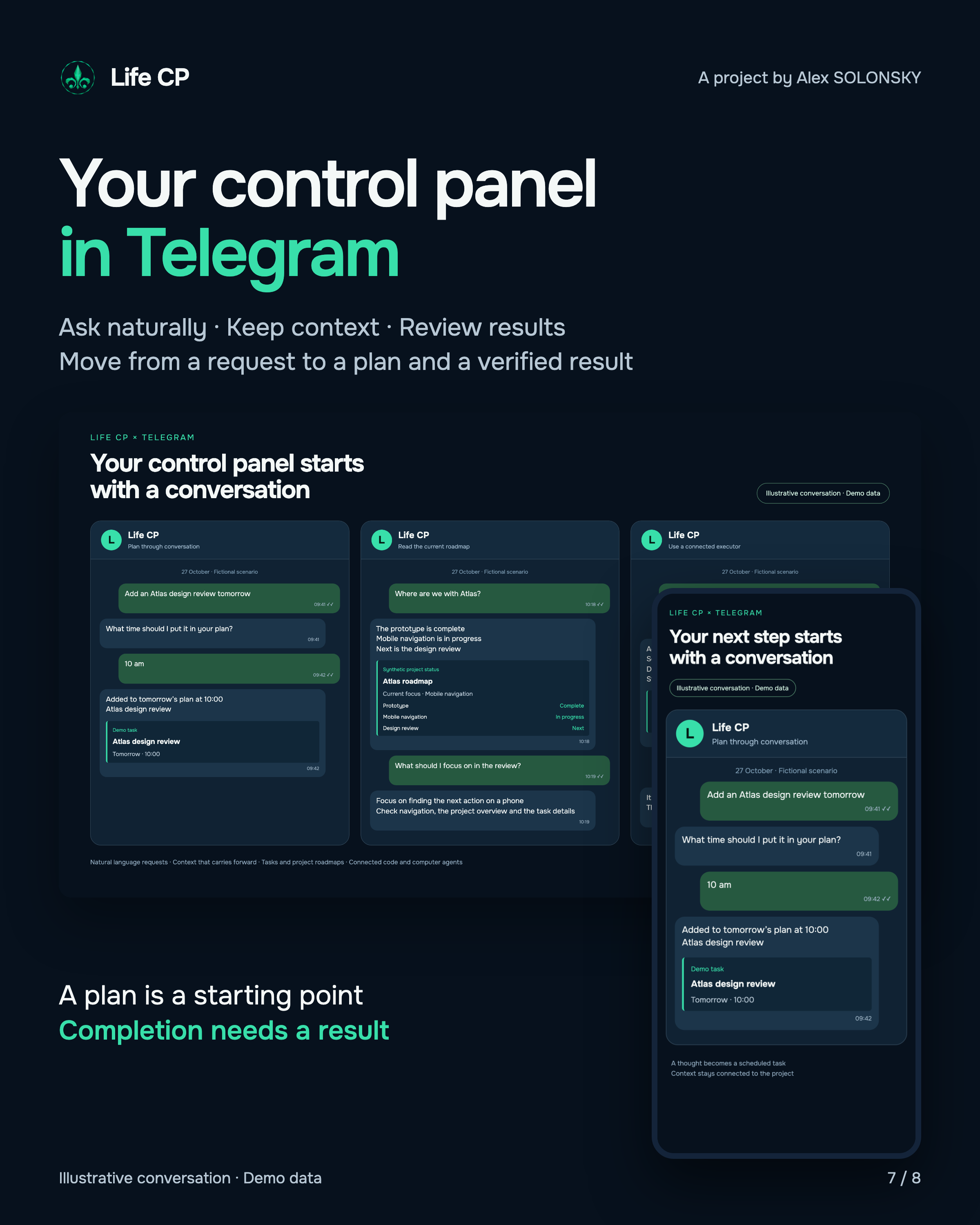
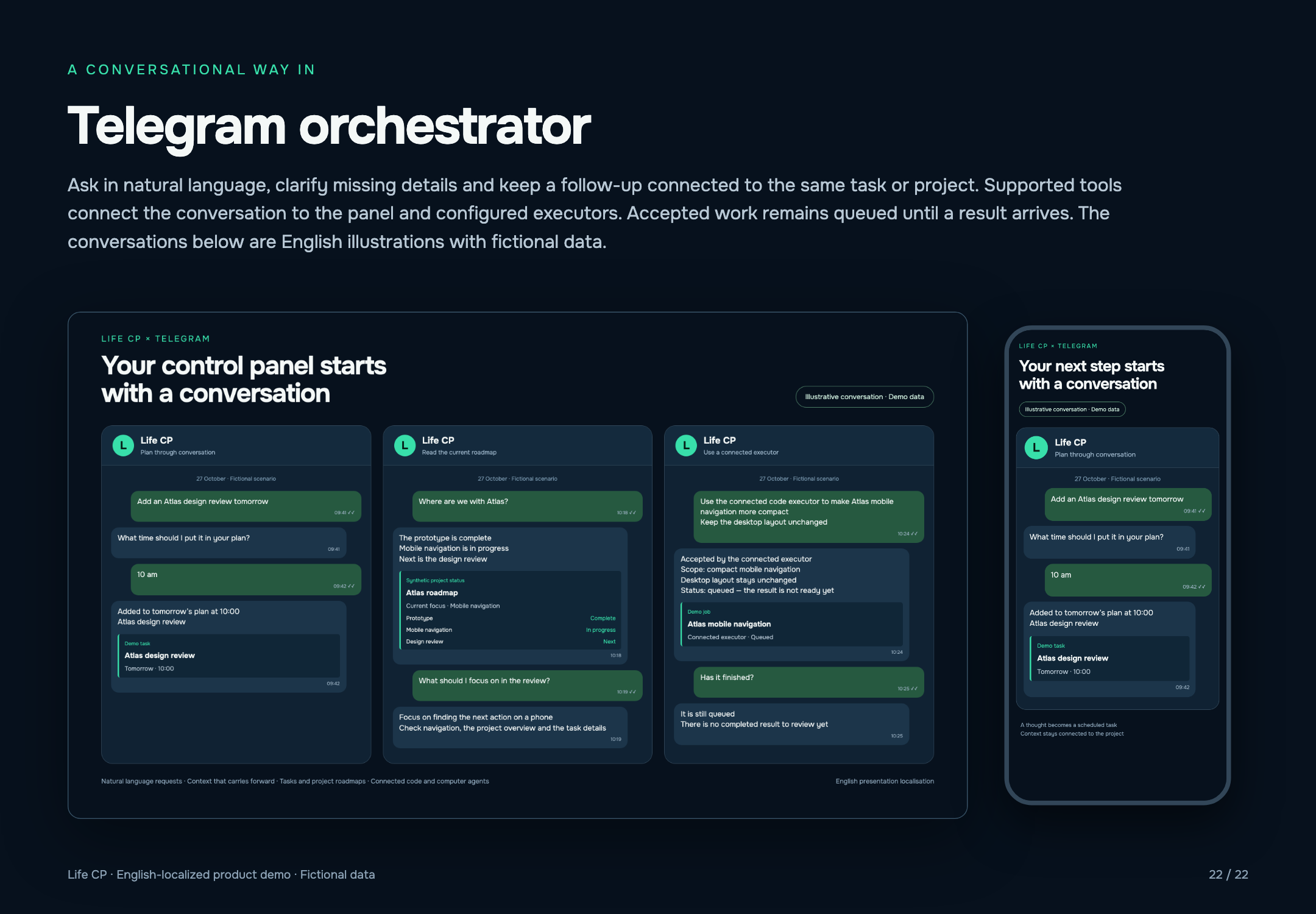
The personal orchestrator connects a conversation to tasks, projects and configured executors. It uses available context, asks for clarification and brings the result back into the work record.
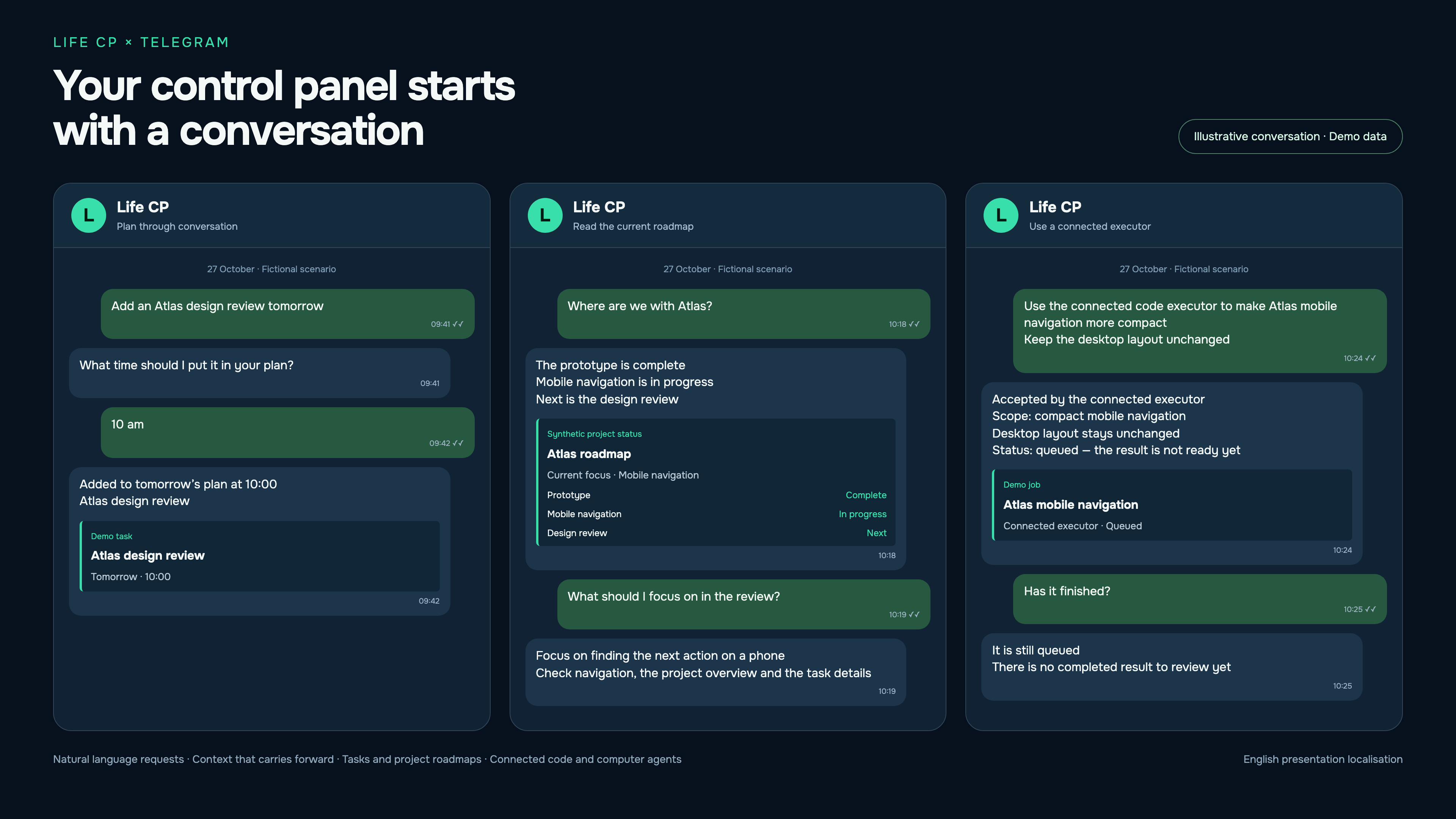
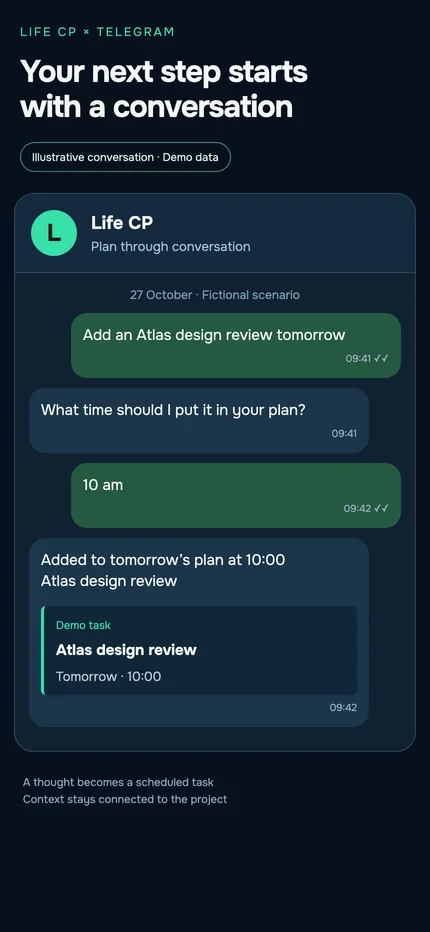
Conversation screenshots illustrate the workflow. Execution depends on configured connections and permissions.
Task breakdown, next steps, ideas, writing, image reading and summaries.
A configured executor receives work within its selected project scope, reports progress and returns a result.
Supported jobs, films and files can be passed to Studio, followed through their progress and returned through the linked bot.
Questions, answers and approvals remain tied to the work. Queued, completed and delivered are distinct states.
One place to make a request, with project context and a visible outcome.
Opportunity discovery becomes a managed pipeline
Connected agents research suitable roles and client briefs in permitted sources, assess them and add them to Life CP. Each opportunity continues through a shared pipeline with its source, conversation history, responsible person and next action.
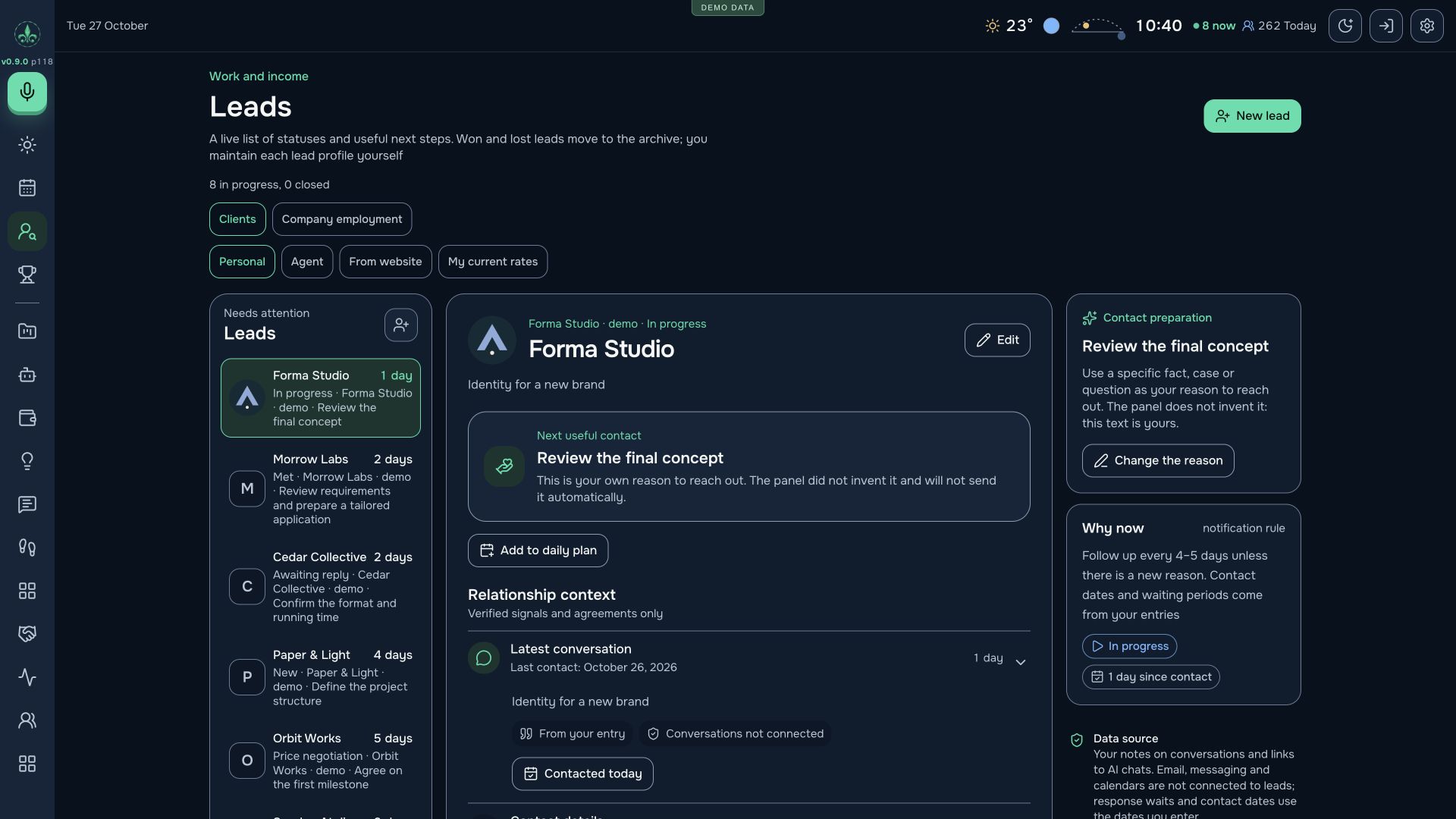
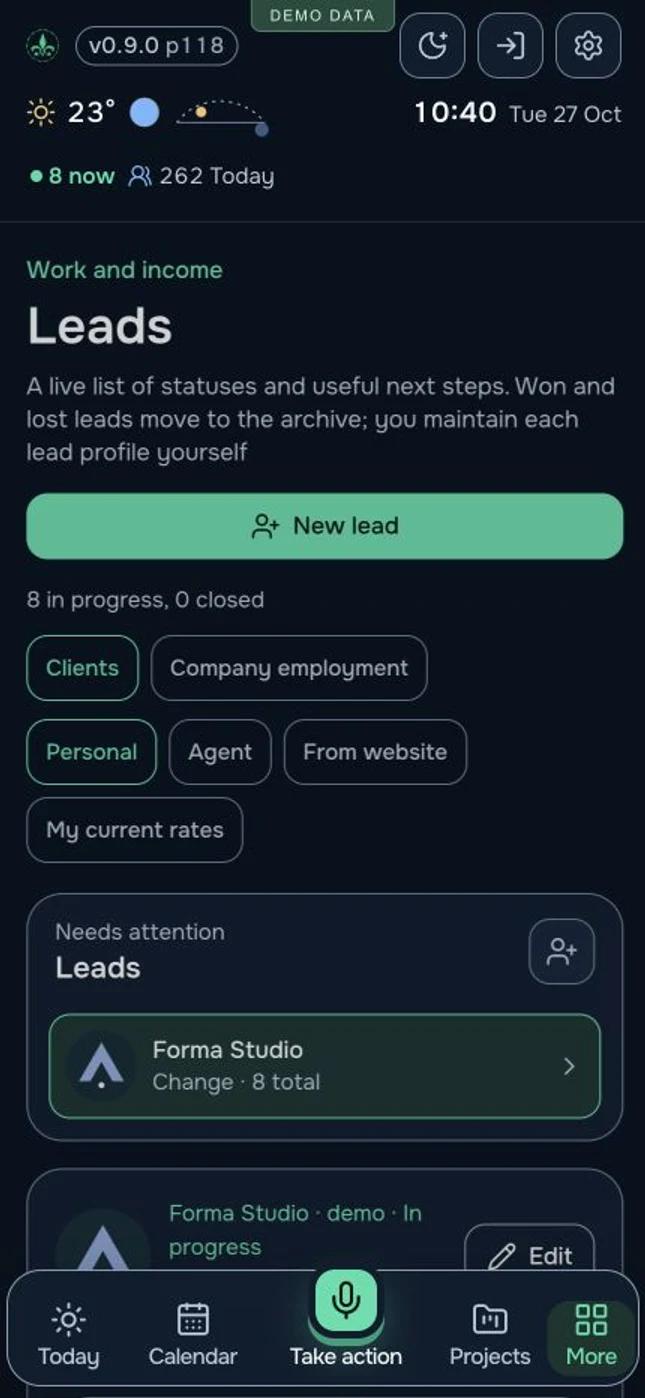
Job searches and sales need different stages. A role moves through application, invitation, interview and offer; an engagement moves through discussion, quotation, agreement, delivery and payment.
The company or person, original brief, source link, qualification and reason for the next contact stay in the record. I can decide where to invest my attention.
New observations, replies and stage changes return to the card. The pipeline shows whether the next move belongs to the agent, me or the prospective client.
A sent quotation, accepted terms and received payment have distinct records. I can assess actual progress and see where a conversation stopped.
Waiting for a reply, a question for me, the next action and contact restrictions stay together. The history supports a consistent conversation and helps avoid repeating an approach without a new reason.
Research and pipeline updates follow the assigned scope. Approvals, pauses and personally managed relationships remain part of the process; the system does not guarantee a sale or job offer.
Discovered opportunities become a practical queue of actions, from the first relevant brief to a verified outcome.
From first interest to the next action
A prospective client conversation, CRM record, project and planned action can be considered together. Content, publishing and connected website data sit alongside them.
Conversation stage, terms, next responsibility, contact restrictions and linked tasks. A paused relationship retains its explanation.
An assistant clarifies the visitor’s brief. I can see the conversation and join personally; messages connect to CRM records.
Ideas, text, timing, duplicate checks and a dedicated blog queue. Prepared EN/RU/ES packages go through review and scheduled release.
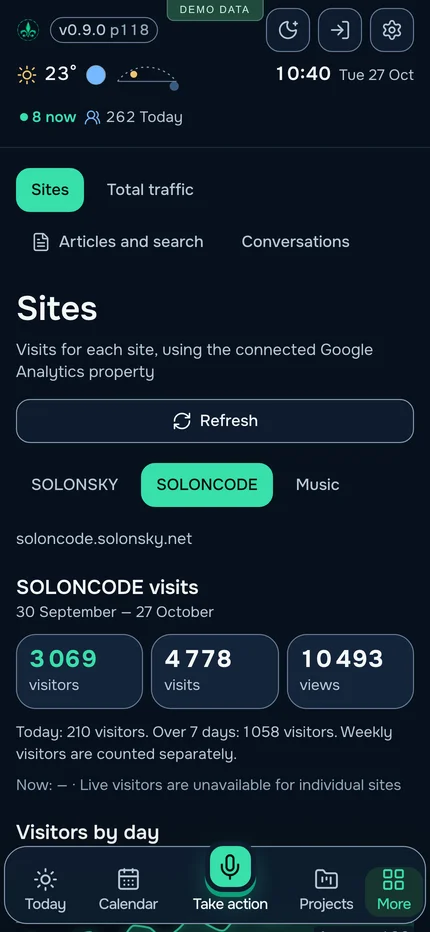
Traffic sources, pages, devices, search reports and comments, tied to connected sources and a reporting period.
Interest in a project can turn into an action in the same system where I do the work.
From “that looks interesting” to “time to leave”
I can bring together events from Meetup and Luma, subscribe to a calendar feed or parse a link to an individual meeting. Its title, description, poster, address and time become a card that helps plan the actual journey.
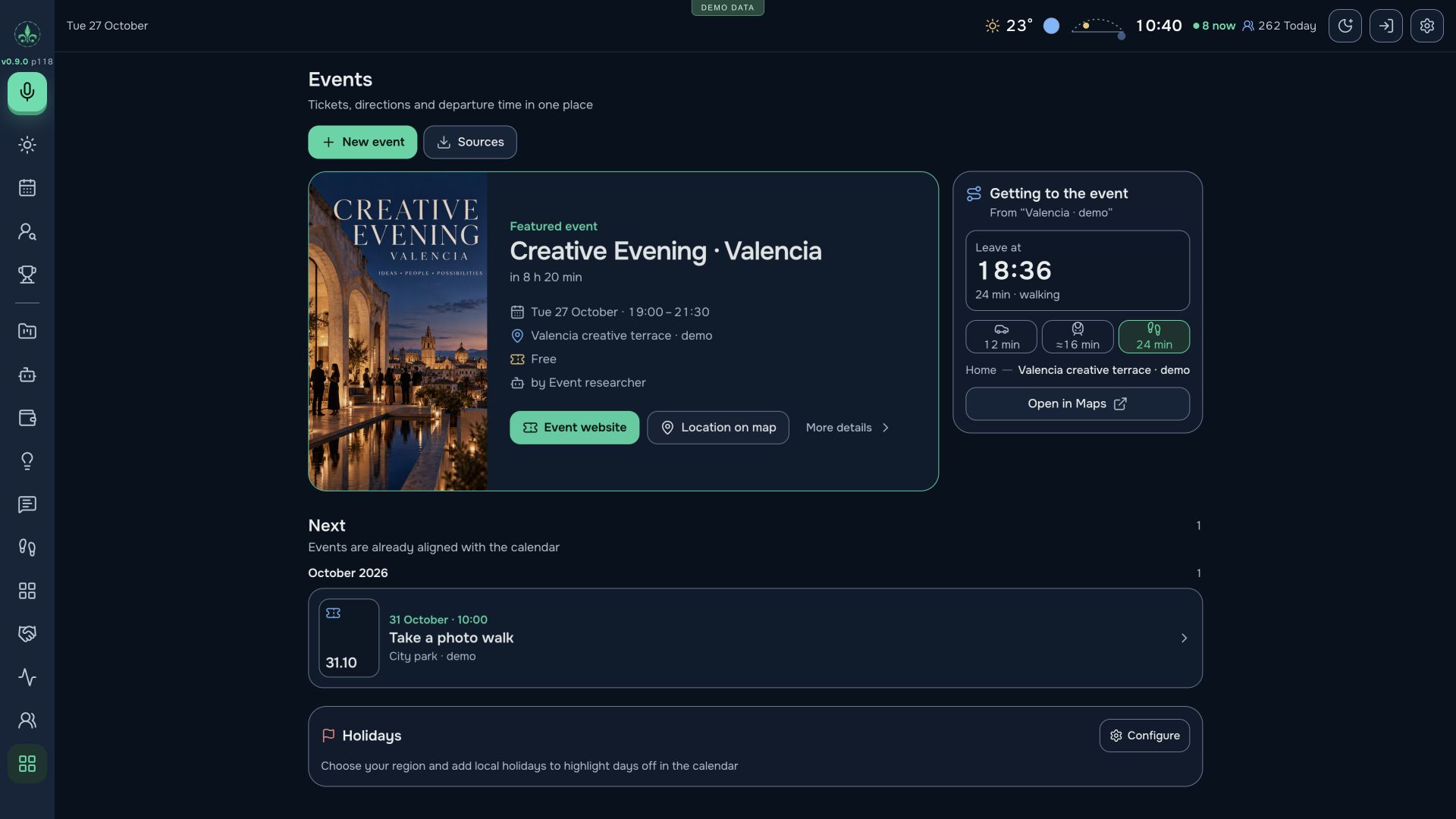
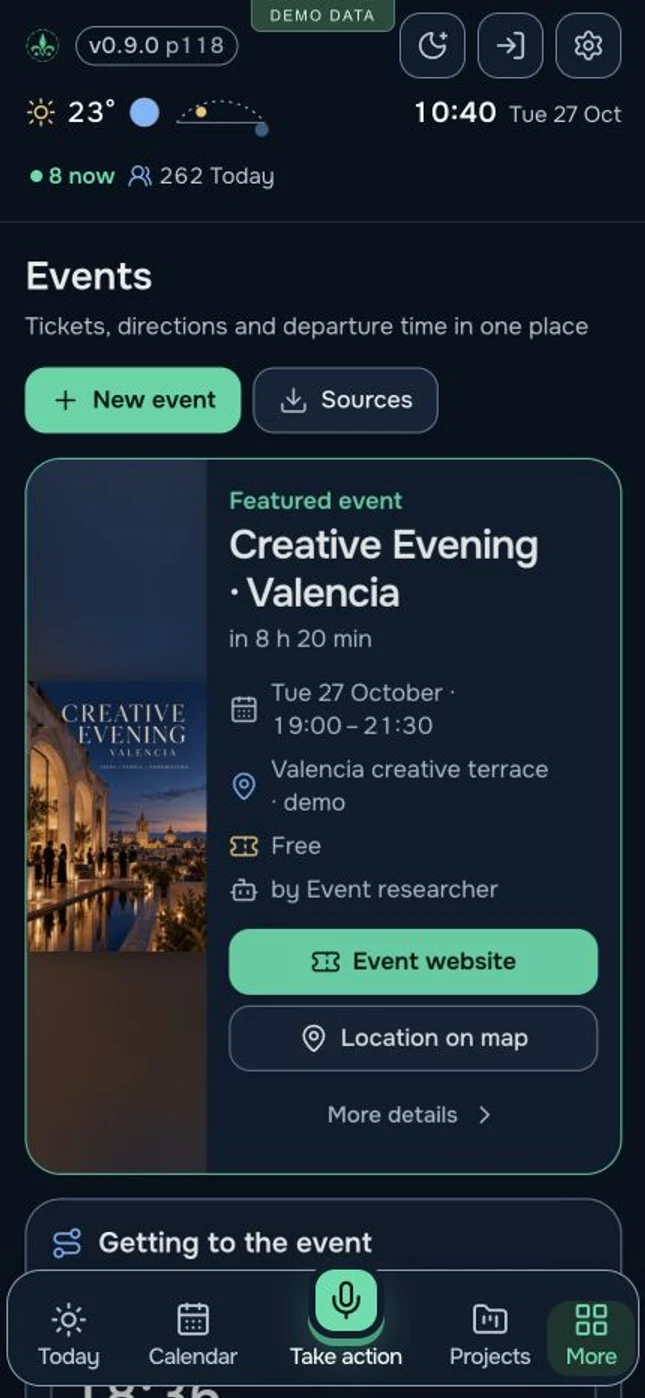
Supported feeds and link parsing turn discoveries into a list to consider. The source stays attached; I decide whether to go.
Venue, date, start and available end time, cost, event website, notes, companions and my own tickets can live in the same place.
For a resolved address and chosen starting point, walking, cycling and driving routes show journey times. Metro time is an estimate; the selected travel mode can be highlighted.
The journey duration is subtracted from the start time. The card shows when to leave, signals when that time has passed and accounts for departures on the previous day for overnight events.
Open the route in Google Maps. Times exclude traffic, so I choose an appropriate buffer for travel and entry. The meeting also appears in my calendar and daily plan.
Fewer scattered steps between discovering a worthwhile event and actually being there.
Work is part of a life
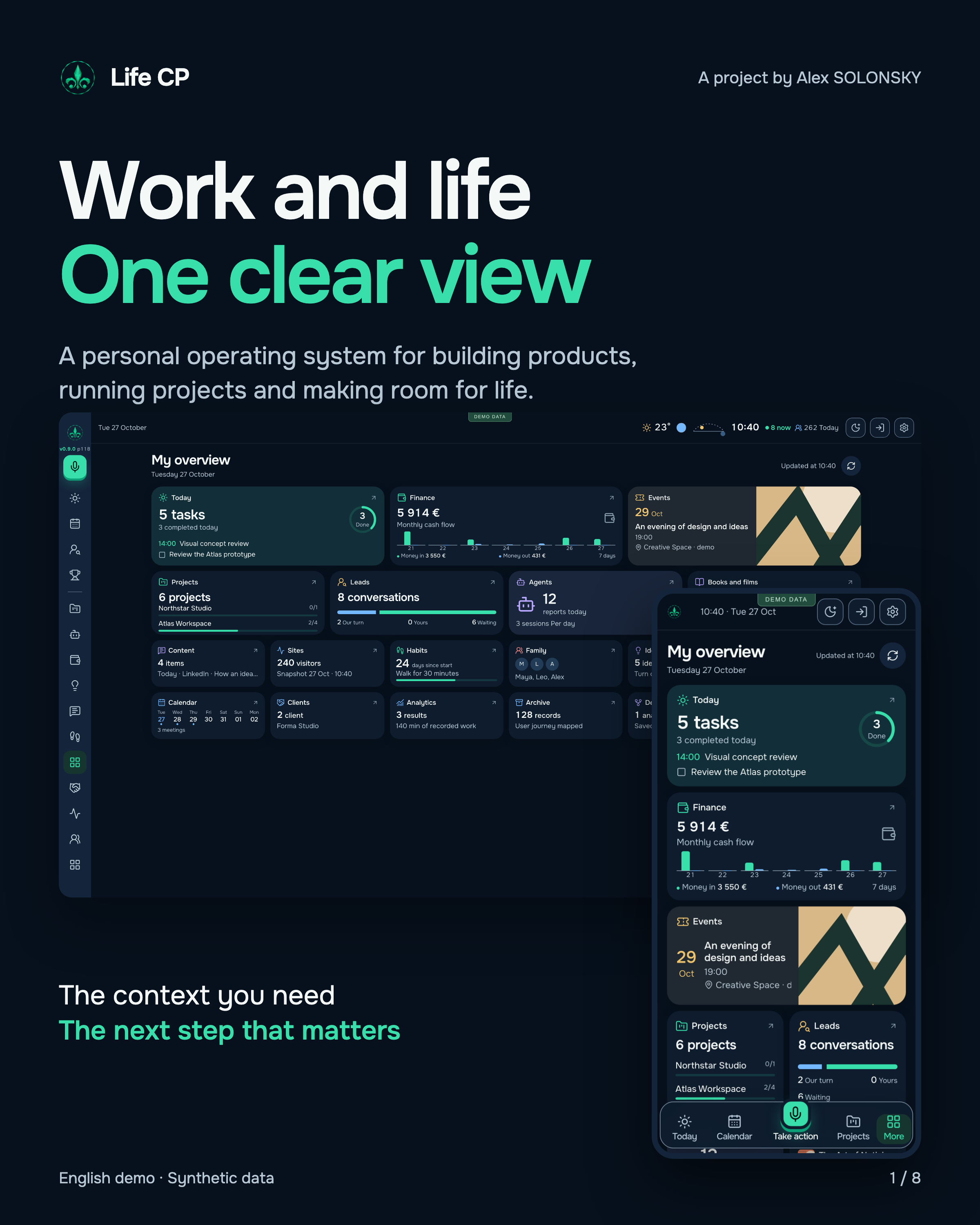
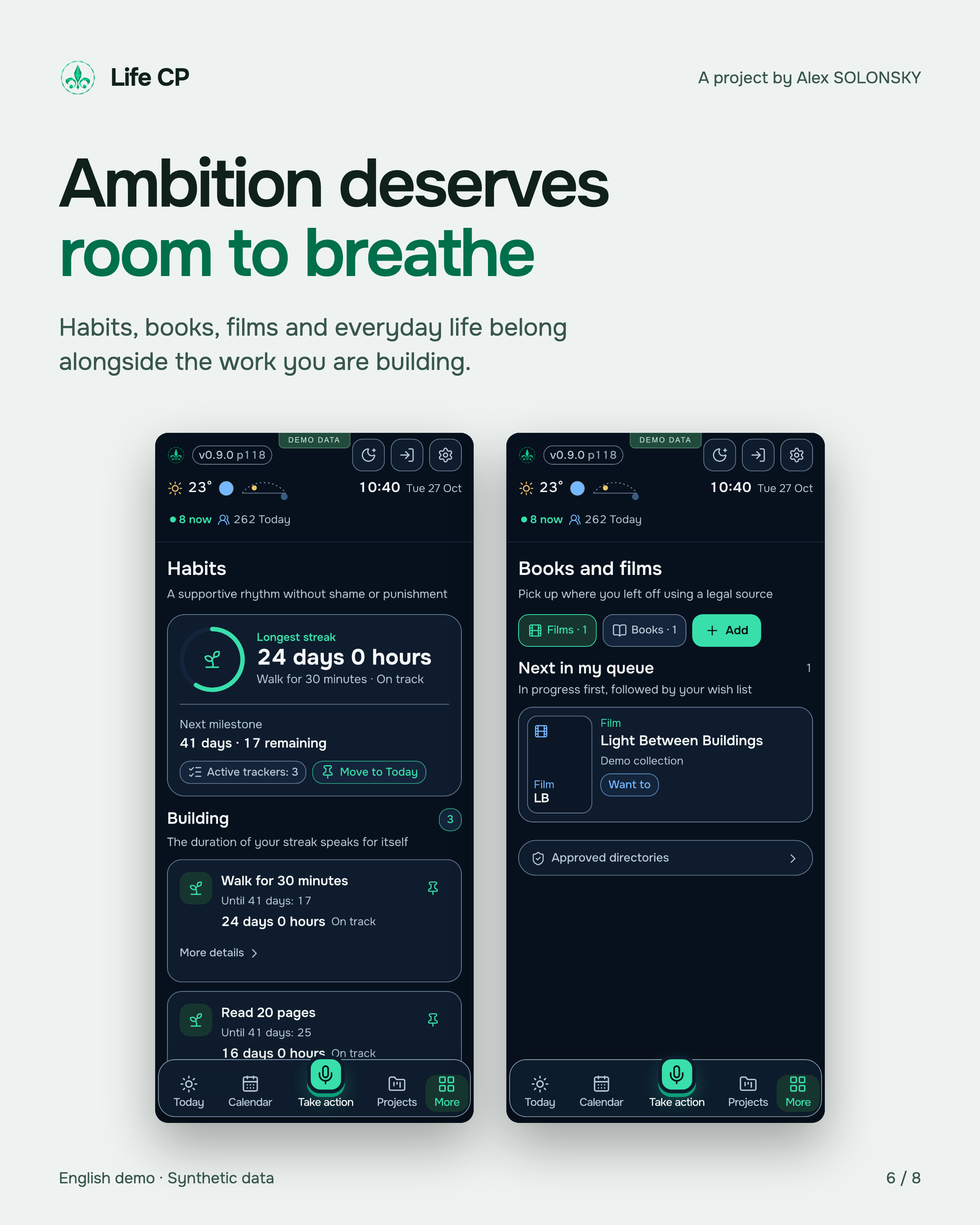
I built Life CP for my whole life. Family, meetings, habits, books, films and new ideas remain alongside work in the overall view of the day.
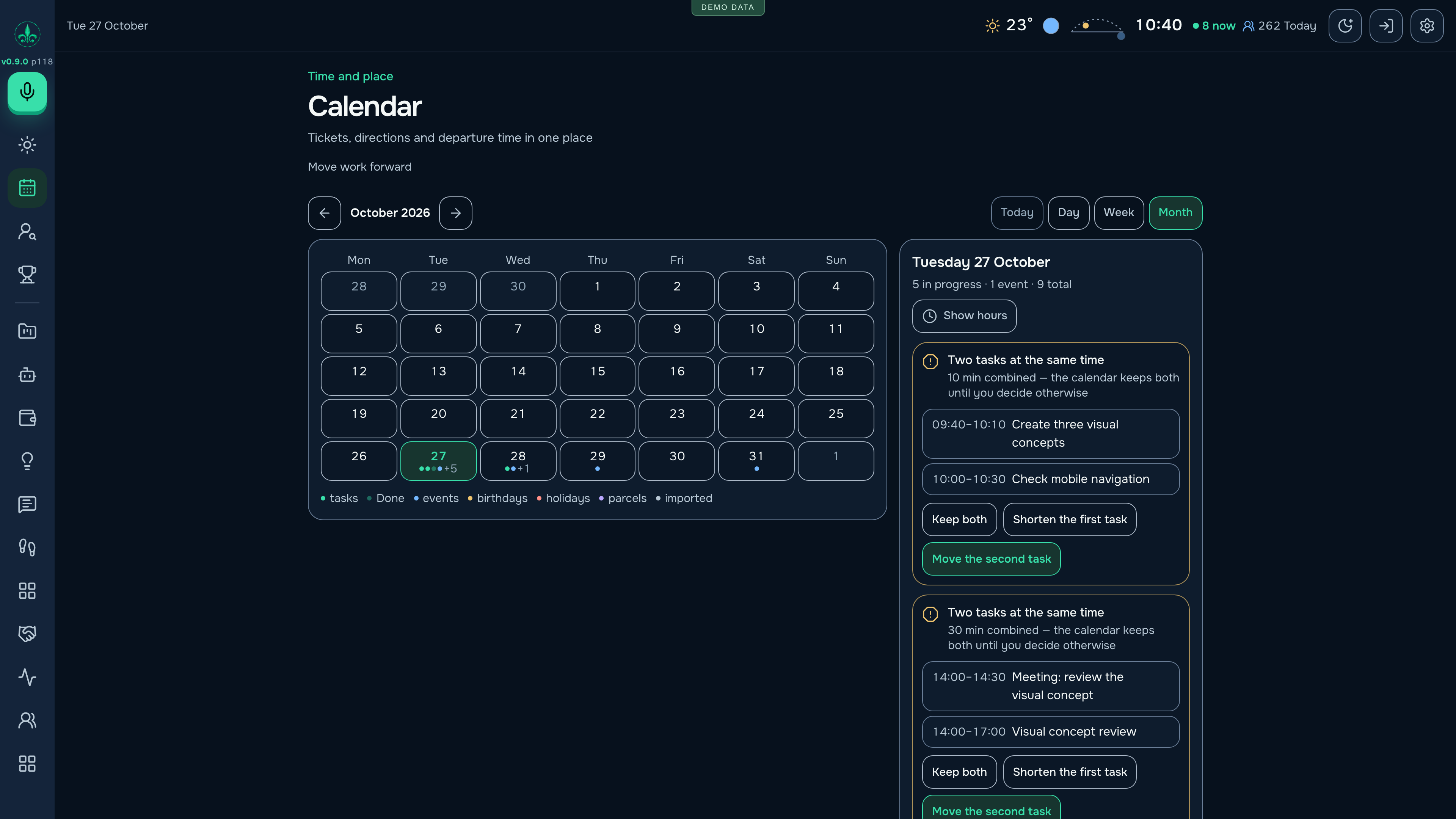
Day, week and month; meetings, places, links, tickets and travel context. Available sources add weather and routes.
Important dates, time together, related spending, habit duration and reset history. Names and financial values can be hidden.
Books and films to explore, progress, notes, ratings, connected catalogue search and covers.
Daily, hourly and category views, carried-over tasks, an archive and supported record restoration.
Keep sight of a whole life, including the work and the things that make it worthwhile.
Each integration serves a practical purpose: bring in transactions, understand interest in a product, discover an event or assign work. Every source has a role.
The banking workflow uses Enable Banking. With a configured connection and consent to read data, transactions and available balances refresh automatically. The provider’s catalogue includes Revolut, Wise, BBVA and Santander; an individual connection depends on country and consent. Own-account transfers, currency exchange and receipts retain distinct meanings.
Google Analytics supplies users, sessions, views, sources, pages, devices and countries. Google Search Console adds impressions, clicks, queries and average search position. Period and article-level views help me understand which content brings people to my products.
Calendar feeds and supported link parsing from Meetup and Luma gather descriptions, times, locations and posters. Google Maps continues the journey with a route. The Life CP card already shows travel options and a calculated departure time.
Telegram is a personal entry point for requests, questions and results. Configured executors return work information to projects, tasks, roadmaps and the pipeline. Capabilities depend on connected services and assigned permissions.
Names identify services and supported workflows. Availability of a particular connection is checked during setup.
Text or browser dictation becomes a task with a short title, supporting detail, category, time, place, links and steps. Existing projects and people can be linked. Duplicate checks and a local parsing fallback support capture; the result remains editable.
Facts, source excerpts, checklists, text, locations and links form six reusable card blocks. Rules organise the content. Optional AI suggestions respond to measured readability problems, wait for acceptance and remember accepted arrangements.
Open full-size imageCapacity planning puts fixed commitments first, then deadline pressure and estimated value per minute. Duration comes from explicit times, recorded category history, remaining steps or a visible default. It helps decide what fits; it does not secretly rearrange an external calendar.
Open full-size imageTimers work for tasks and subtasks. Category averages, hourly patterns, carry-over and a daily review connect intended work with recorded effort. Forgotten timers pause after four hours. Closing the day saves a review that can be reopened.
Income, spending, transfers, debt, receivables and recurring commitments stay distinct. Connected bank data refreshes automatically. Statement imports include duplicate checks; classification can remember counterparties. Monthly obligations are separate from money already spent. Project and client links preserve the reason behind a transaction.
Open full-size imageAttach an invoice image or PDF and extract an amount, purpose, issuer and explicit due date for review. Keep the document beside the task. The workflow prepares information; payment and verified bookkeeping remain separate actions.
Models help structure tasks, develop ideas, refine text, suggest layouts, read images and prepare summaries. Configured local Studio, OpenRouter and Workers AI paths can be used. Output shape and responding model are recorded; availability depends on the connected service.
The personal orchestrator can read supported context, clarify a request, create tasks, update roadmaps and dispatch work to configured code or Studio executors. It retains follow-up context and distinguishes queued work, a completed result and a delivered answer.
Scoped agent access, delivery receipts, version-conflict handling and reversible actions make the record inspectable. An uncertain external outcome is kept uncertain instead of being silently repeated. Connections and permissions bound what each workflow can do.
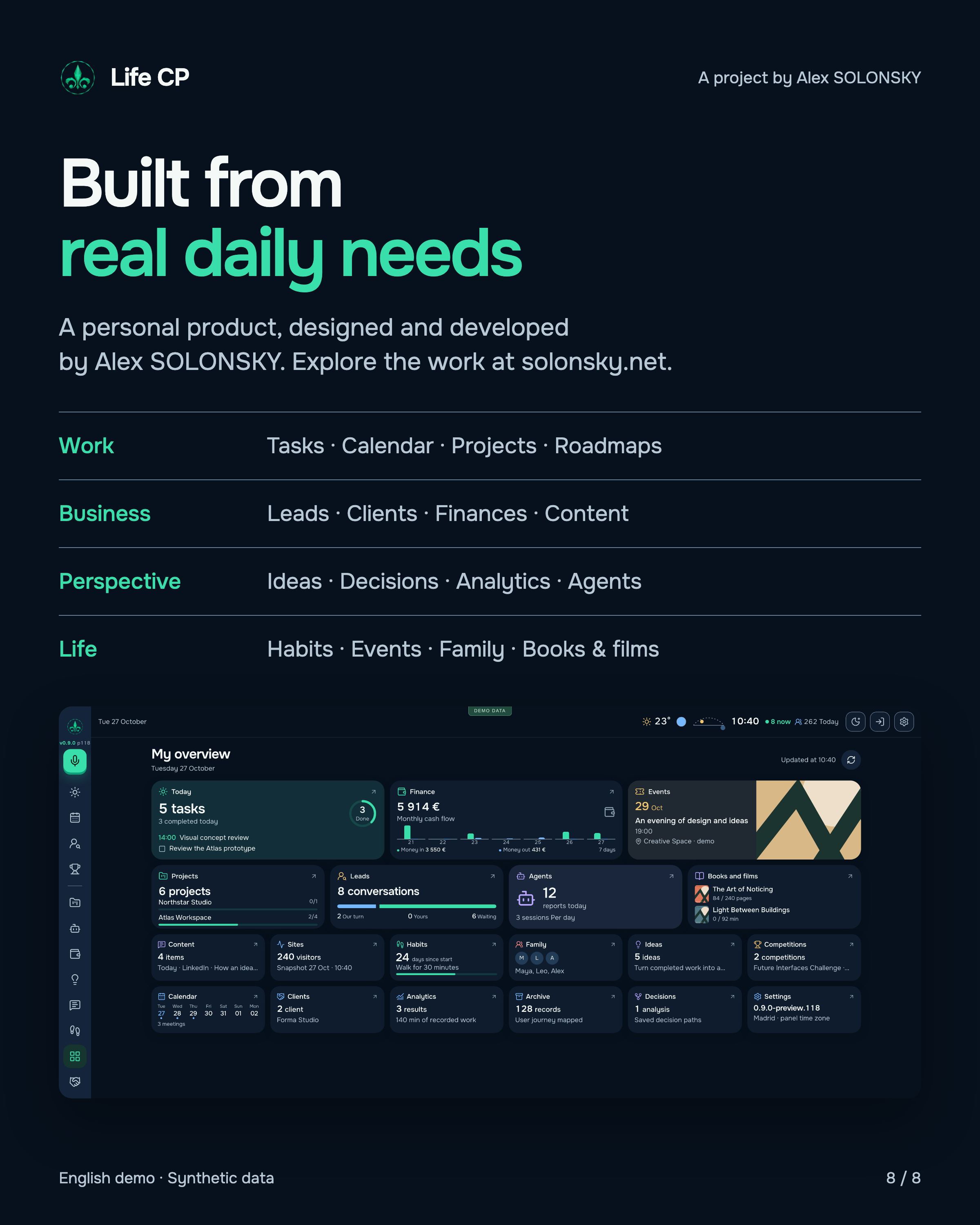
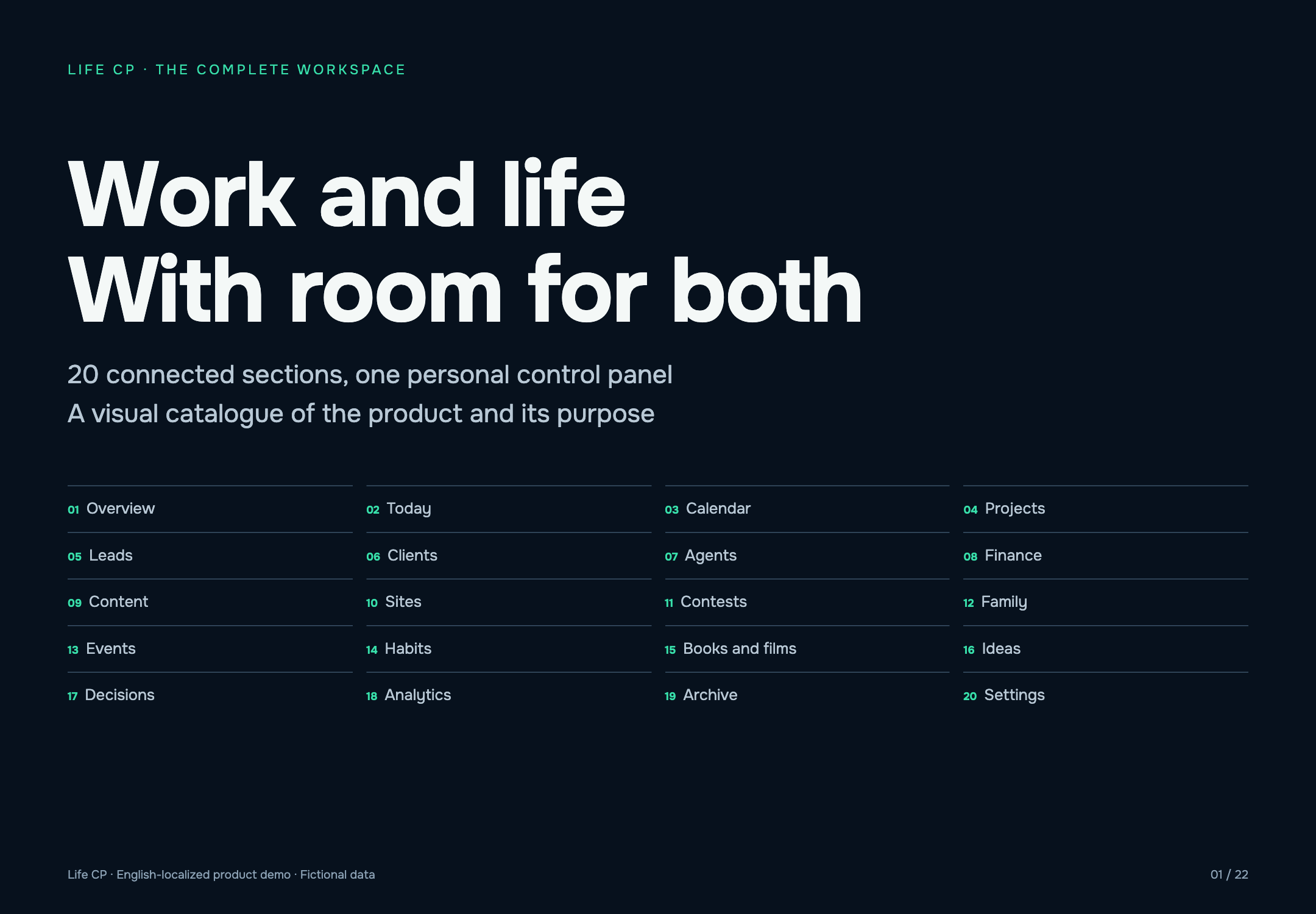
20 connected workspaces cover work, business, personal life and reflection. Every workspace below includes its screen and capabilities.
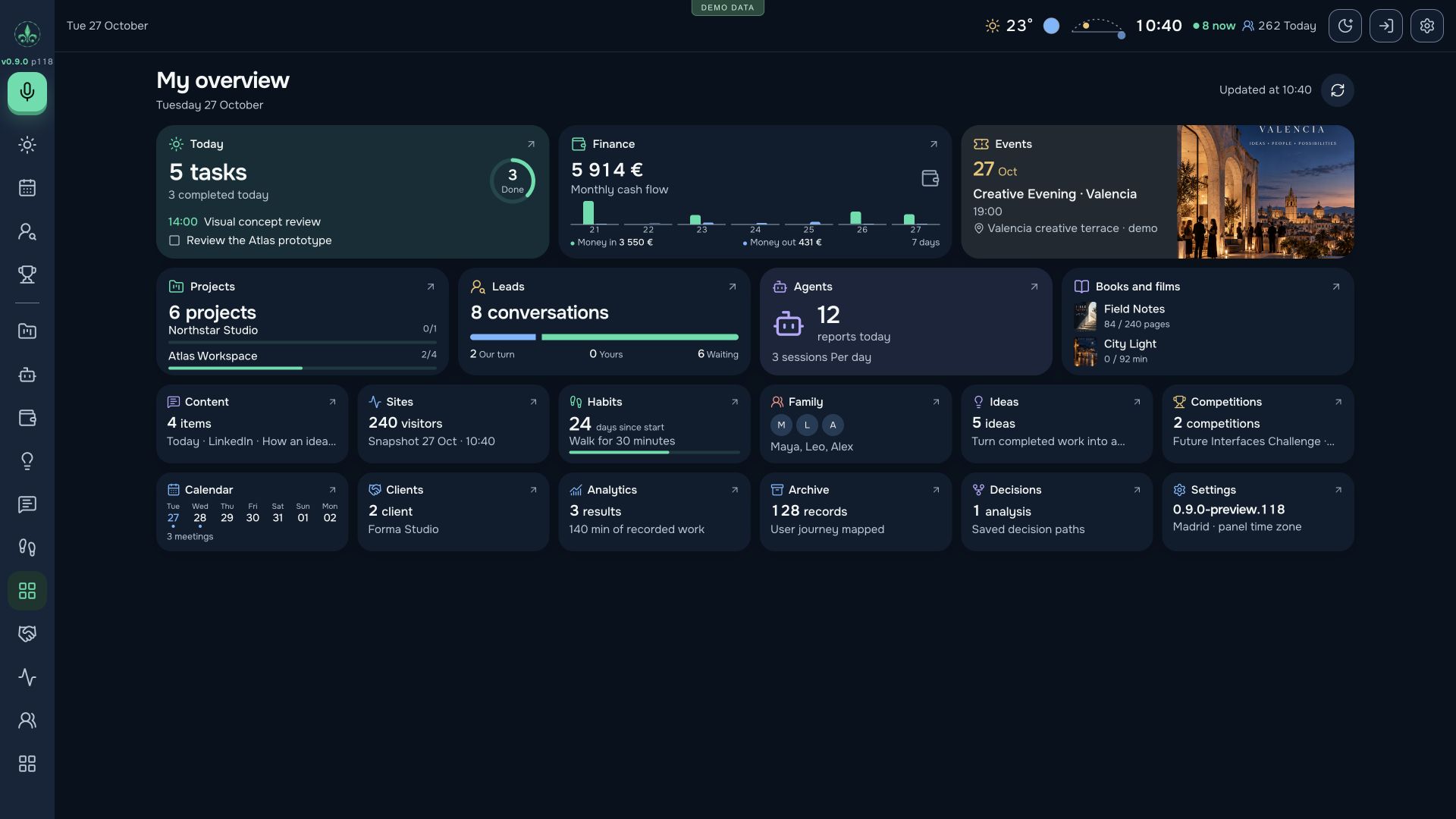
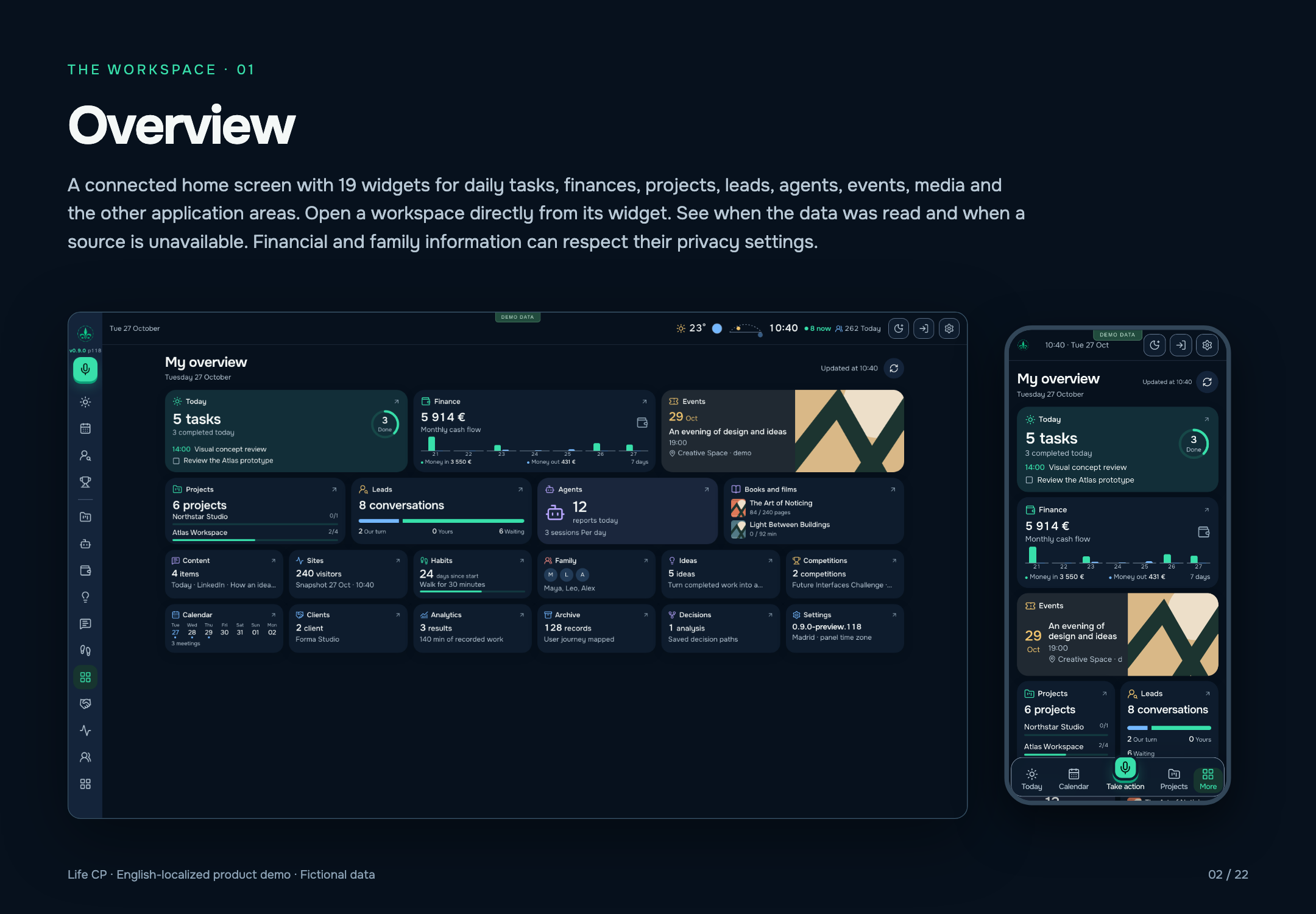
A connected home screen with 19 widgets for daily tasks, finances, projects, leads, agents, events, media and the other application areas. Open a workspace directly from its widget. See when the data was read and when a source is unavailable. Financial and family information can respect their privacy settings.
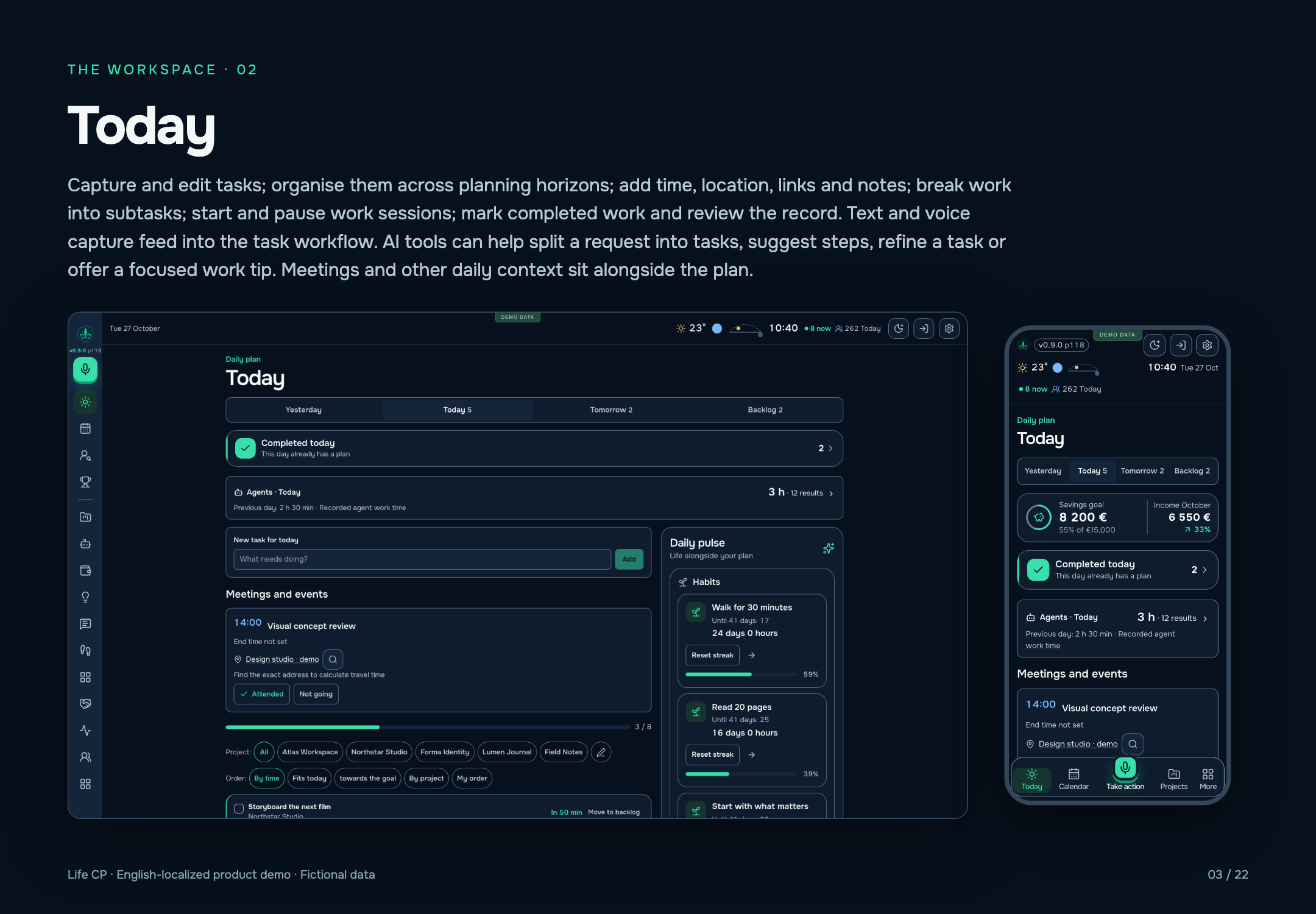
Capture and edit tasks; organise them across planning horizons; add time, location, links and notes; break work into subtasks; start and pause work sessions; mark completed work and review the record. Text and voice capture feed into the task workflow. AI tools can help split a request into tasks, suggest steps, refine a task or offer a focused work tip. Meetings and other daily context sit alongside the plan.
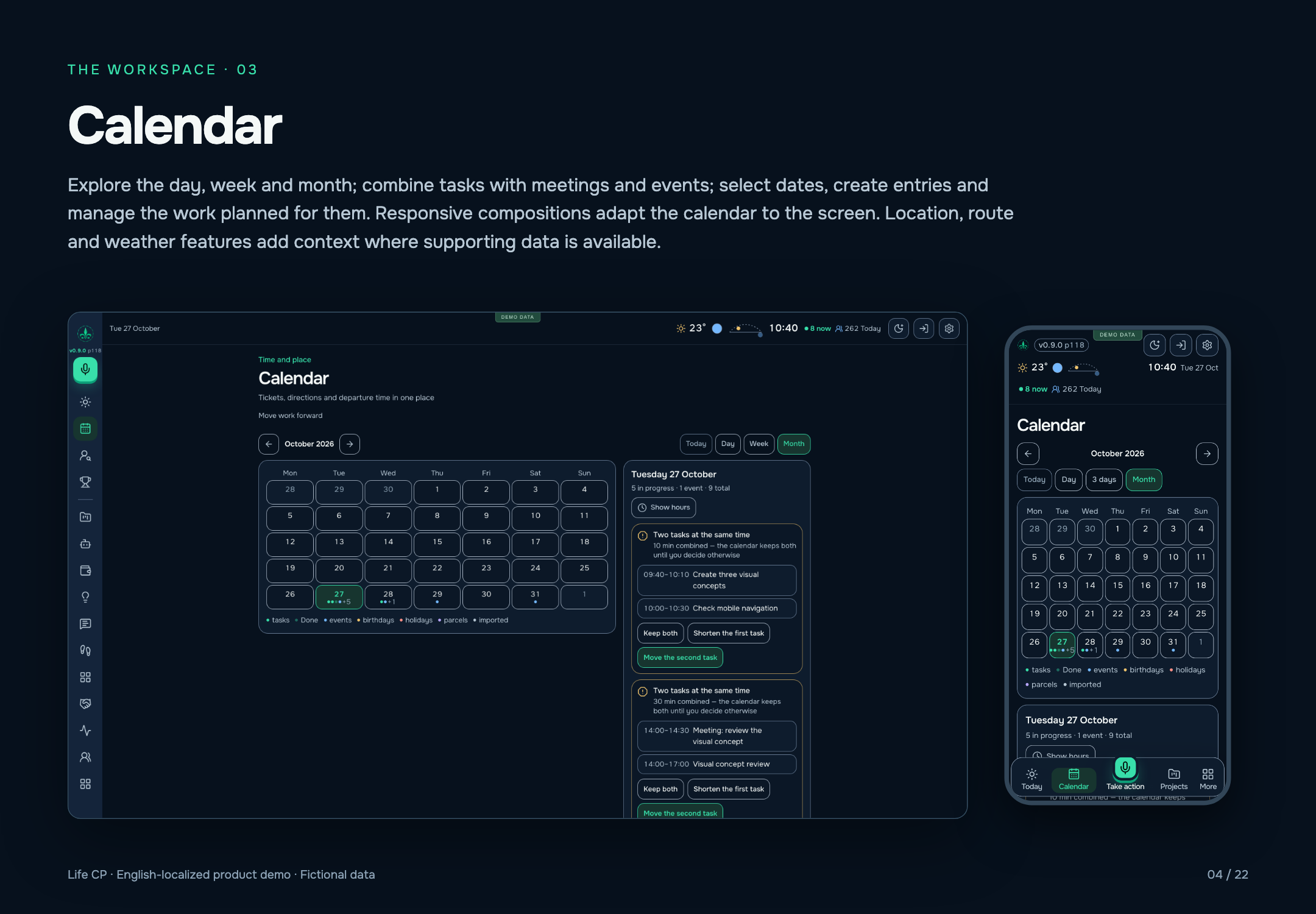
Explore the day, week and month; combine tasks with meetings and events; select dates, create entries and manage the work planned for them. Responsive compositions adapt the calendar to the screen. Location, route and weather features add context where supporting data is available.
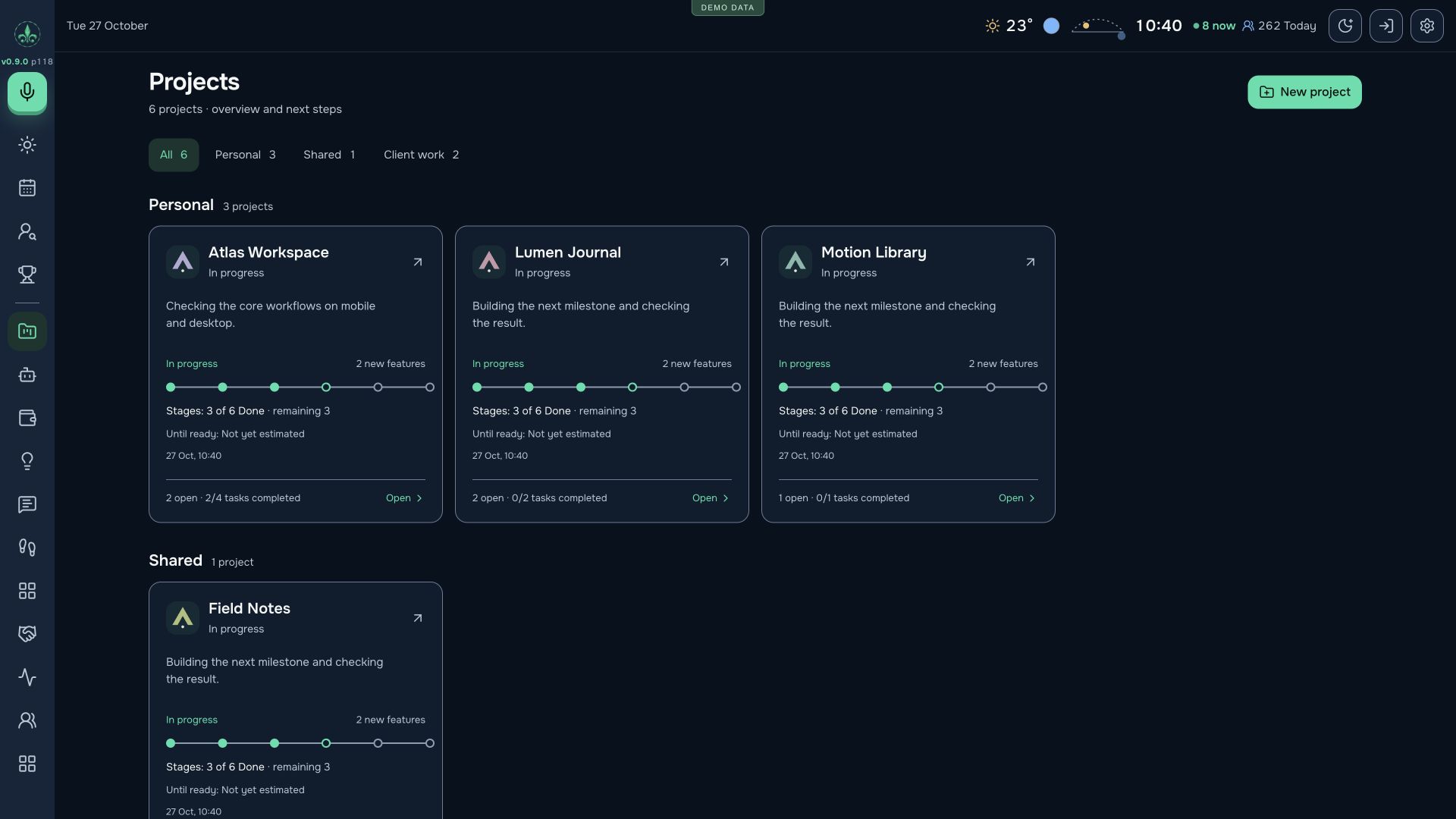
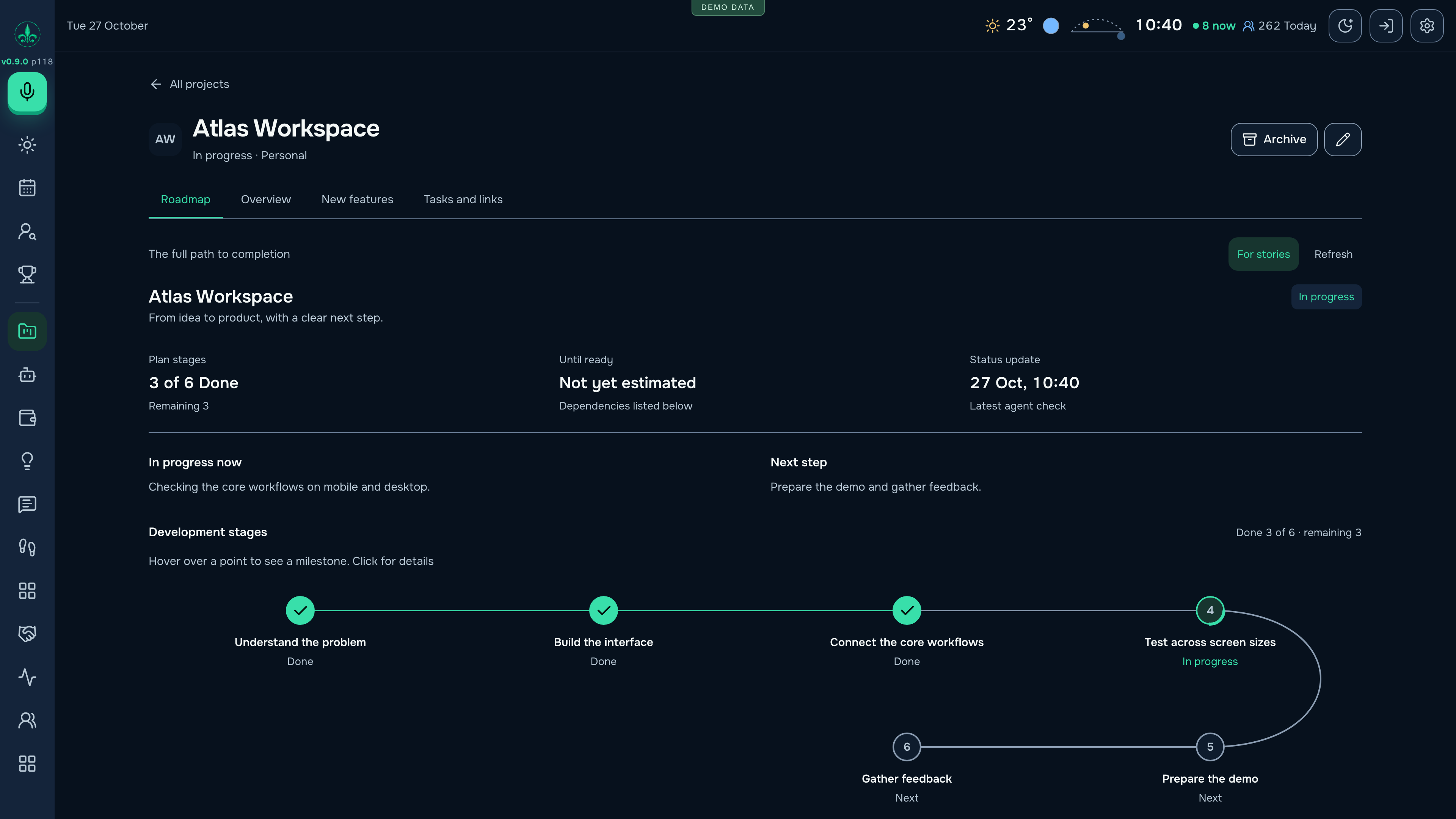
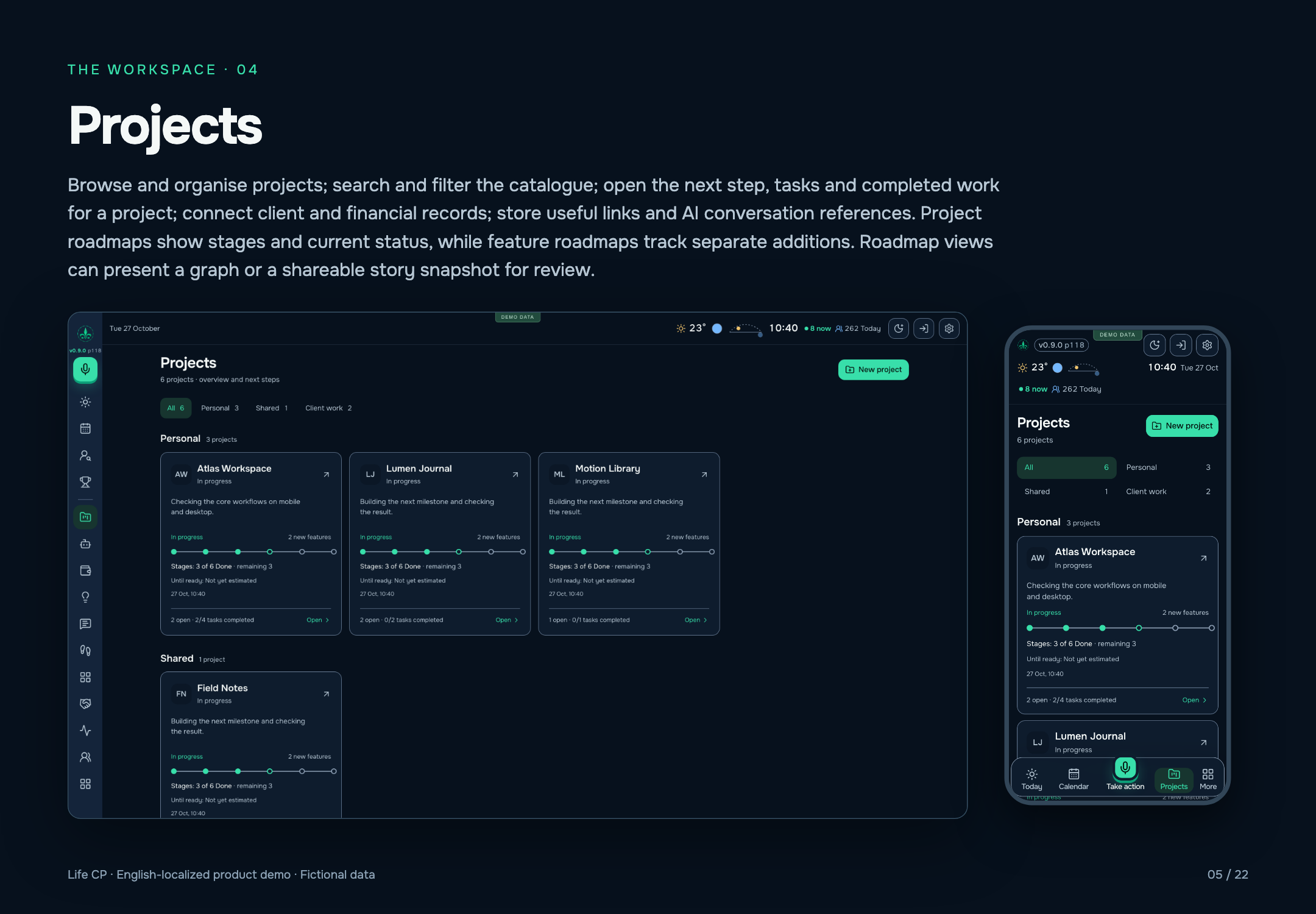
Browse and organise projects; search and filter the catalogue; open the next step, tasks and completed work for a project; connect client and financial records; store useful links and AI conversation references. Project roadmaps show stages and current status, while feature roadmaps track separate additions. Roadmap views can present a graph or a shareable story snapshot for review.
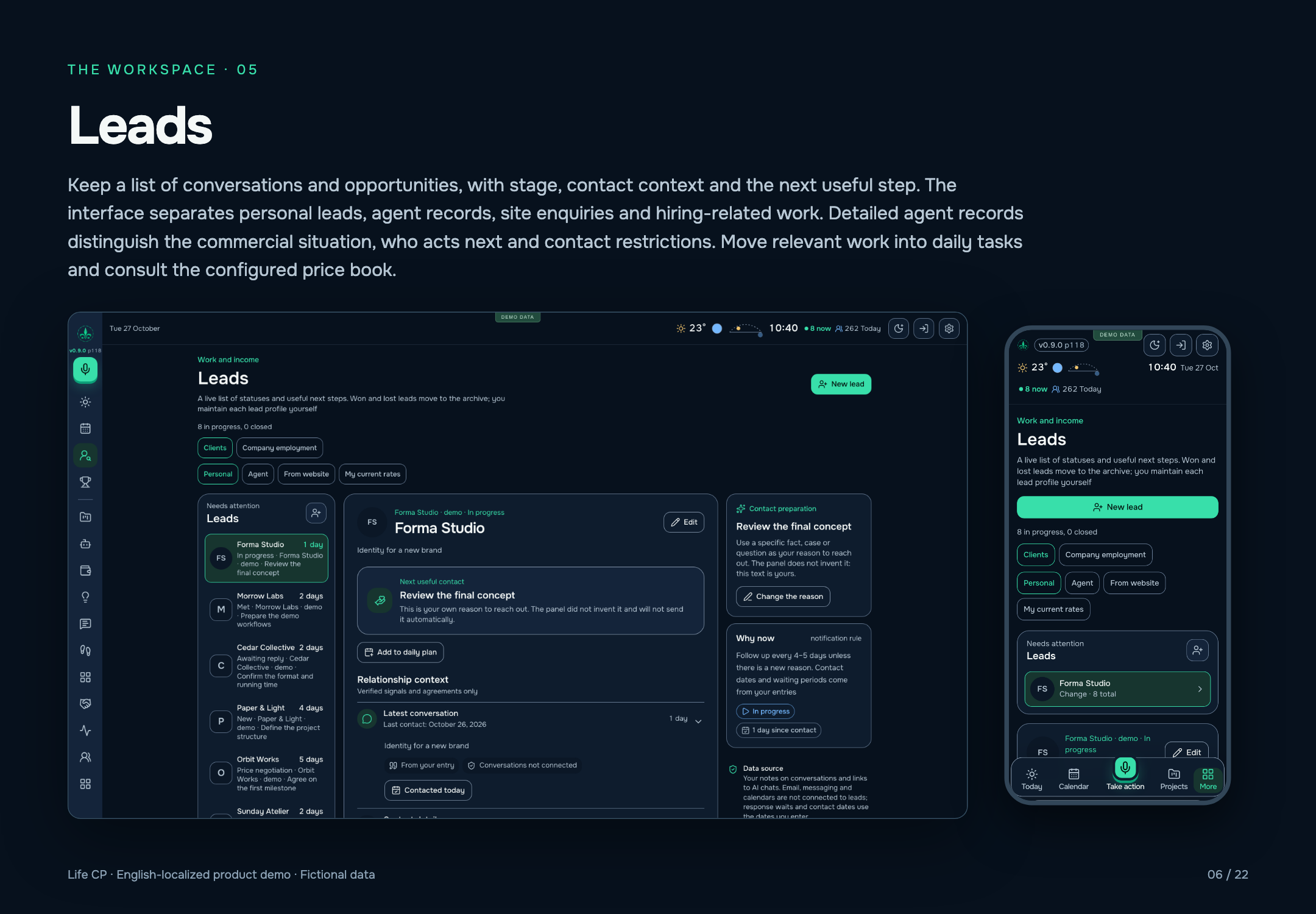
Keep a list of conversations and opportunities, with stage, contact context and the next useful step. The interface separates personal leads, agent records, site enquiries and hiring-related work. Detailed agent records distinguish the commercial situation, who acts next and contact restrictions. Move relevant work into daily tasks and consult the configured price book.
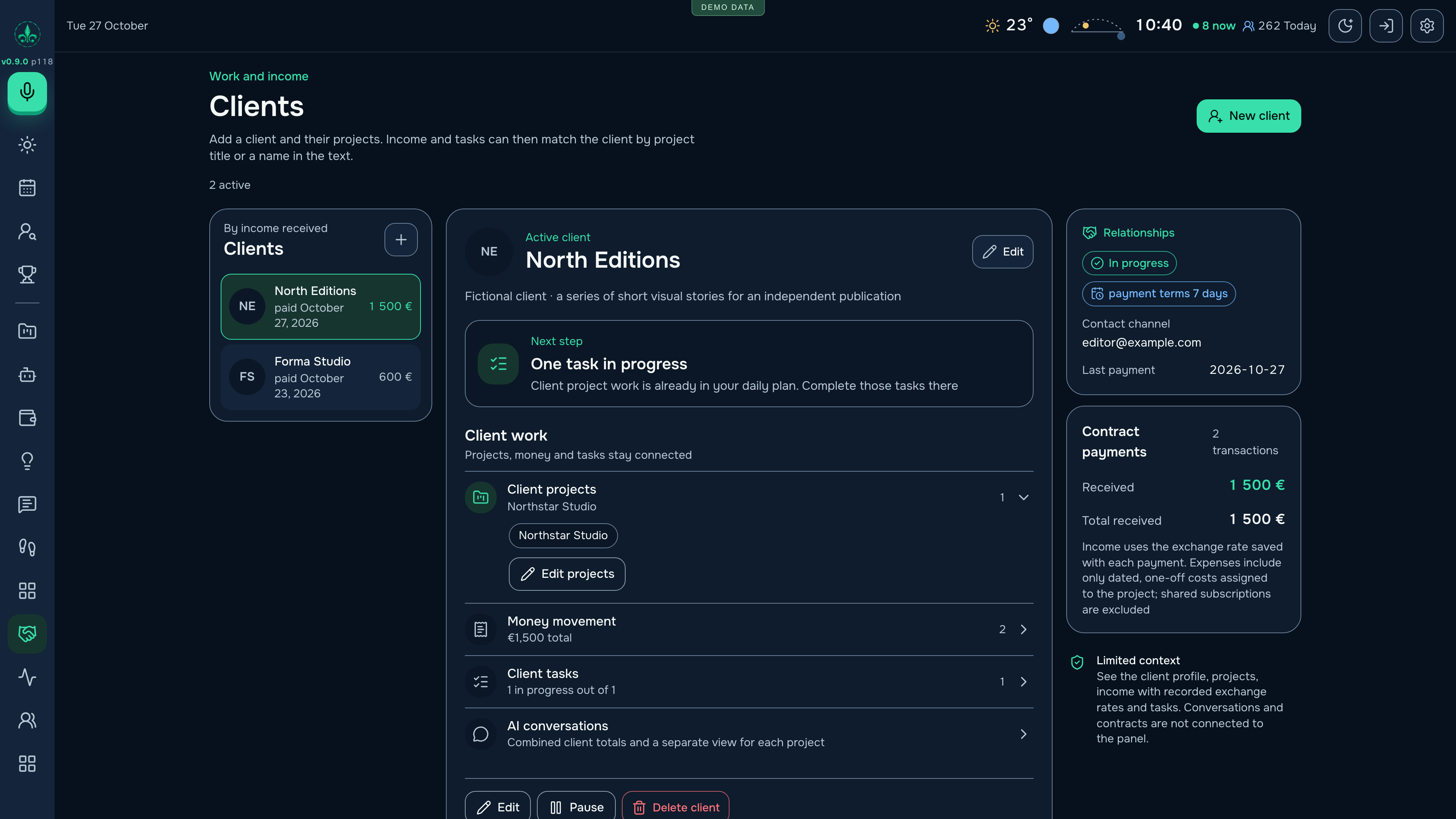
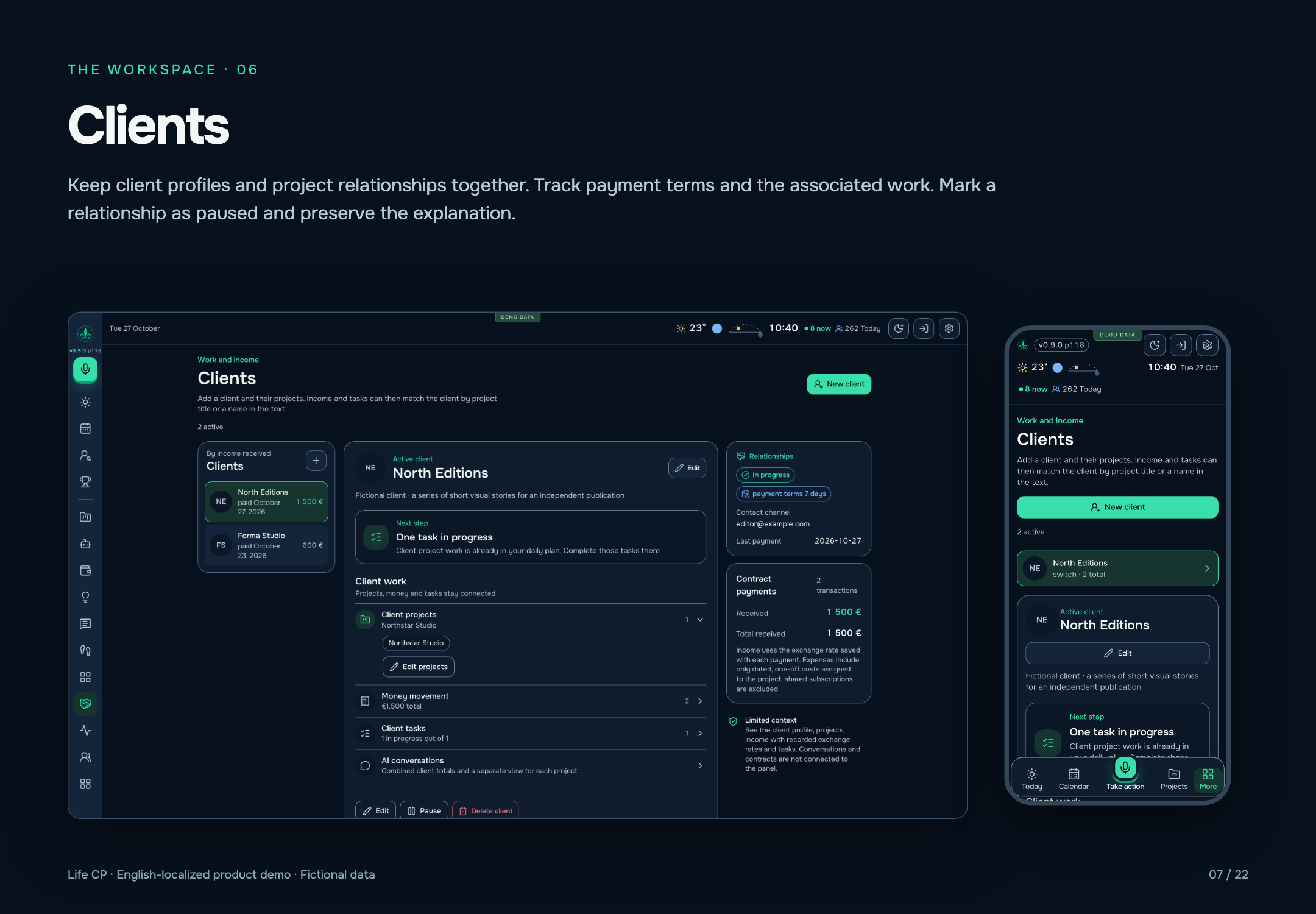
Keep client profiles and project relationships together. Track payment terms and the associated work. Mark a relationship as paused and preserve the explanation.
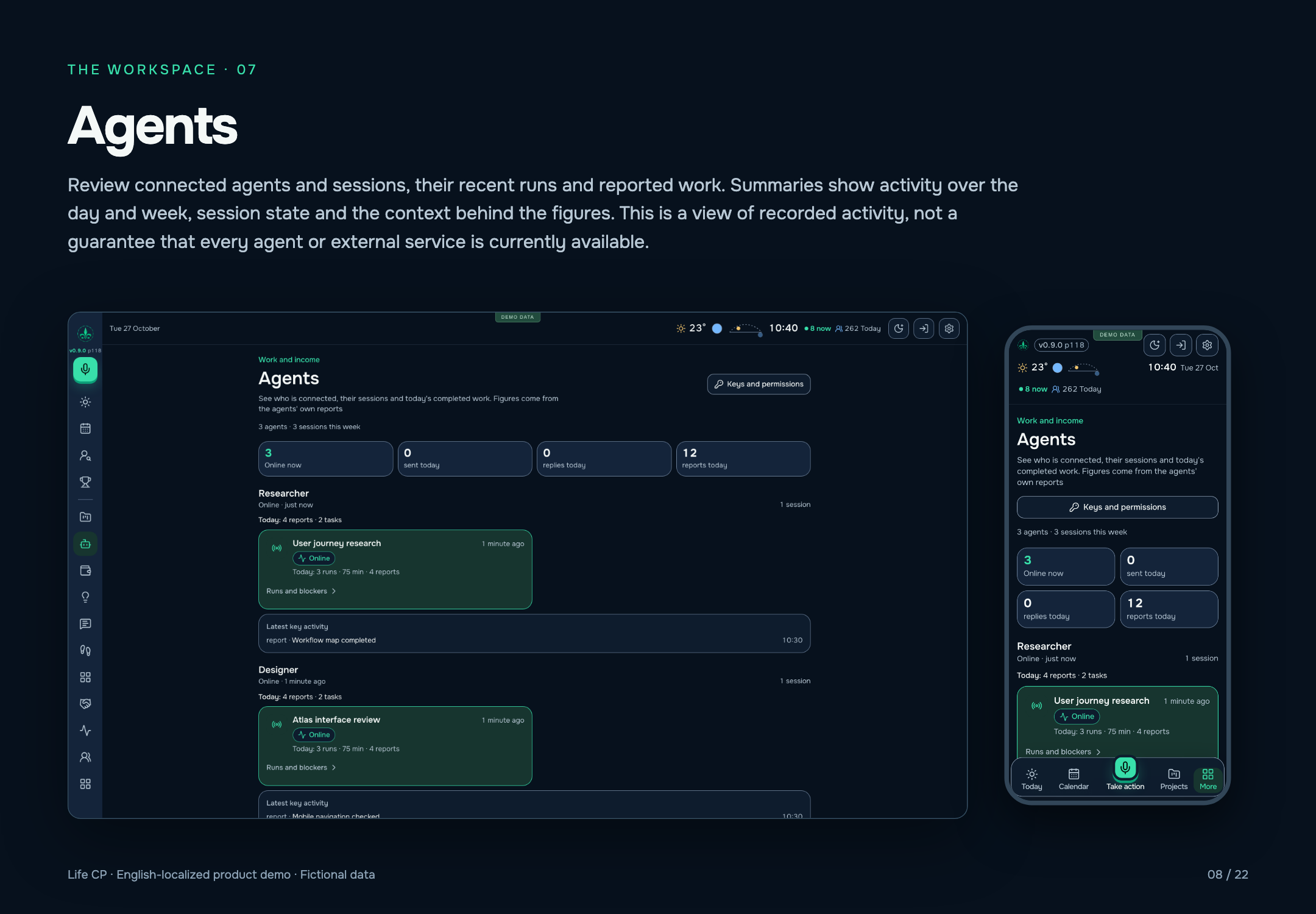
Review connected agents and sessions, their recent runs and reported work. Summaries show activity over the day and week, session state and the context behind the figures. This is a view of recorded activity, not a guarantee that every agent or external service is currently available.
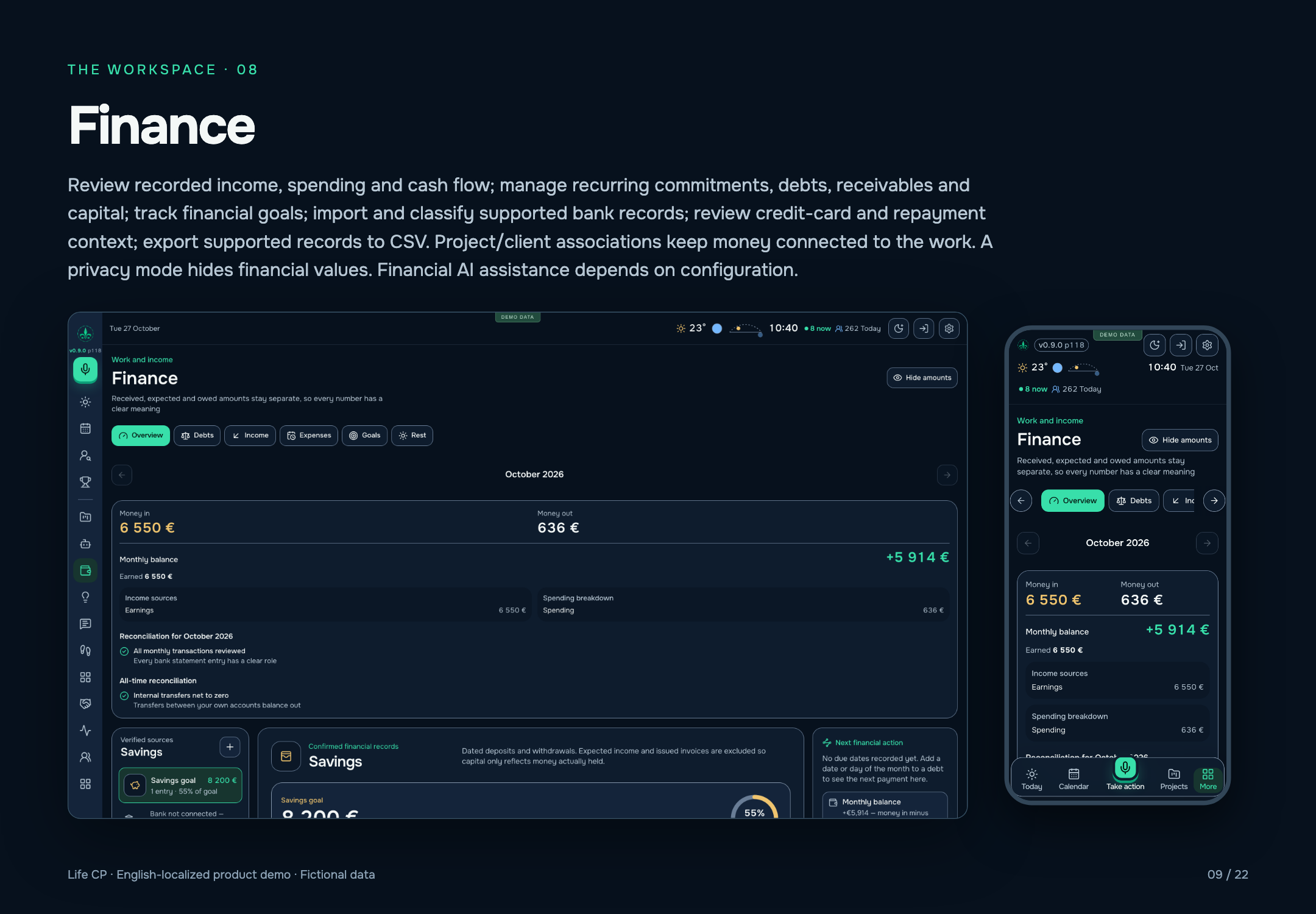
Review recorded income, spending and cash flow; manage recurring commitments, debts, receivables and capital; track financial goals; import and classify supported bank records; review credit-card and repayment context; export supported records to CSV. Project/client associations keep money connected to the work. A privacy mode hides financial values. Financial AI assistance depends on configuration.
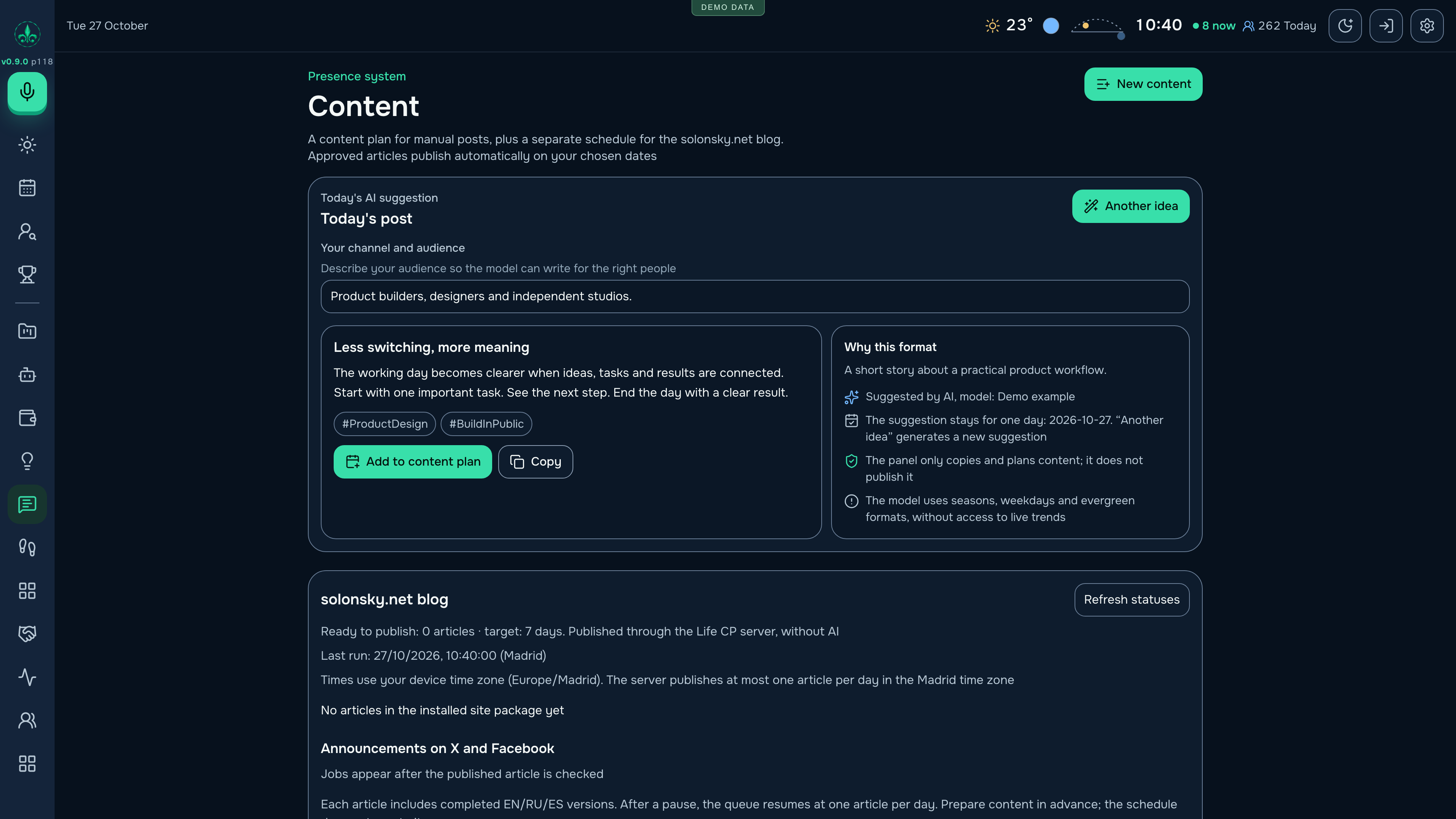
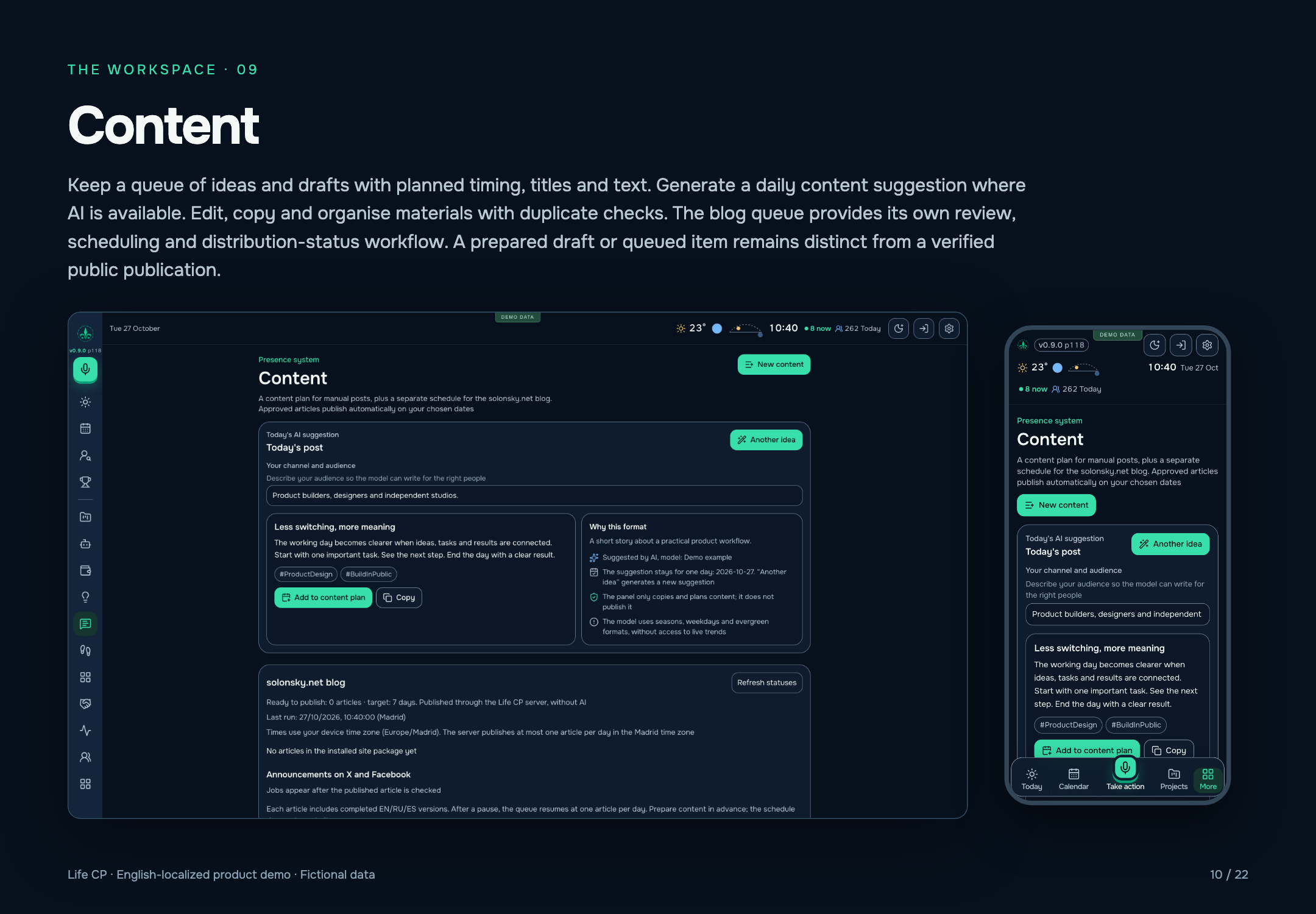
Keep a queue of ideas and drafts with planned timing, titles and text. Generate a daily content suggestion where AI is available. Edit, copy and organise materials with duplicate checks. The blog queue provides its own review, scheduling and distribution-status workflow. A prepared draft or queued item remains distinct from a verified public publication.
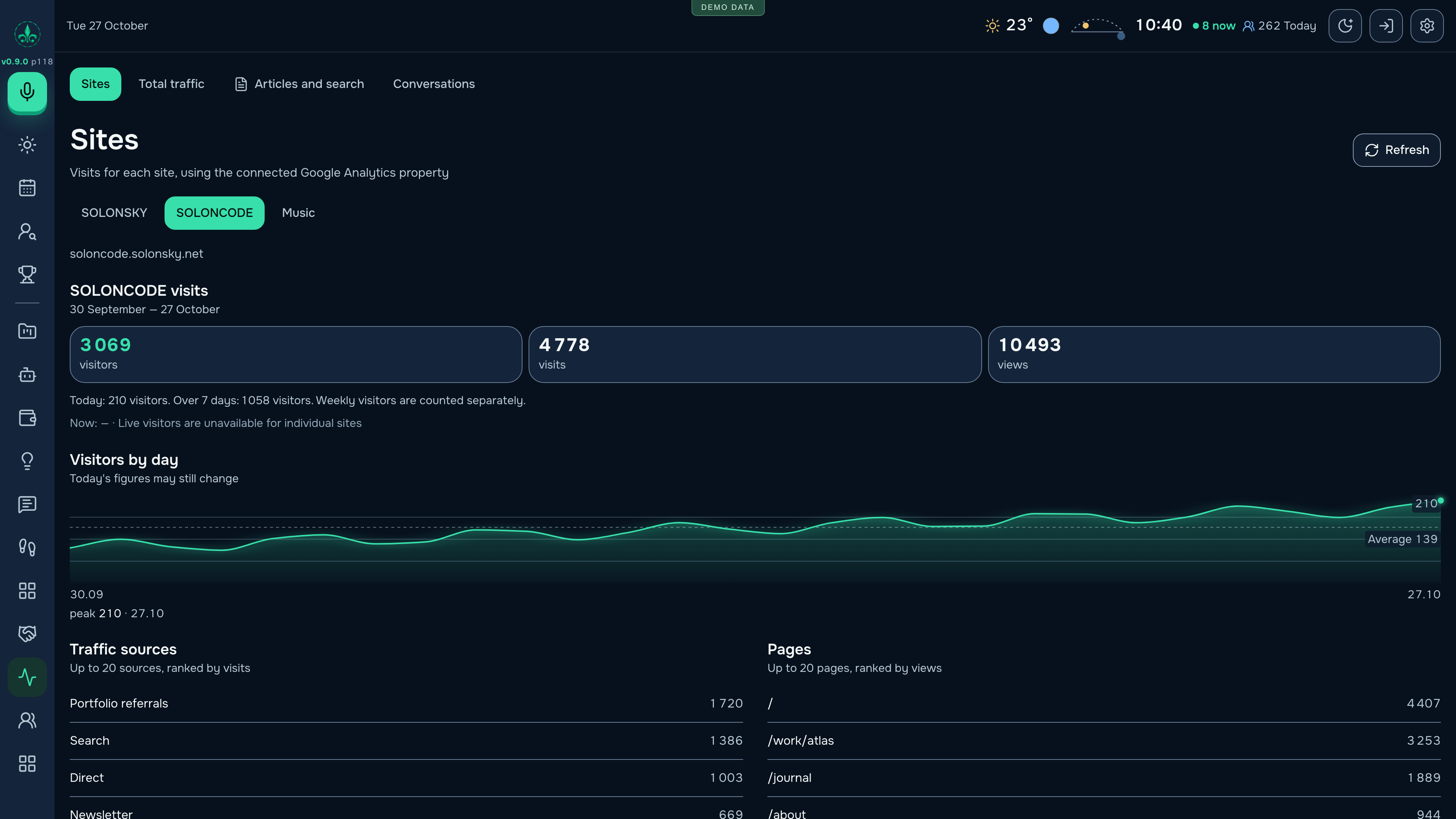
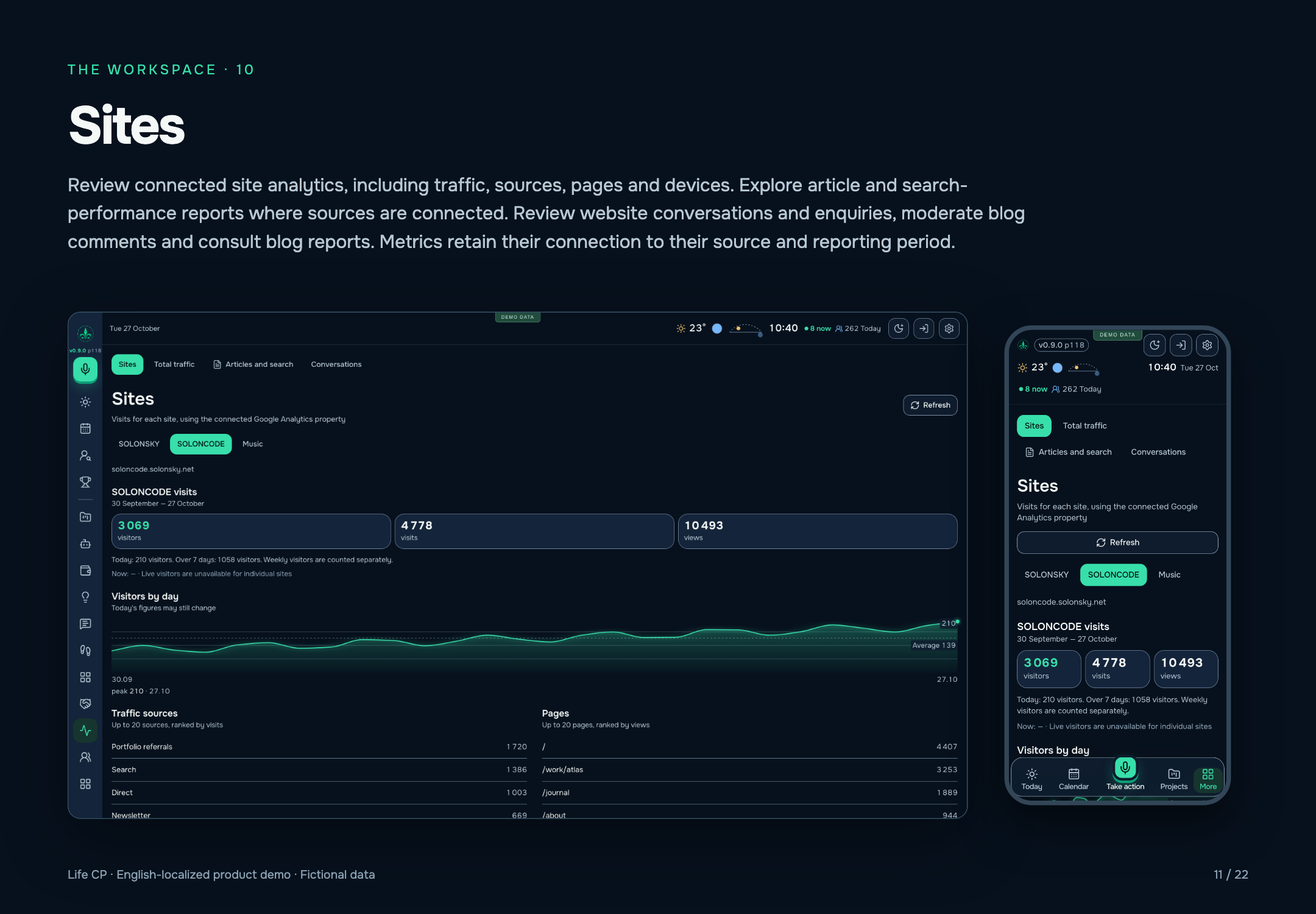
Review connected site analytics, including traffic, sources, pages and devices. Explore article and search-performance reports where sources are connected. Review website conversations and enquiries, moderate blog comments and consult blog reports. Metrics retain their connection to their source and reporting period.
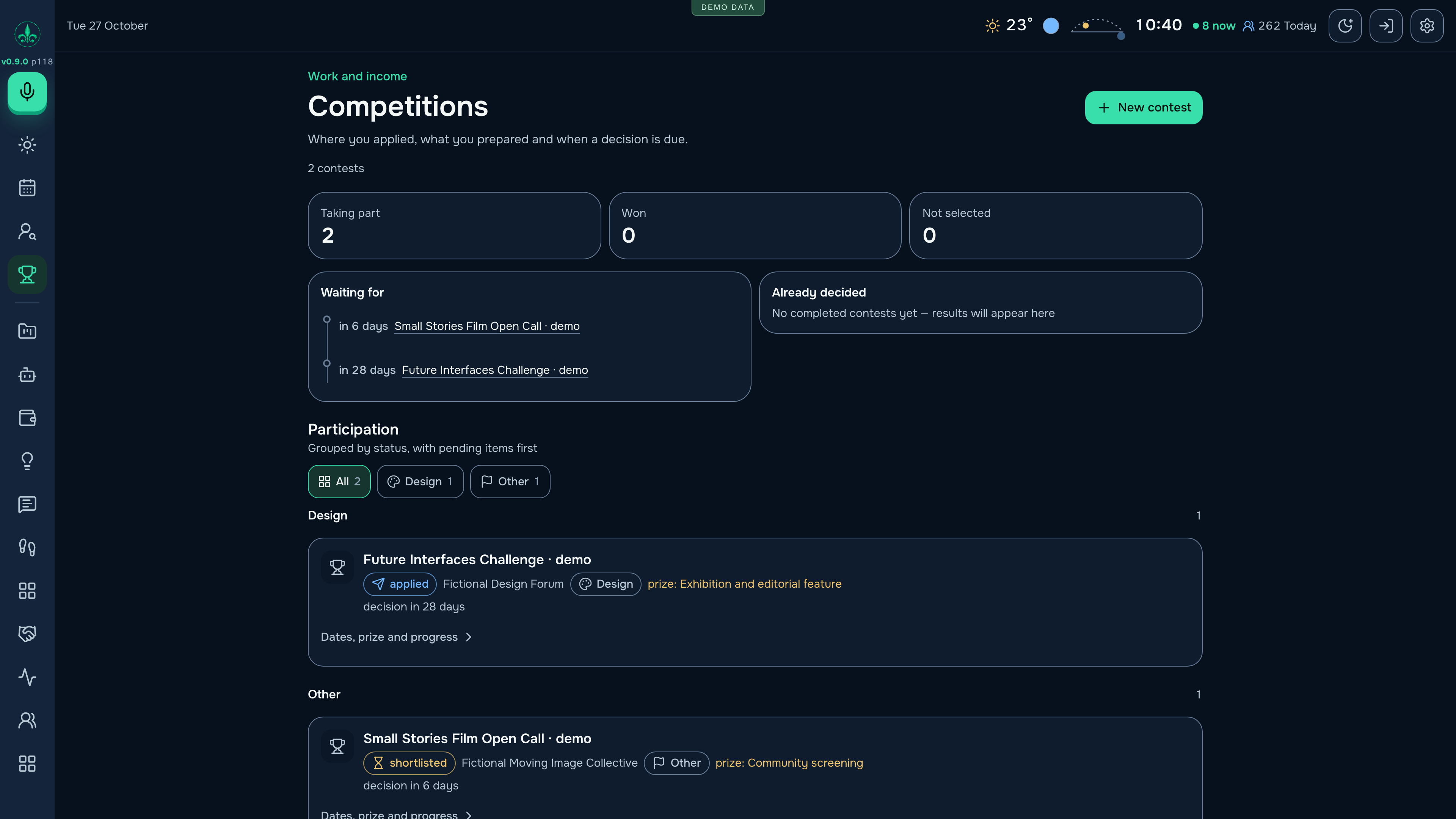
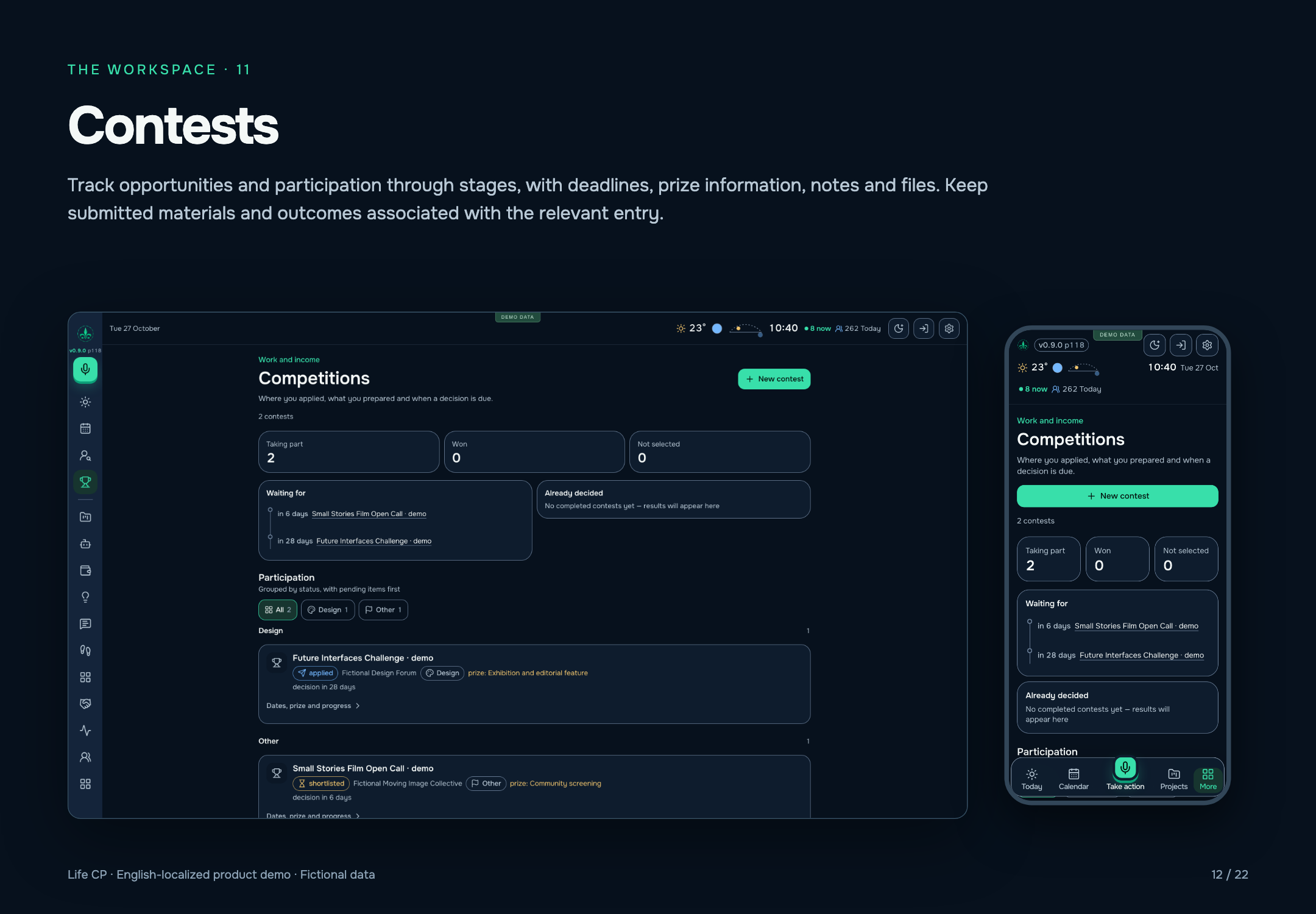
Track opportunities and participation through stages, with deadlines, prize information, notes and files. Keep submitted materials and outcomes associated with the relevant entry.
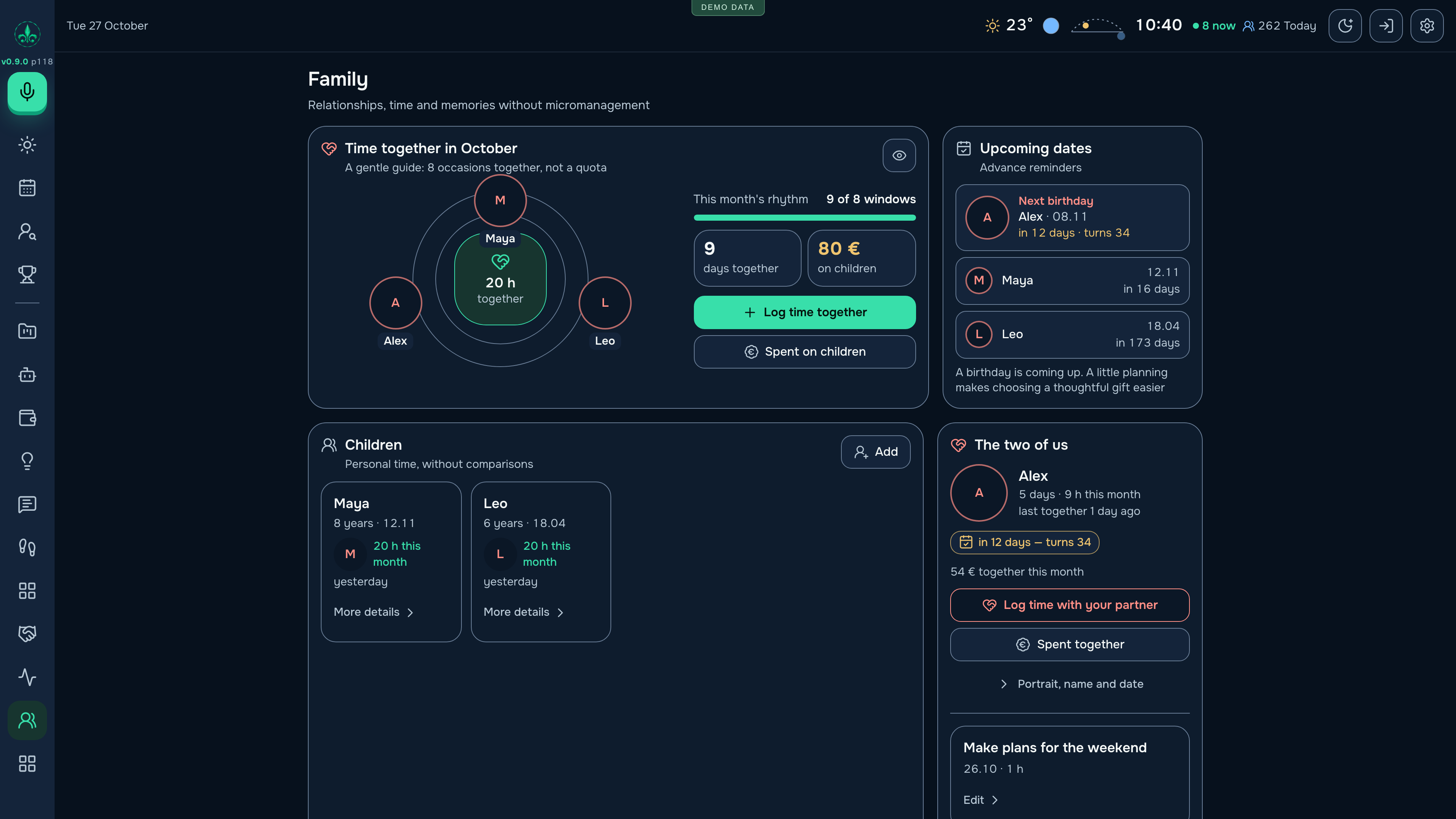
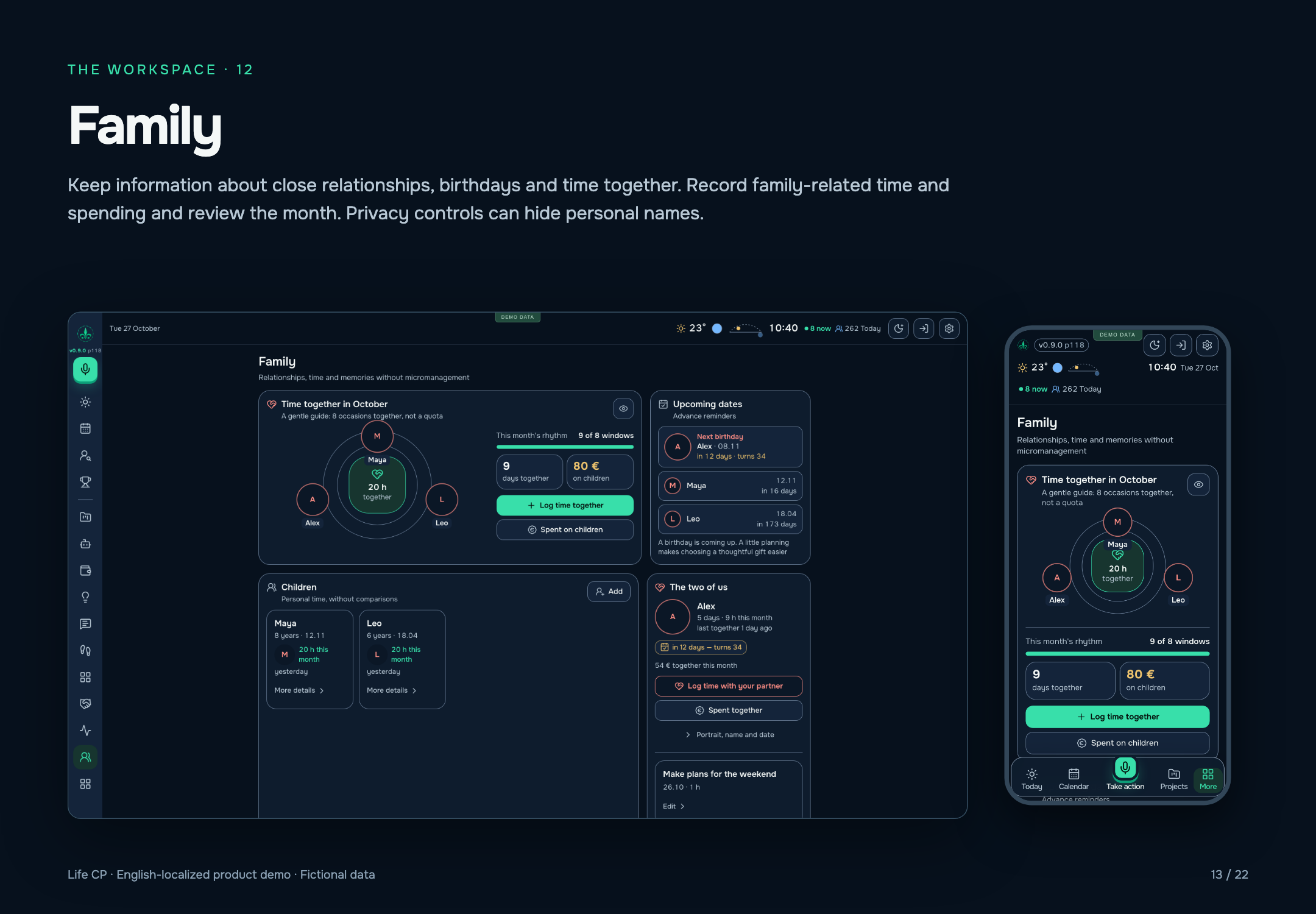
Keep information about close relationships, birthdays and time together. Record family-related time and spending and review the month. Privacy controls can hide personal names.
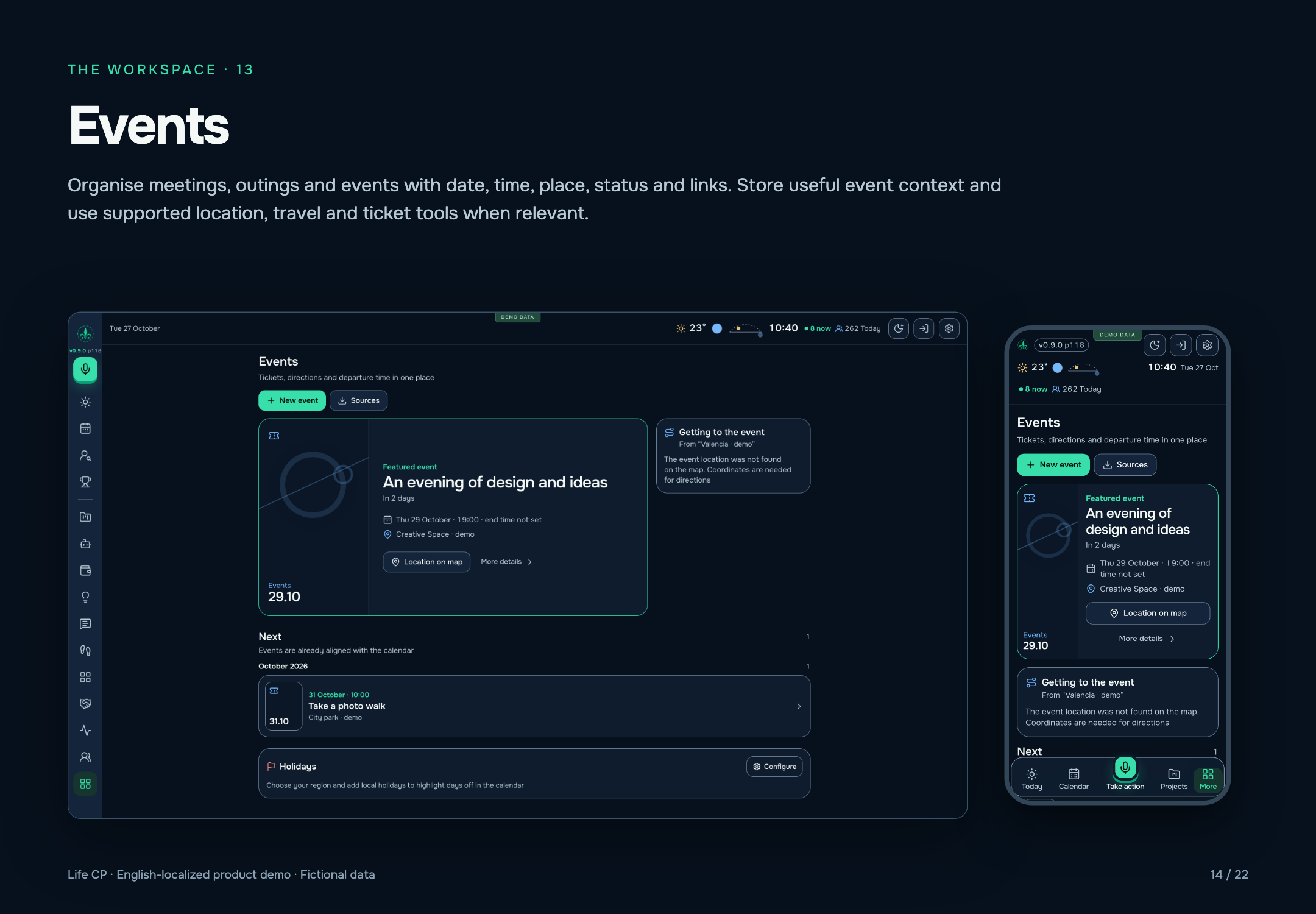
Organise meetings, outings and events with date, time, place, status and links. Store useful event context and use supported location, travel and ticket tools when relevant.
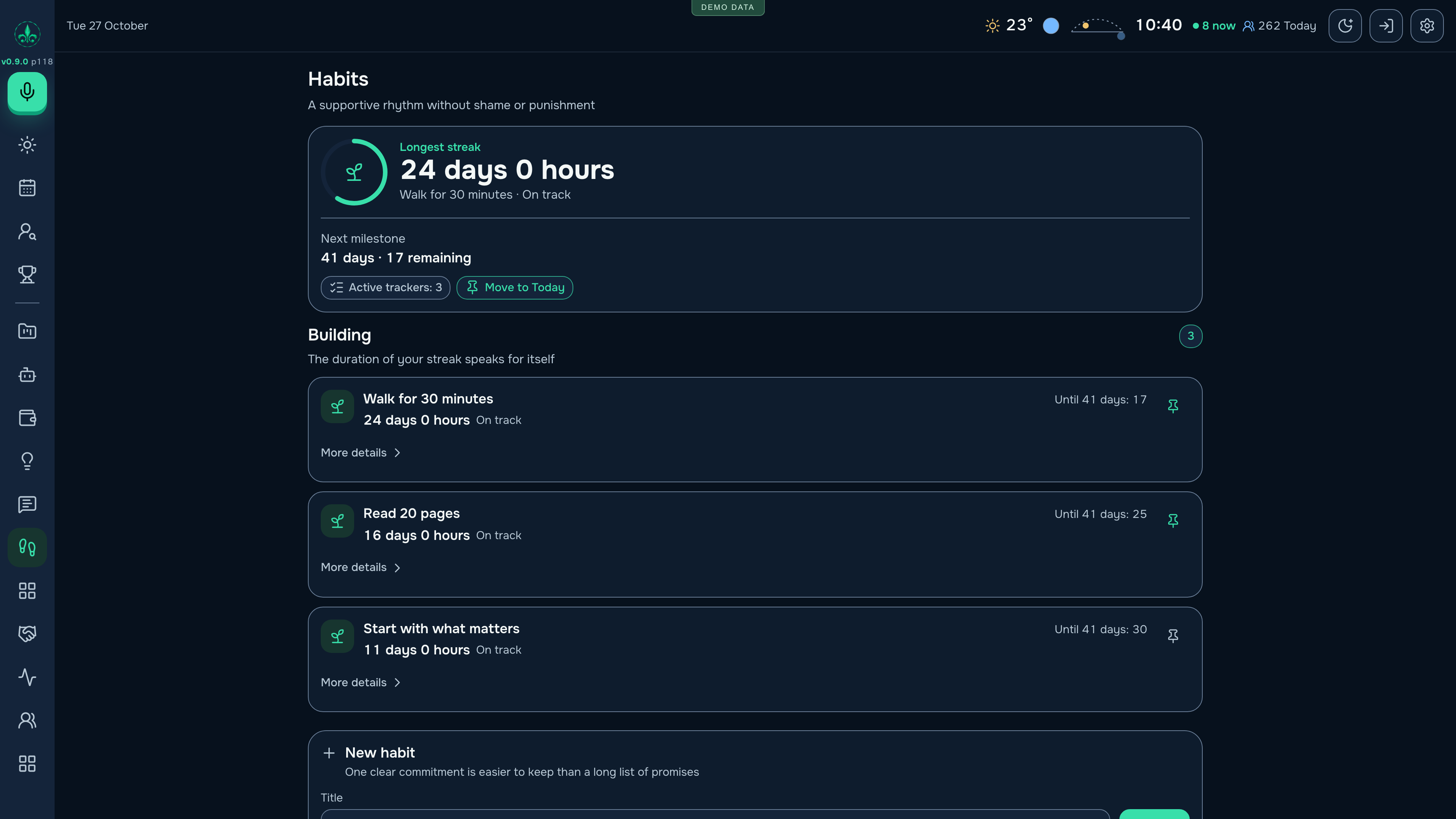
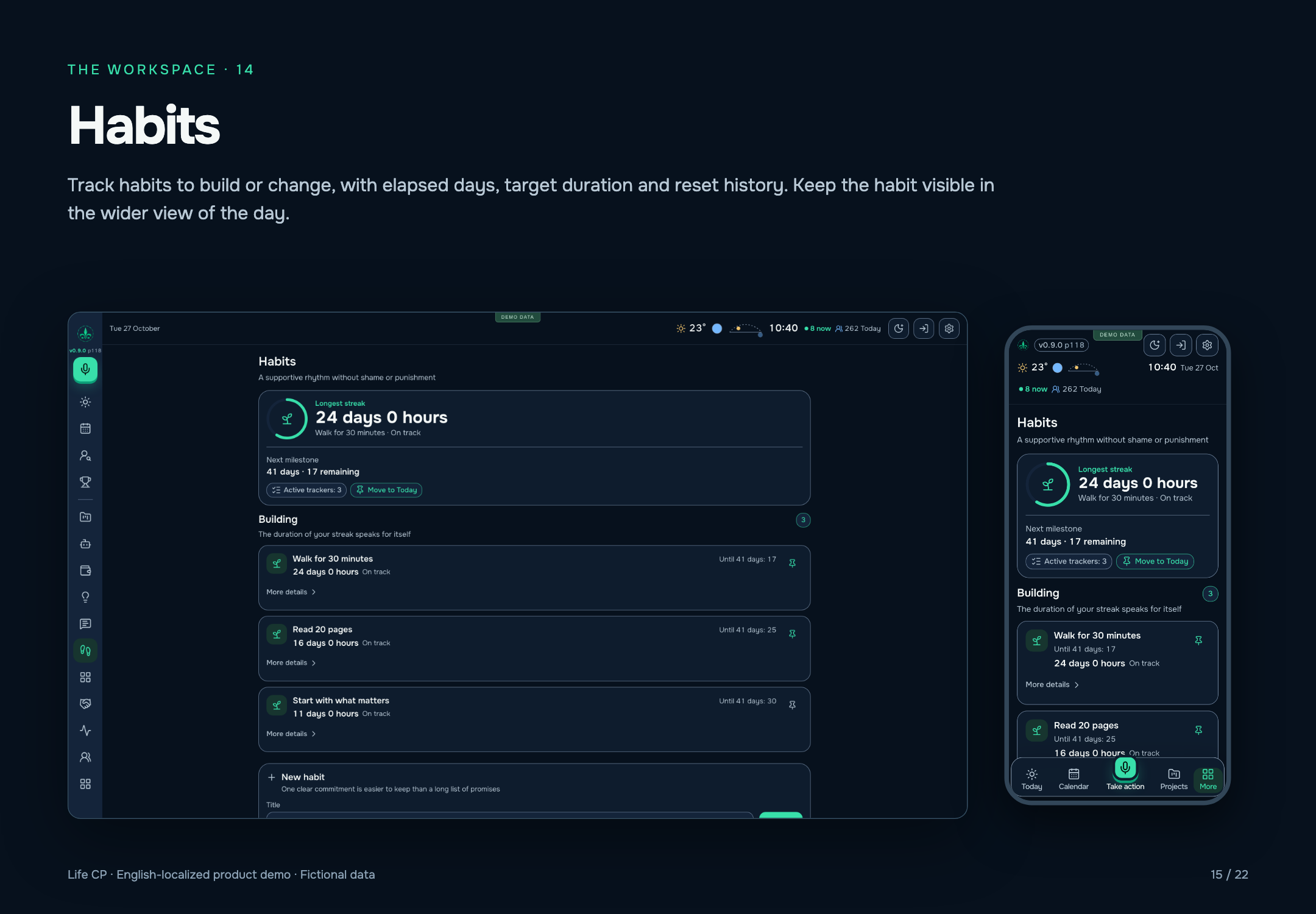
Track habits to build or change, with elapsed days, target duration and reset history. Keep the habit visible in the wider view of the day.
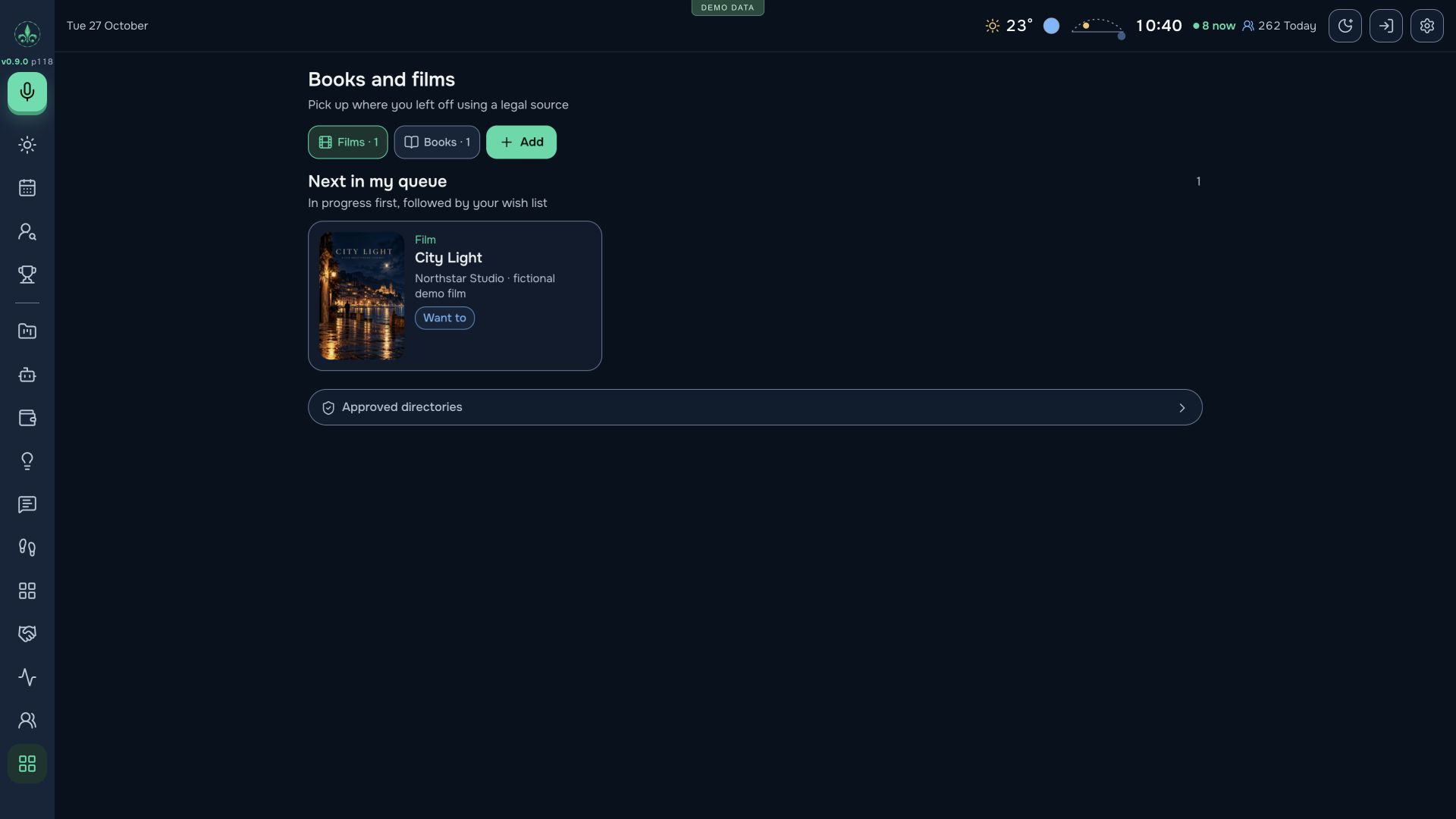
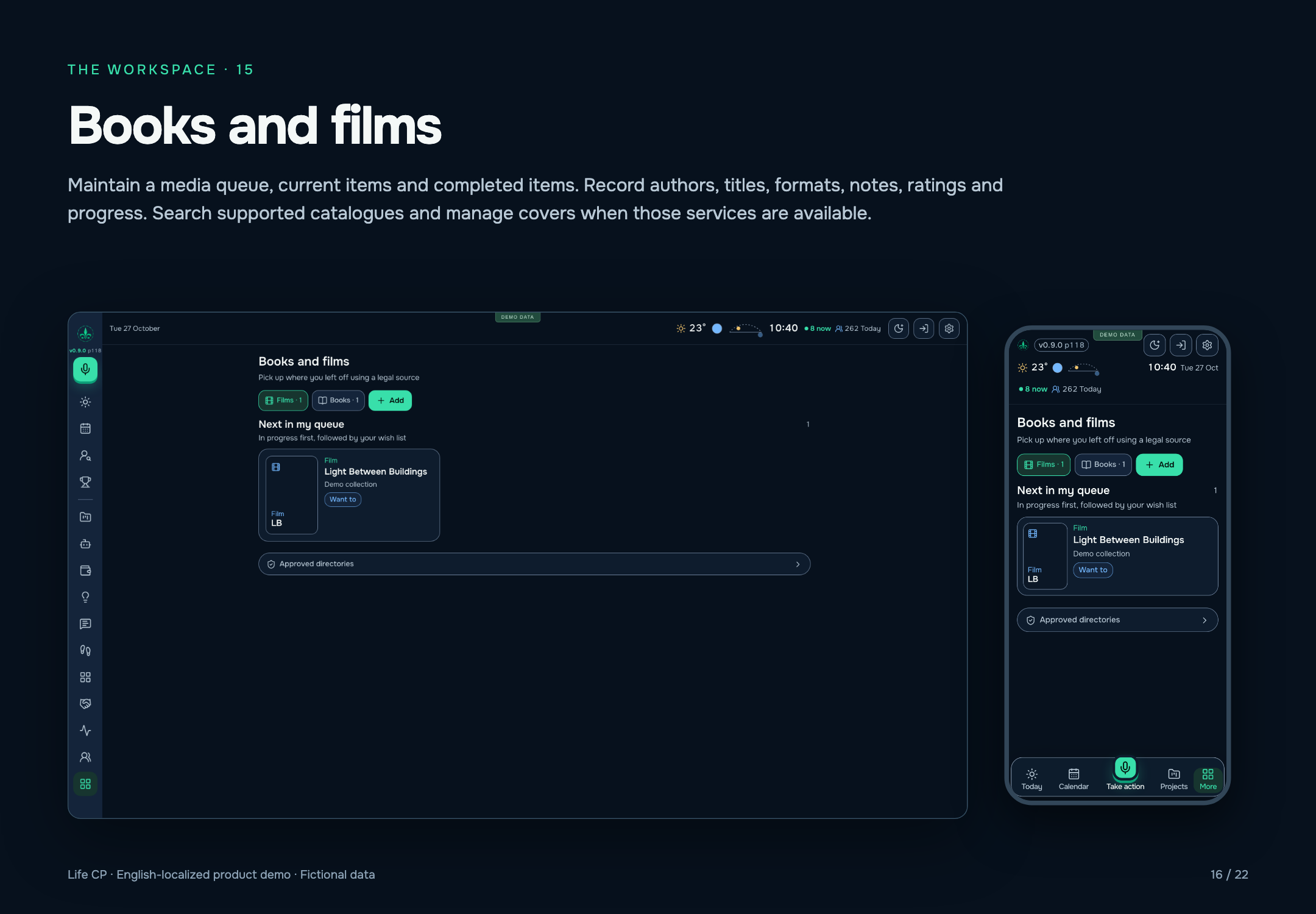
Maintain a media queue, current items and completed items. Record authors, titles, formats, notes, ratings and progress. Search supported catalogues and manage covers when those services are available.
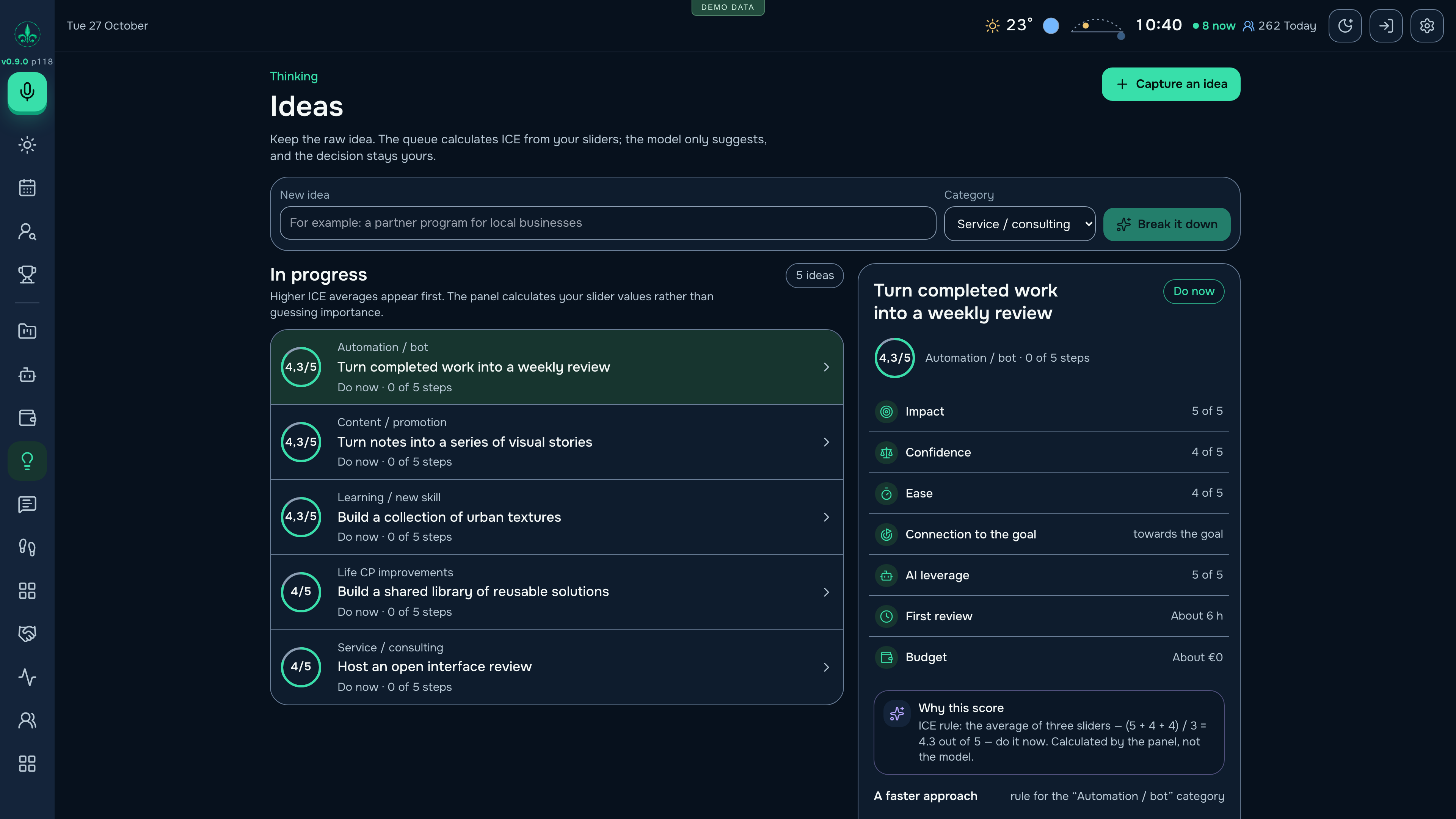
Collect and categorise ideas; compare impact, confidence and ease; prioritise which ideas deserve attention; develop an idea into steps. AI scoring and planning are presented as suggestions that can be reviewed.
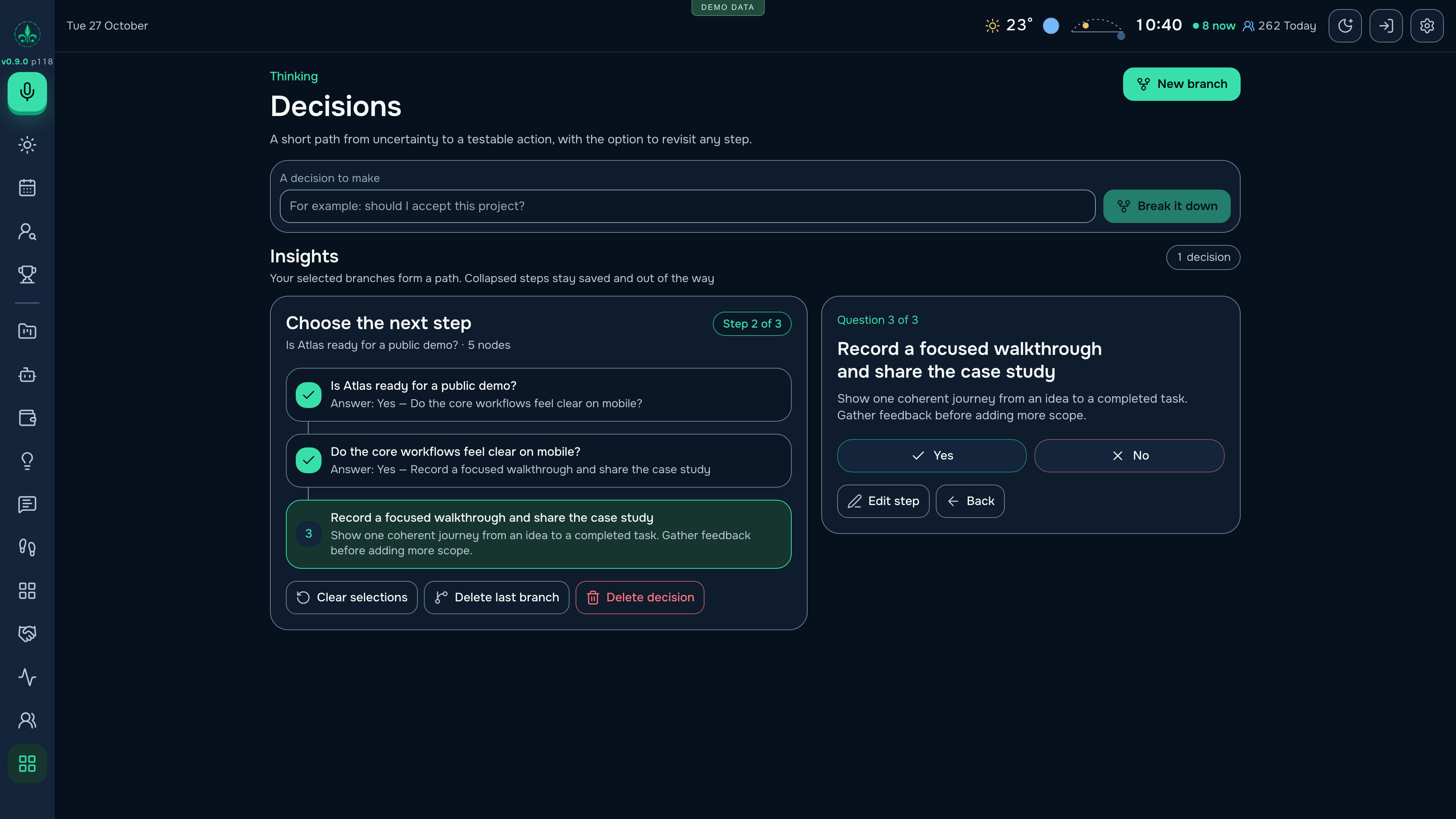
Build a branching structure of questions and possible answers, follow a selected path and record outcomes. Keep the reasoning accessible alongside the choice.
Explore recorded work over a selected period, including daily effort, hour-of-day and weekday patterns, categories, trends and carried-over tasks. Review observations based on the available record, with source and confidence context.
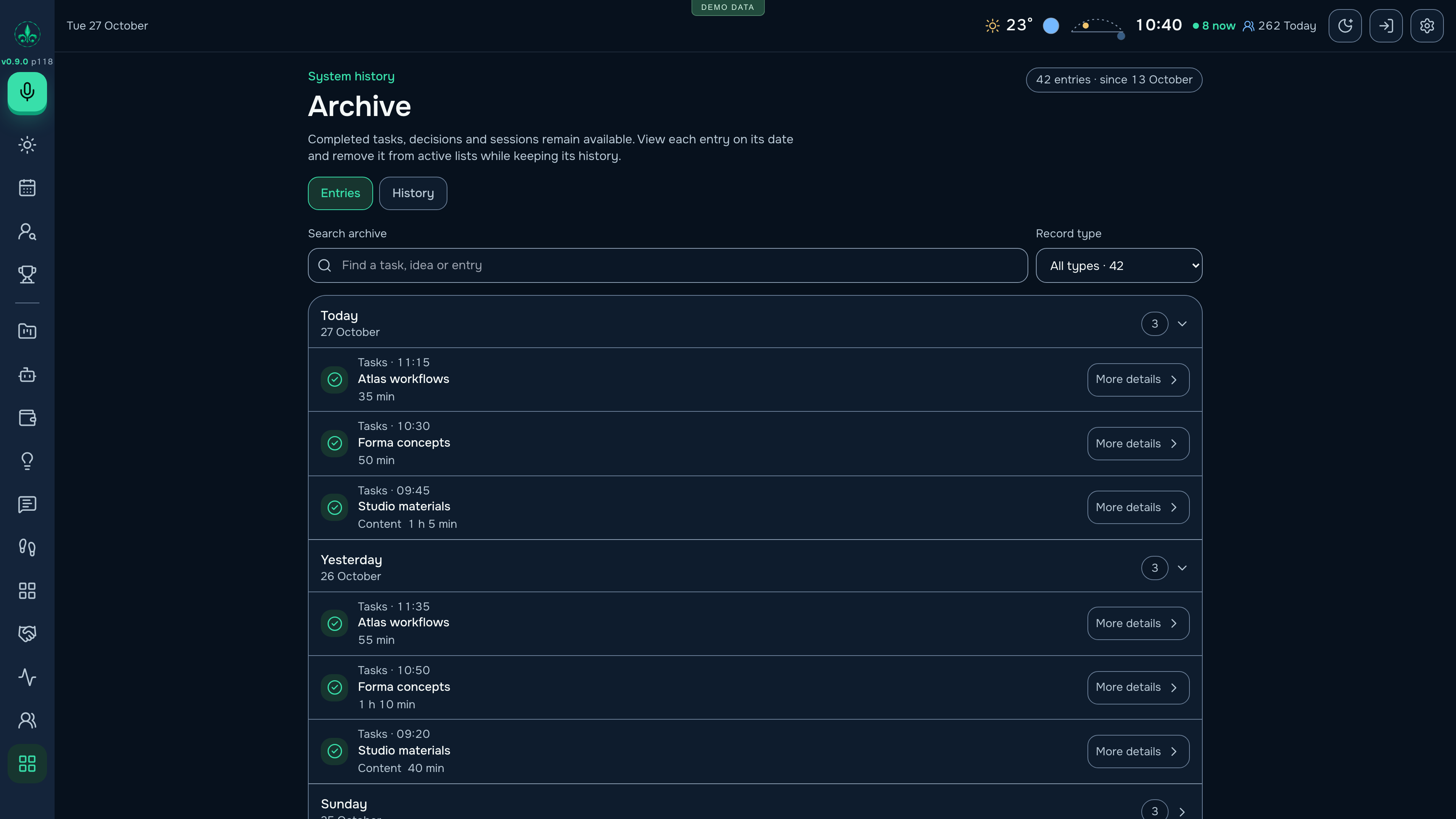
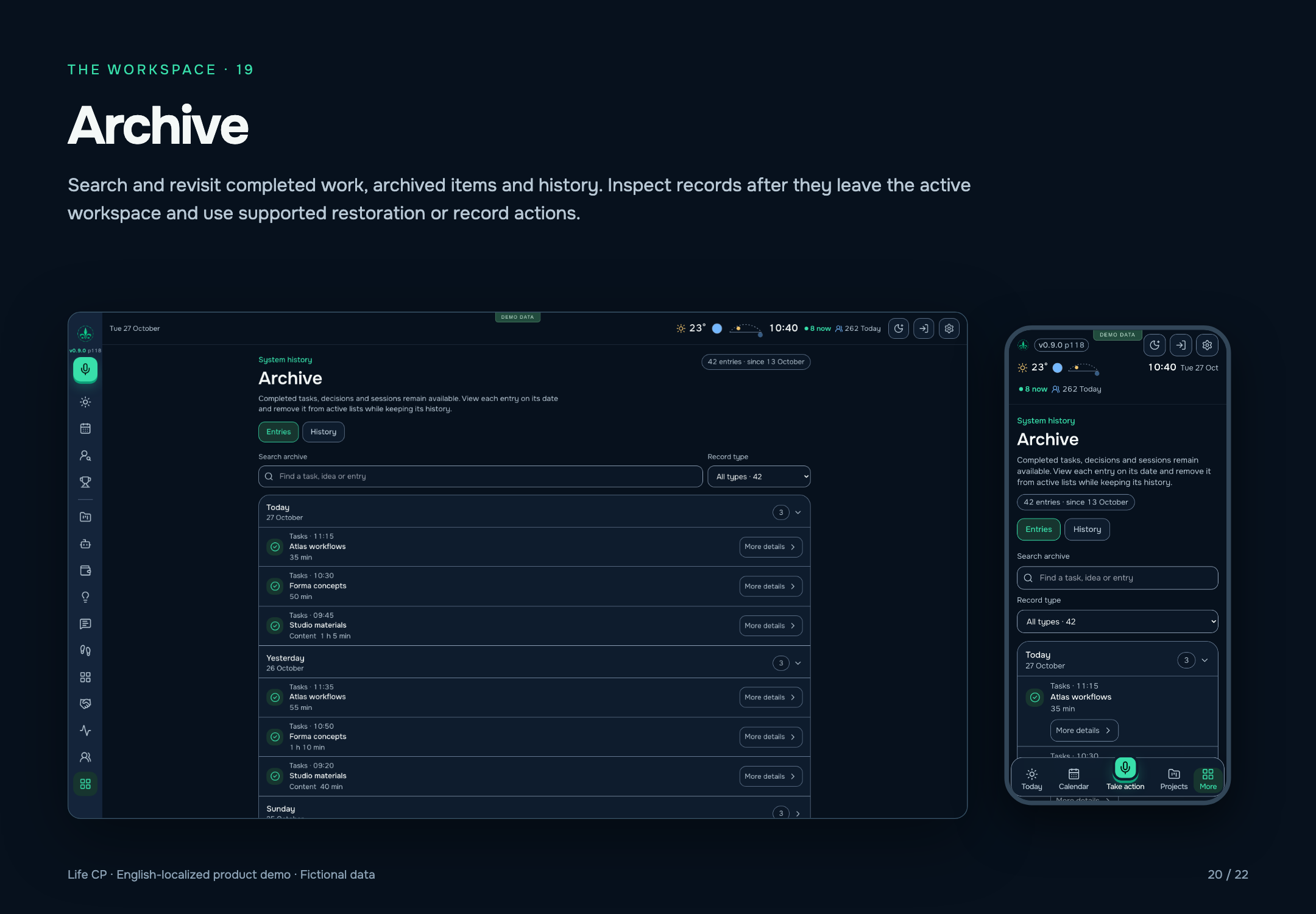
Search and revisit completed work, archived items and history. Inspect records after they leave the active workspace and use supported restoration or record actions.
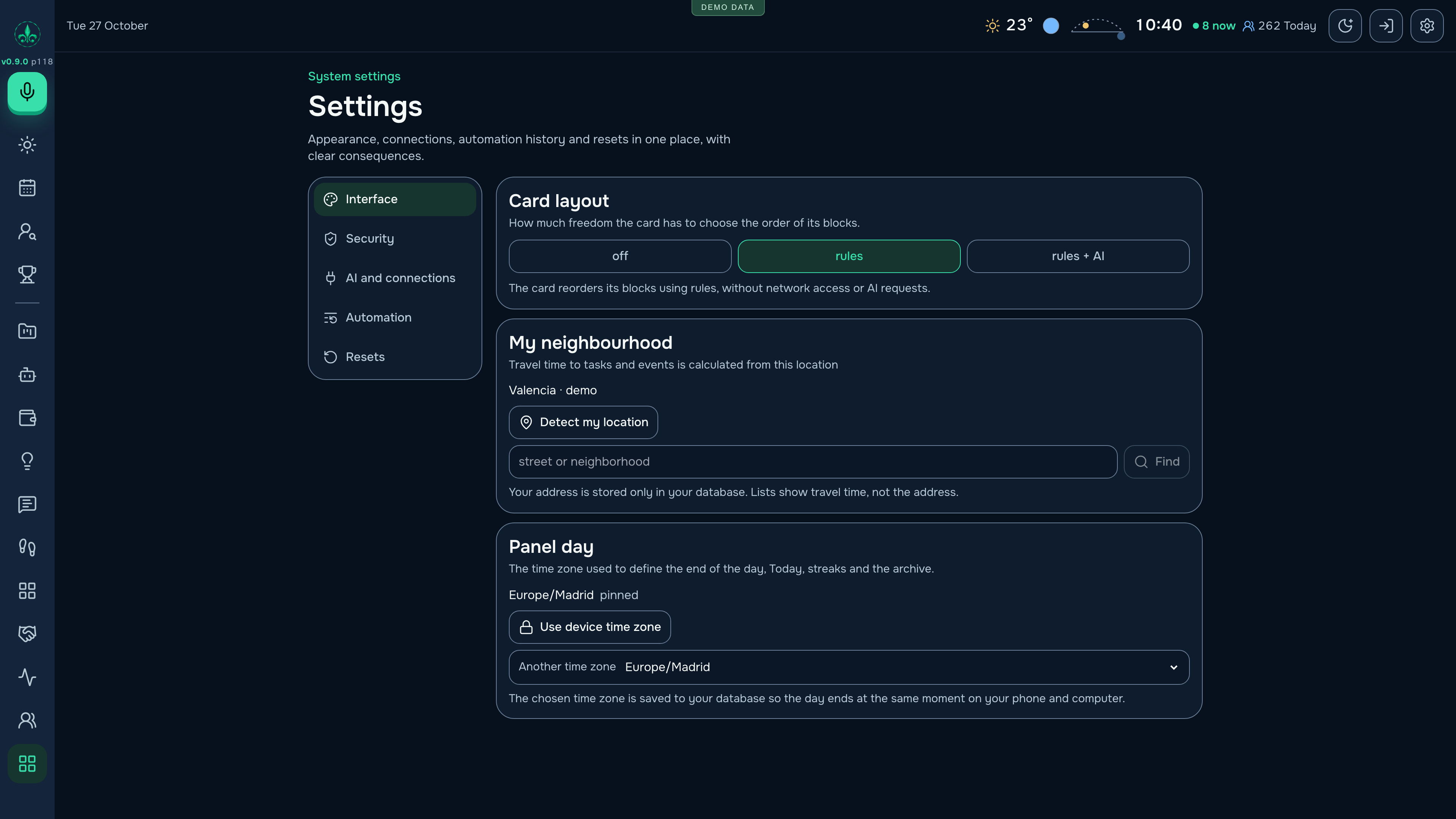
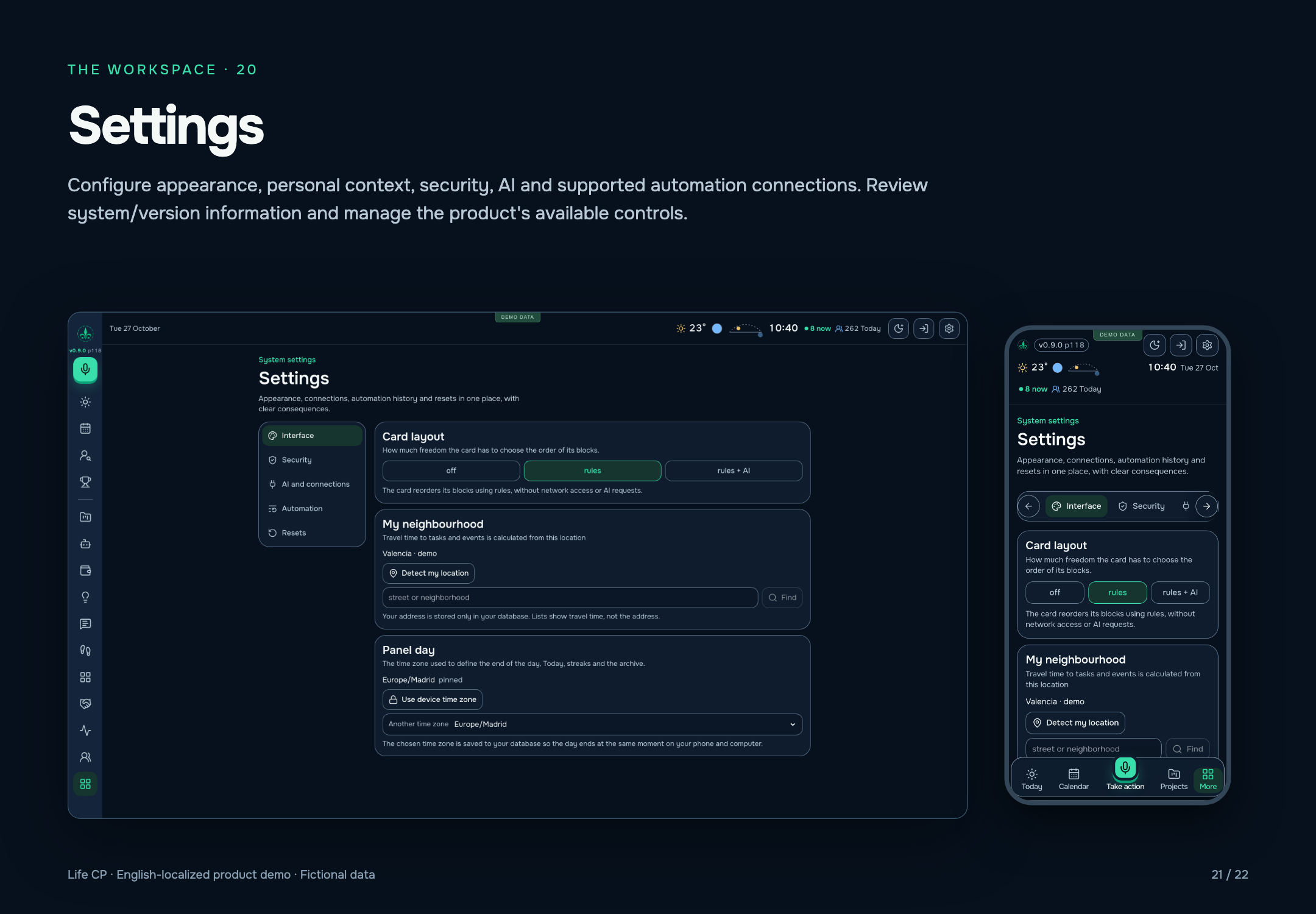
Configure appearance, personal context, security, AI and supported automation connections. Review system/version information and manage the product's available controls.
Beyond the screens, Life CP includes these 30 groups of integrations and supporting functions. External actions depend on configured accounts, permissions and available services.
Password or registered device assertion starts a login attempt; a one-time code is delivered to the existing private Telegram owner binding before a session is issued.
Settings can change the password after checking the current value; an authentication epoch changes the session signature and the caller signs in again.
Owner-created keys grant specific tool families. tools/list filters inaccessible tools; tools/call checks the required scope.
UI records synchronise through shared server storage; updates with an outdated baseUpdatedAt return the stored version for resolution.
Work logs, the archive and task sessions retain a history beyond the active task list.
Worker configuration binds relational storage, private file storage, a browser runtime, AI and an owner orchestration actor.
Authenticated upload/list/download/delete; metadata in D1 and original files in R2. The same store supports tasks, event tickets and contest material.
Settings connects an account and explicitly reads a bounded window of messages; finding cards can become events, tasks, subscriptions or parcels after selection.
Gmail ticket attachments are copied to the attachment store; ICS invitations supply meeting dates, end times and locations.
Link/text input, saved feeds and a configured Meetup connection can supply event details. A dedicated refresh source adds supported community events.
A saved profile is mapped onto a detected form; preview is the default. Explicit submission uses HTML or browser automation and returns the observed response.
A tracking URL opens in the browser runtime and visible status text is interpreted into a parcel update.
Finance keeps domain records and can retrieve registrar/registration/expiry metadata using RDAP.
Weather for a selected point; location lookup/reverse lookup; travel options and departure context for events.
Event venue and party details can request an AI-generated cost estimate.
Today shows sky events; the header shows astronomical context; Events manages regional/local holidays that also appear in Calendar.
Links can be checked or summarised; a cover queue resolves book/film artwork, and media search/recommendation has dedicated handlers.
Dedicated webhook paths normalise incoming messages and connect only to the stored owner binding; panel controls link/unlink supported channels.
The UI uses the browser's SpeechRecognition or webkitSpeechRecognition API to turn speech into task text.
Retained images can be described with visible text and explicit uncertainty before planning; malformed model output is rejected.
Stable idempotency keys produce send/status receipts to the existing owner bot; replies and button choices are associated with the stored question and can be closed after handling.
A one-time pairing registers a computer/project scope; enabled providers receive queued work and return heartbeat/completion states.
The panel/assistant can dispatch supported Studio jobs, inspect progress, retain approvals and deliver generated files through the linked bot.
A visitor chat uses bounded context to clarify a brief; the owner sees conversations, replies personally, or changes mode to human/blocked/closed.
Stored visitor/assistant/owner messages project into contact, opportunity and conversation records; retrying projection does not repeat AI generation.
Registered native workers submit bounded observations/events; source changes and command receipts are tracked with claims, policies and deduplication.
Installed article packages move through draft, review, scheduled, publishing and published states; the scheduler verifies the released version and public page before final status.
A verified blog release creates separate X and Facebook announcement tasks; an assigned agent records the post URL and result.
The owner reviews comment status; periodic report records summarise blog results and can be delivered through the existing bot.
The configured minute tick services queued assistant work, orchestration recovery, chat/CRM retries, cover jobs, blog scheduling/reporting and Studio progress; a separate eight-hour tick handles configured bank/source refresh.
All 46 interface captures and two Telegram illustrations from the presentation. Switch between desktop and mobile, search by section and open any image at full resolution.
images: 24
The starting point is an operational product that I use myself. The opportunity I want to explore is whether the same connected workflow can help other people managing several projects, businesses and a life beyond work.
Planning, financial context and AI execution become more useful when they share a record. Life CP makes that relationship visible in a working interface.
I design, build and use the system. Actual use creates direct feedback on which decisions need to become easier and where the product needs to improve.
A potential next step is to select one repeatable workflow for independent founders or small teams, test onboarding beyond my own setup and measure retention and willingness to pay.
The interface, mechanics and implementation can be examined today. Investment or strategic collaboration can be discussed around a defined next stage and measurable acceptance criteria.
A working personal product, used by its creator, with responsive desktop and mobile web interfaces, connected workspaces and configured AI workflows. This page presents a product snapshot from 27 October 2026.
Access for other users, repeatable onboarding, support, data isolation and a commercial model would need their own validation. These are concrete areas for the next stage of product development.
Keep exploring the diagrams, eight-slide overview, 22-page feature catalogue and detailed English and Russian guides. All figures in these materials are demonstration data.
Presentation updated: 28 October 2026 · 0.9.0-preview.118. The version label describes an evolving working product. The application itself remains private.