A map on your photograph
Lines stay connected to the palm image. Selection makes it easier to compare the explanation with what is visible.
 Alex SOLONSKYProjectsDiscuss the project
My own product · Concept, design, development and ongoing work
I created Personal Palmist to connect a hand photograph, identified lines, classic books and a personal conversation in one app. Tap a paragraph in a reading, see the corresponding line on your palm and open the source down to the book and page.
The app is built and in closed testing on iOS and Android
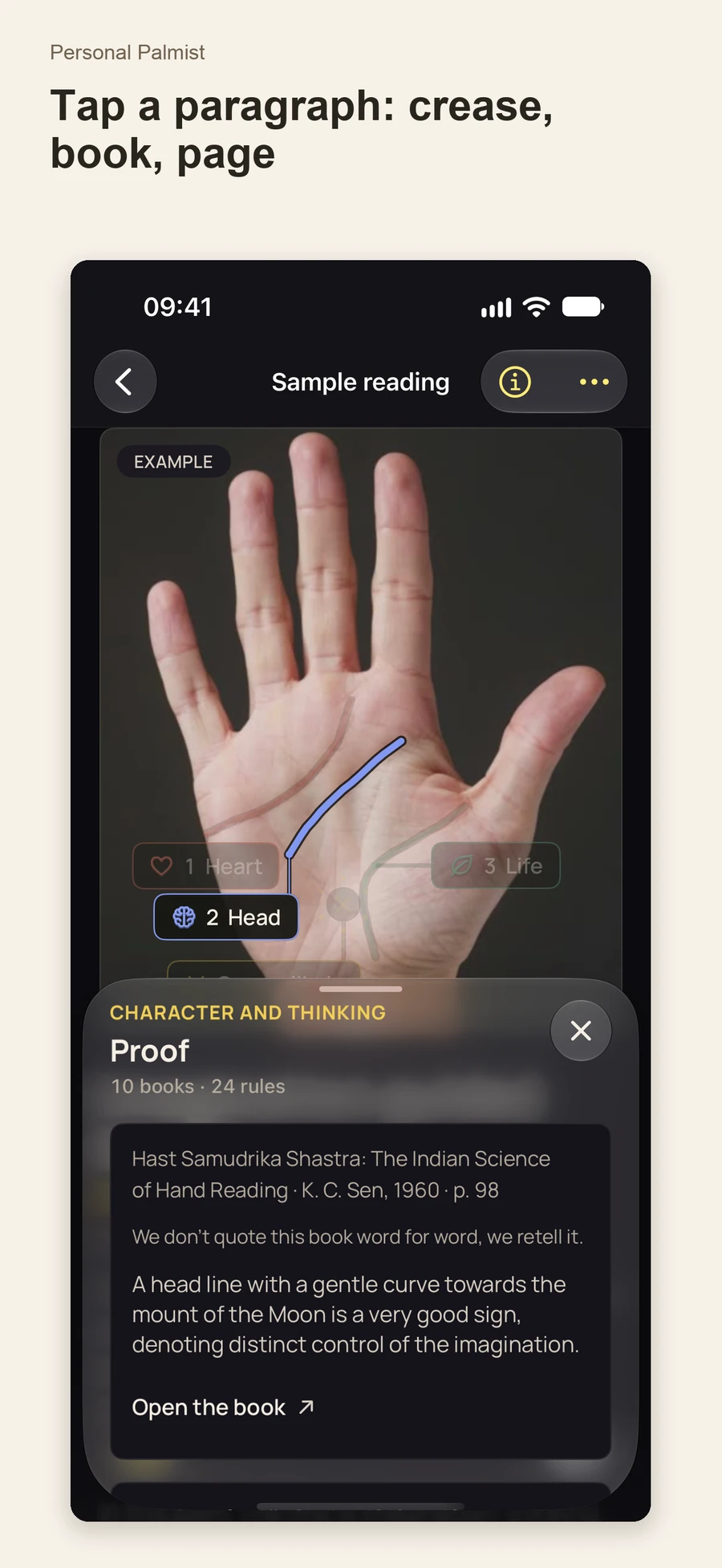
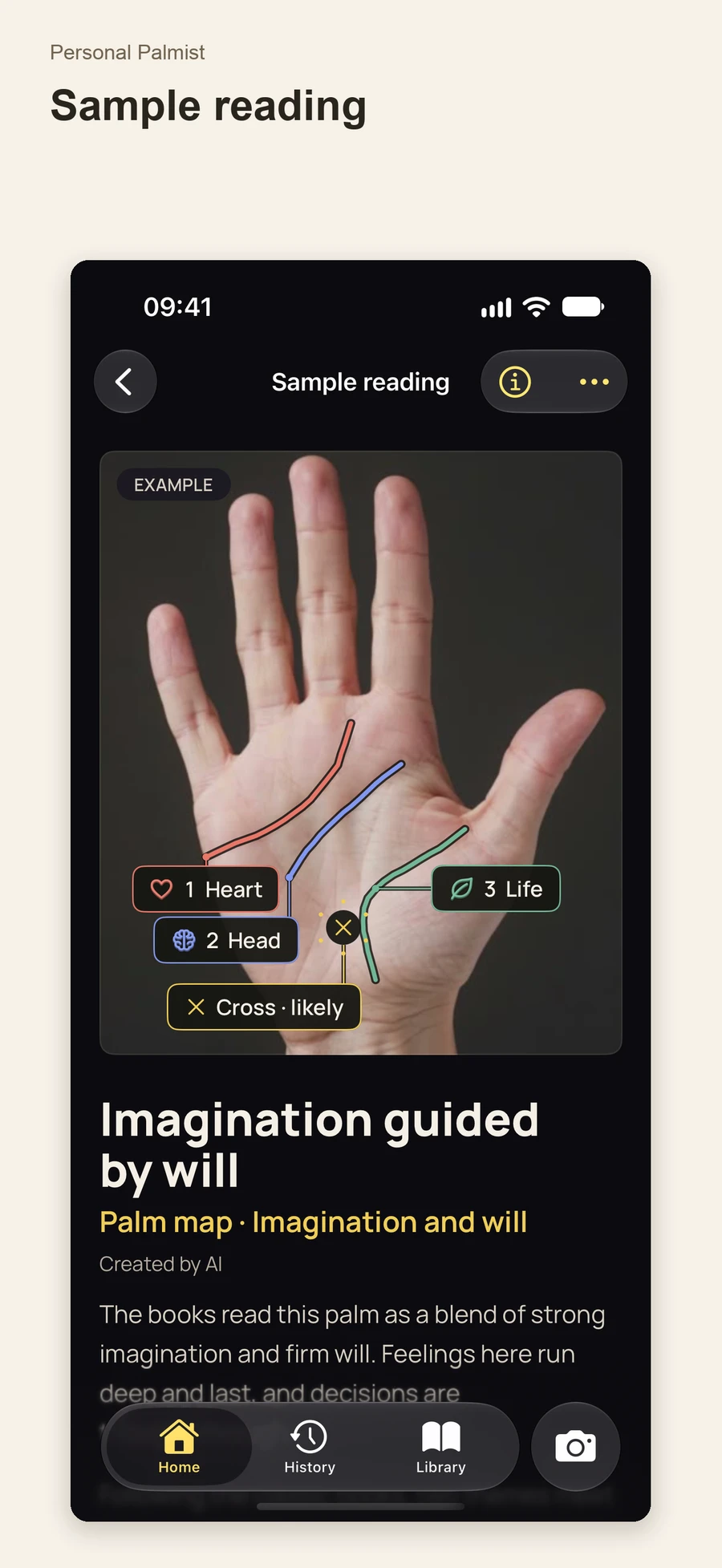
I wanted an experience where someone could examine their palm, understand where an interpretation comes from and continue a conversation about what interests them. The product connects photograph → line → explanation → source. Camera guidance, an interactive map, a library, AR and an AI Oracle build on that connection.
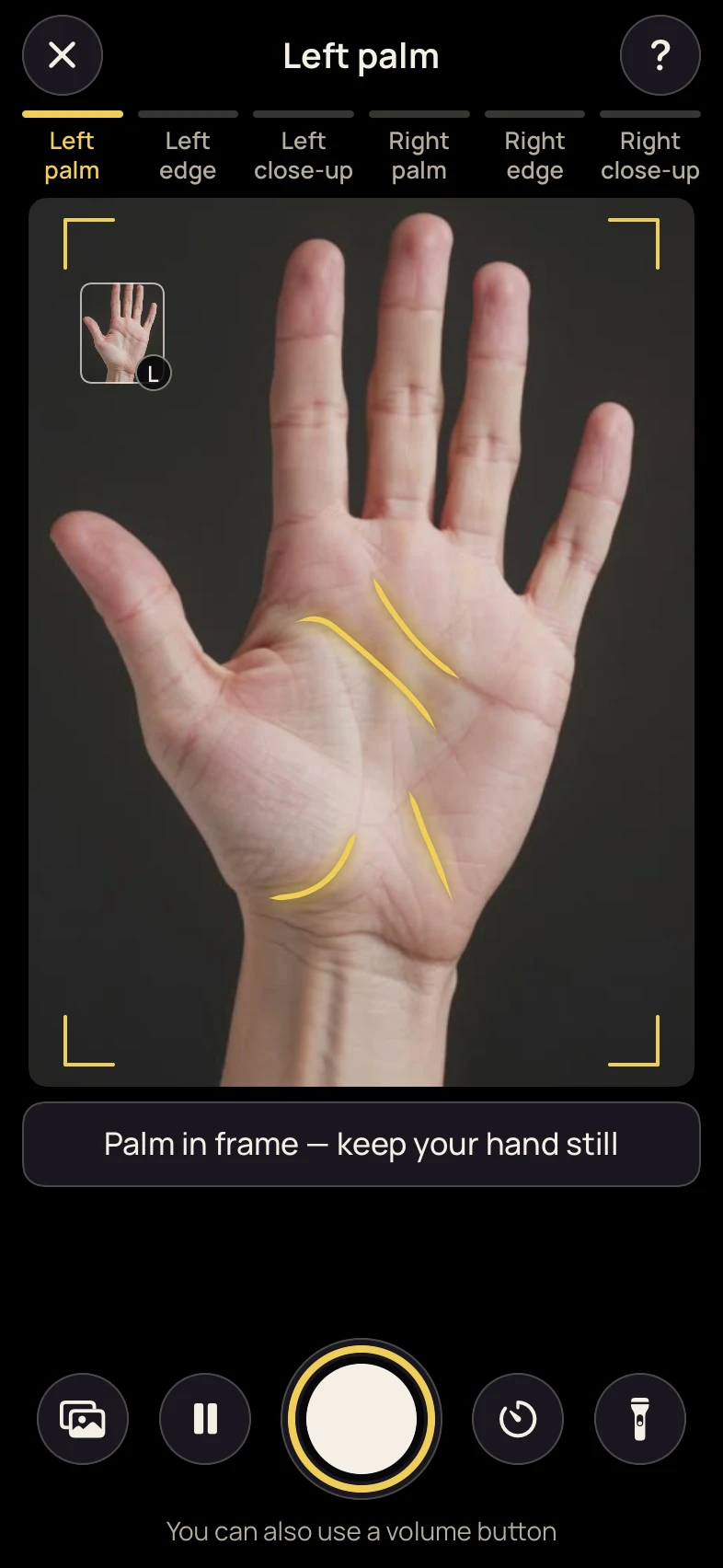
Guidance helps position the hand, follow the required angles and obtain usable photographs.
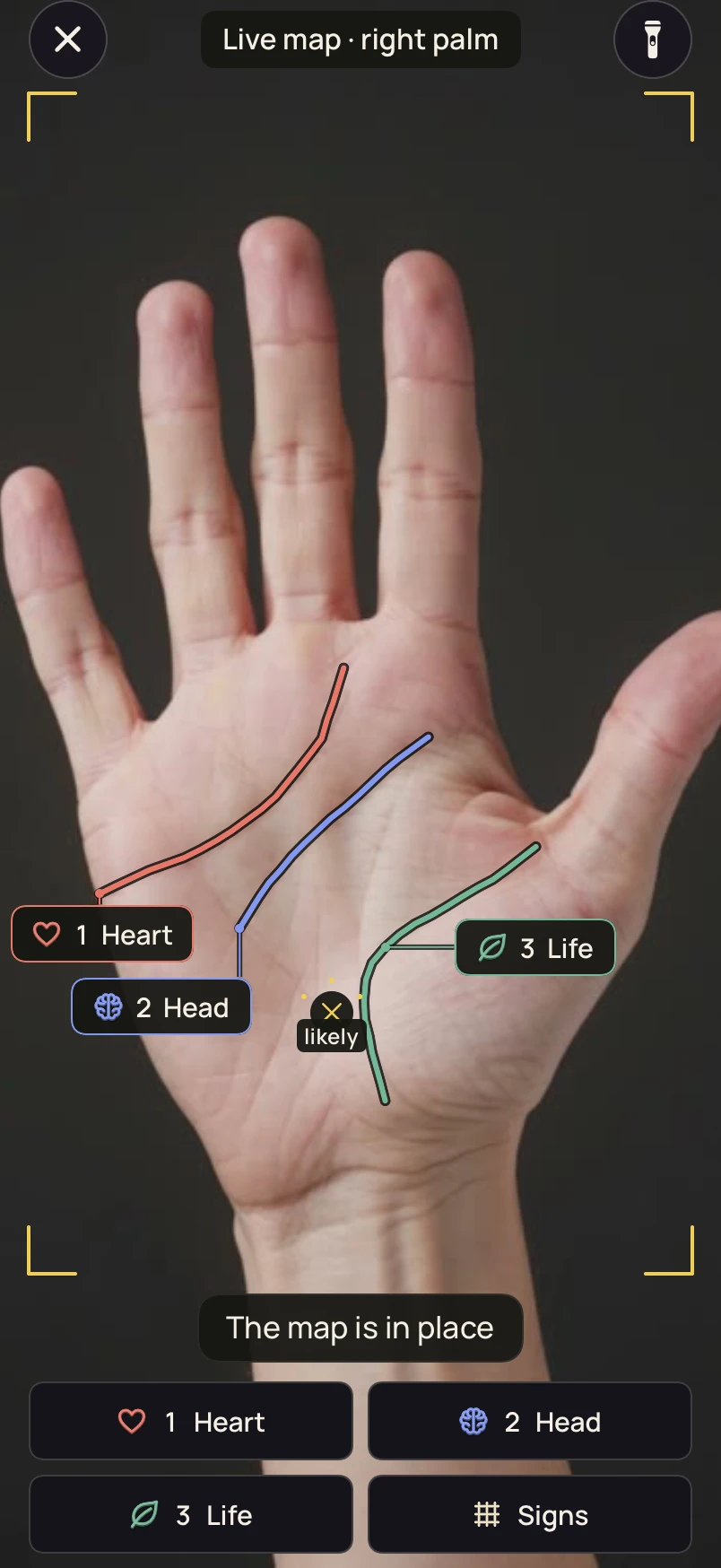
Identified lines and markings appear on the image and can be selected alongside the reading.
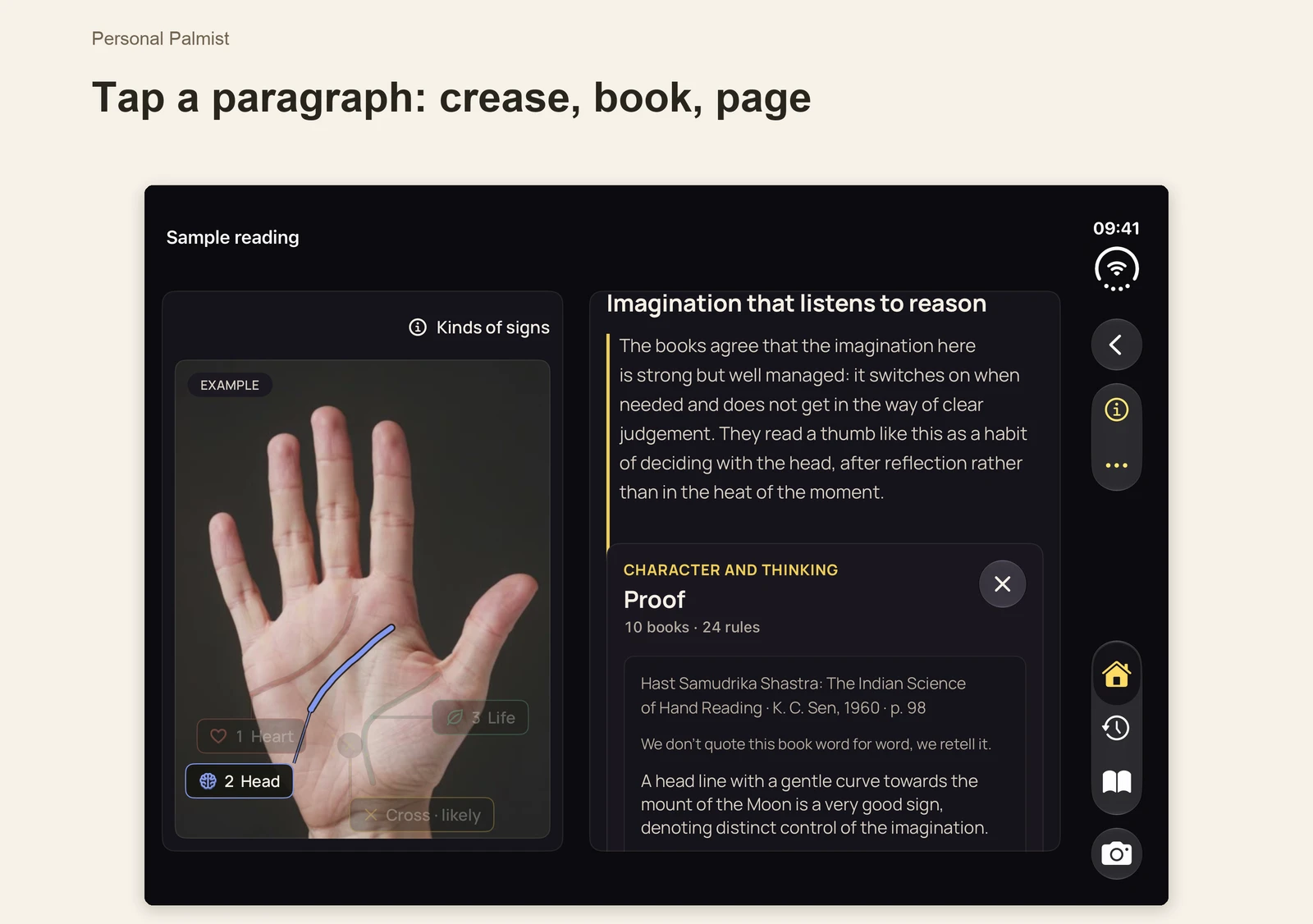
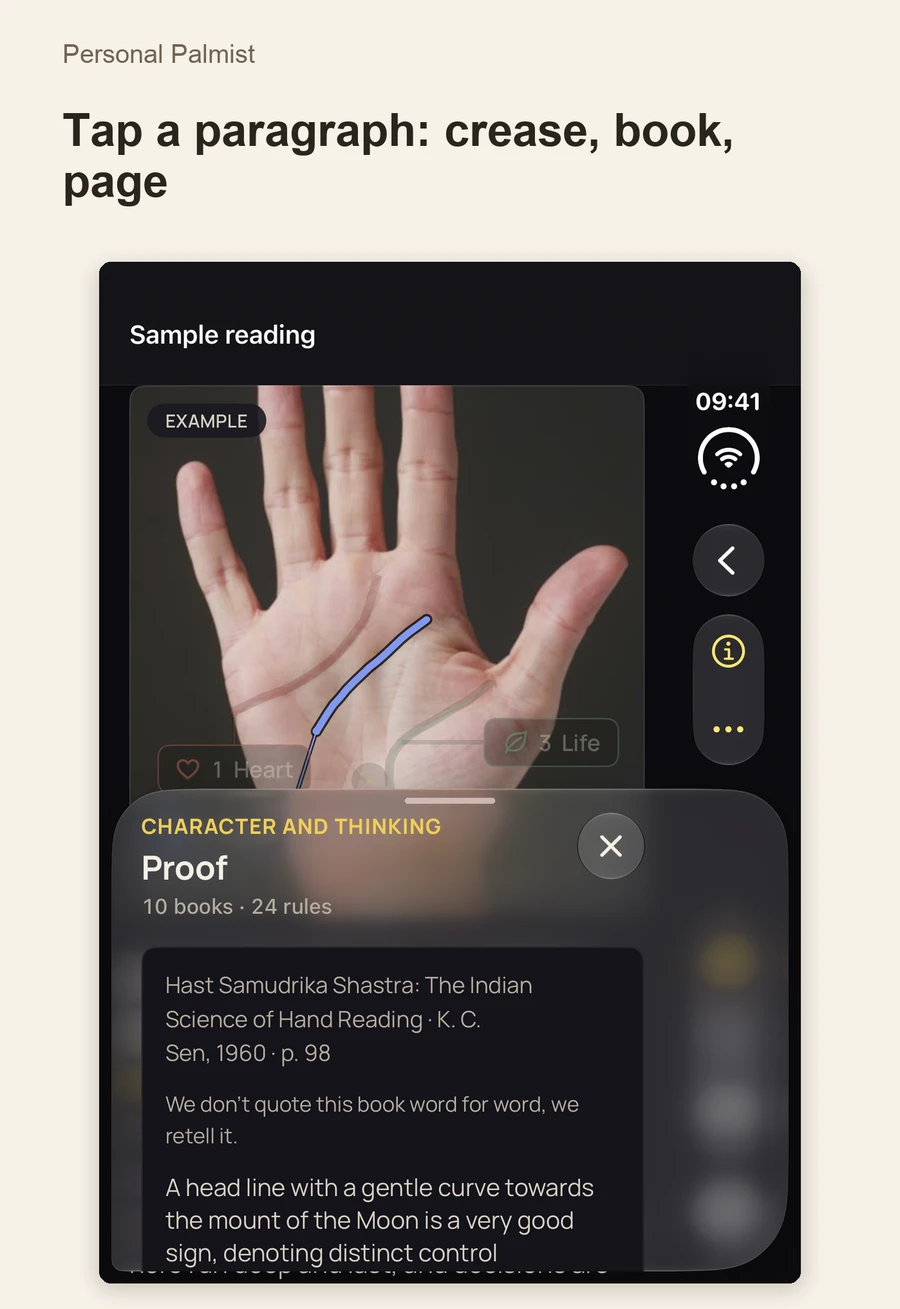
Tapping a paragraph connects the text with a line and a classic source: book, author and page.
The AI Oracle uses the context of the reading for questions that explore a topic further.
A reading continues beyond a page of text. Paragraphs, palm lines and source material have an interactive connection. A person can select an interesting passage, see the corresponding part of the hand and understand the tradition behind the interpretation.
Lines stay connected to the palm image. Selection makes it easier to compare the explanation with what is visible.
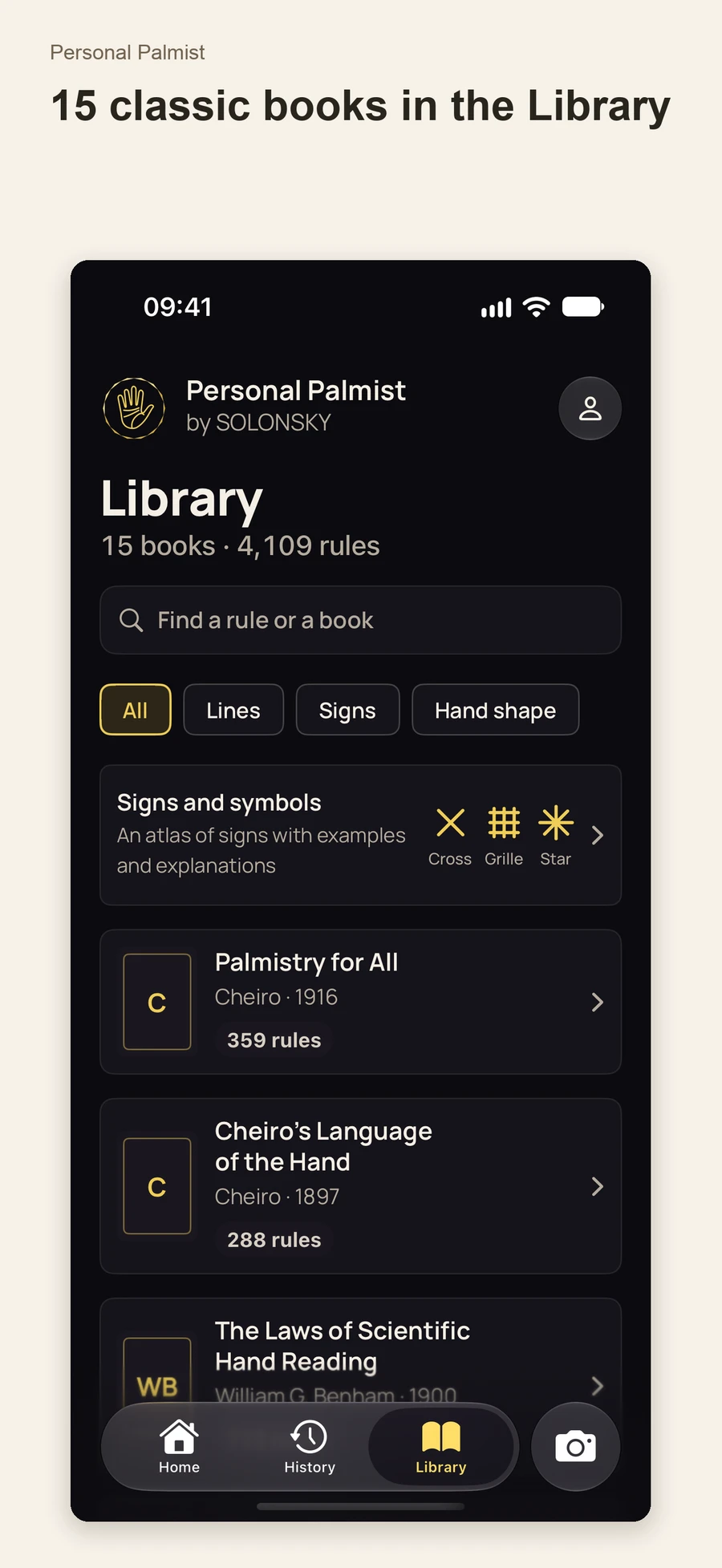
The knowledge base draws on 15 classic books from Western and Indian traditions, published from 1862 to 1960. Thousands of rules connect to sources.
An uncertain visual feature or disagreement between traditions can remain explicit in the reading, preserving the context.
Search, filters and an atlas help readers explore the tradition independently. The library can be explored without creating an account.
The camera supports both taking a useful photograph and exploring a completed reading. Each has a separate purpose and interface mode.
Local frame analysis highlights visible palm creases during capture. Golden lines help examine the hand, while positioning guidance, stability, a timer and volume-button capture support taking the picture.
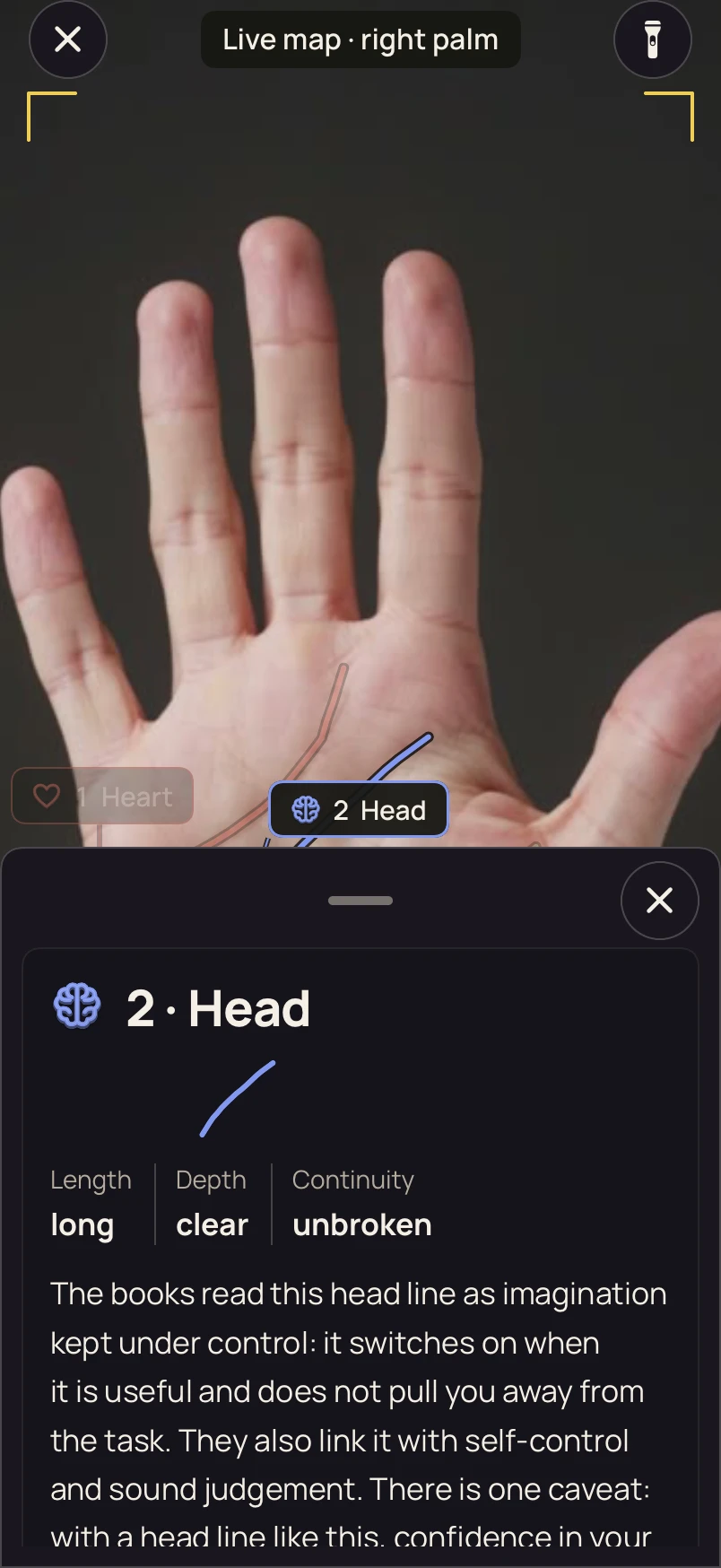
After a reading, identified lines can appear on the live hand image. The map follows the moving palm, and tapping a line opens its interpretation and related sources. The reading continues directly in the camera.
I built a dedicated adaptation for iPhone Duo. Its larger inner display can place the palm map and explanation side by side, so the reader sees the line while examining the source. The outer display keeps the same journey in a compact sequence suited to one-handed use.
One topic and a photograph of the right palm introduce the product and its way of explaining a result.
Both hands, six photographs and seven topics provide a more detailed experience. Camera guidance takes the person through the required views.
The conversation uses the reading context. Readers can ask follow-up questions and return to the topics they want to explore.
History and designed cards help revisit a result or share selected parts. The user chooses what leaves the app.
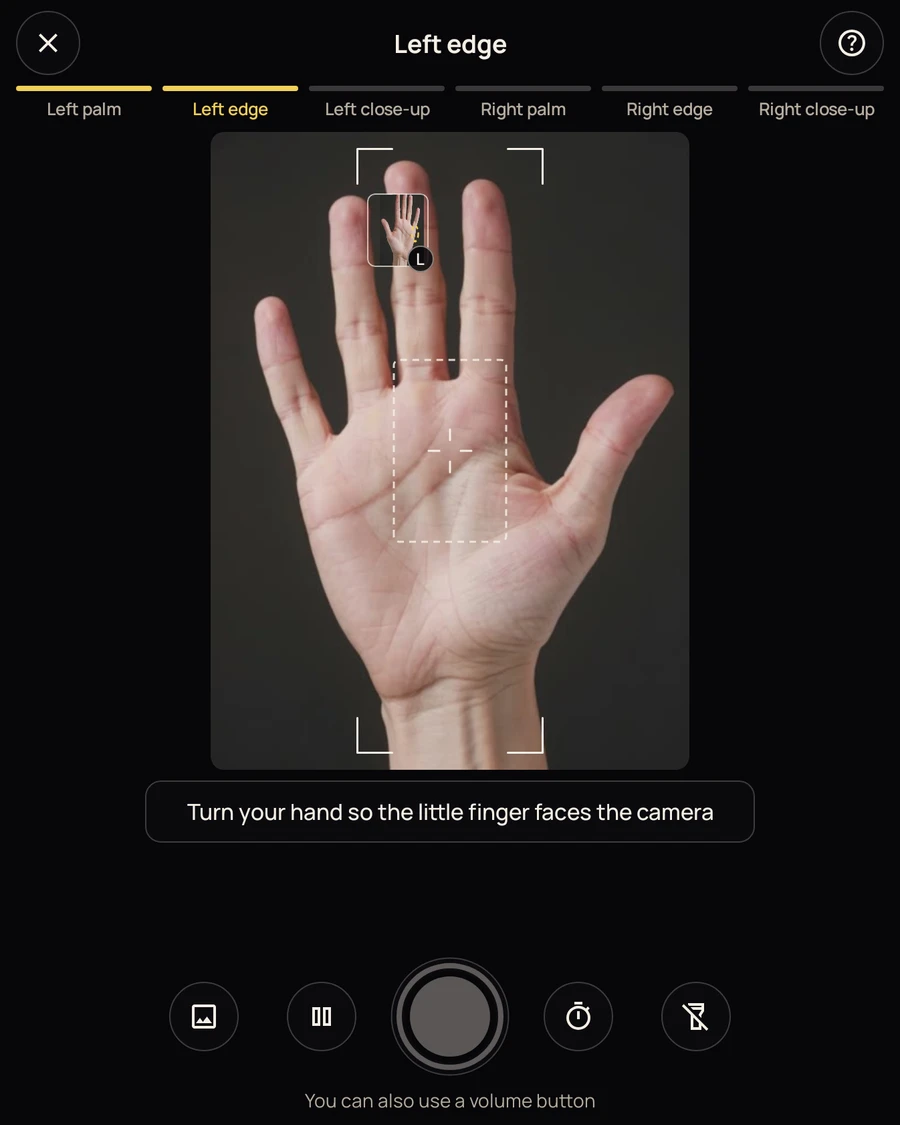
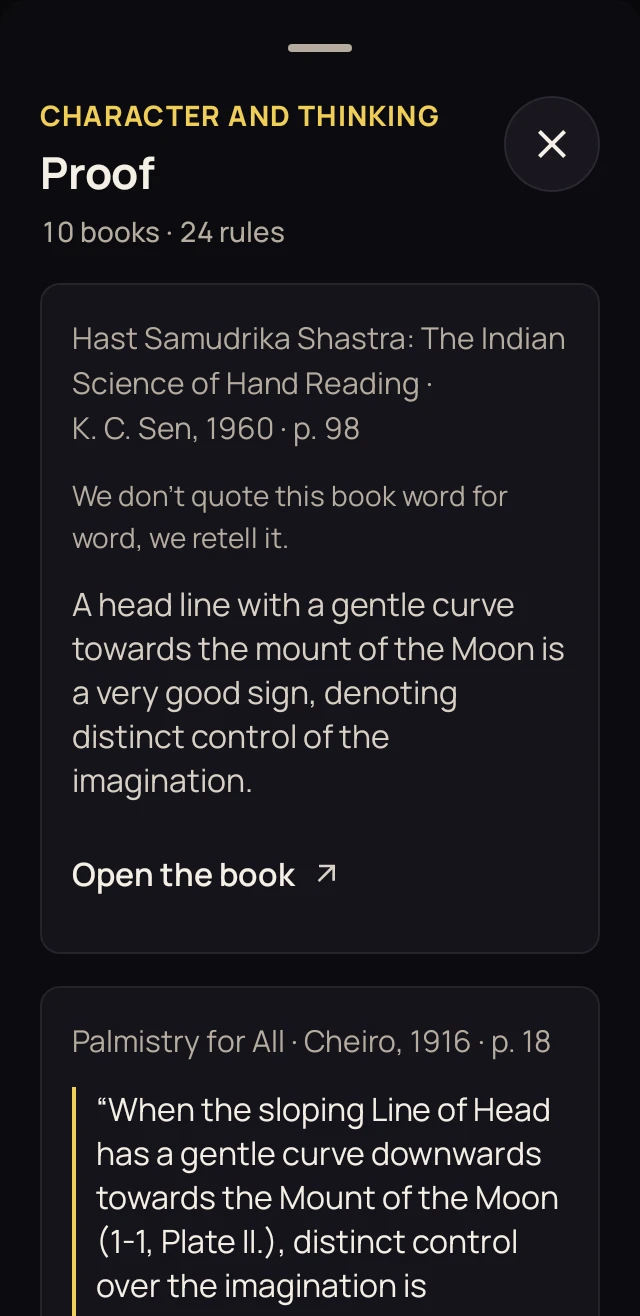
Screens come from prepared app materials and interface checks, using sample palms and readings. AR frames illustrate the mode’s interface rather than documenting a physical camera test.
Anonymous sign-in supports getting started without filling out an unnecessary profile.
Frames in the local camera mode are processed on the device. Sending photographs for an AI reading requires consent.
English, Spanish, Russian, Portuguese, Turkish and Ukrainian. This page presents the English app interface.
The experience is built around the user, without advertising inserts or advertising tracking.
The iOS and Android apps, interactive readings, library and camera journeys are built. Closed testing is underway; iOS uses TestFlight. This is the stage before a public store release. I continue to improve recognition quality, source navigation and camera behaviour across devices.